Explore product-specific spaces to ask questions, share insights, and learn best practices.
Recently active
Hello! We would like to propose that when using a Workflow Template for Proofing that the V2 (Version 2) of that document would follow the deadline days and time as formatted in the initial template set up. Thank you!
🗣 Looking to continue the conversation after Experience Makers The Skill Exchange? The conversation isn't over.At Skill Exchange on August 12, AEM experts @ghowell15 and @pstolmar will take the stage — Gary with Scaling Content Creation with Product Launch Accelerator and Generative AI and Peter with Scalable Content Workflows for Authoring and Asset Governance. Afterwards, they'll host an open office hour built for one purpose: to keep that dialogue going with you.This is your chance to bring the questions you don't get to ask live, the use case you're still working through, or the challenge you hit the moment you tried applying what you learned. Come with your real-world scenarios — Gary and Peter will be here to work through them live.What you'll walk away withDirect answers from two AEM experts on scaling content creation with generative AI and building governed, scalable authoring workflows — grounded in what they're seeing in real implementations, not just theory Practical nex
🗣 Looking to continue the conversation after Experience Makers The Skill Exchange? The conversation isn't over.At The Skill Exchange on August 12, AEM Champions @BrettBirschbach and @venkatkrishnat will take the stage — Brett with Leveraging AI in AEM Cloud Service Development and Venkat with Content Authoring Evolution and Best Practices. Afterwards, they'll host an open office hour built for one purpose: to keep that dialogue going with you.This isn't a repeat of their sessions. It's your chance to bring the questions you don't get to ask live, the use case you're still working through, or the challenge you hit the moment you tried applying what you learned. Come with your real-world scenarios — Brett and Venkat will be here to work through them live.What you'll walk away withDirect answers from two AEM Champions on applying AI to AEM Cloud Service development and modernizing content authoring — grounded in what they're seeing in real implementations, not just theory Practical nex
If you have a follow-up question from the Skill Exchange session Driving End User Adoption: Change Management Best Practices for Real Impact with Danielle Johnston (@danielle_john) from Adobe and Kellie Gardner (@kelliegardner) from EMMsphere that originally aired on August 5, 2026, you're in the right place! Leave your comment below and our speakers will do their best to reply. And if you see a question below that you know the answer to, don't be shy! We'd love for you to answer from your own experience and perspective. Have questions about another Skill Exchange session? You can see the full list of discussion threads here. On-Demand Viewing - This session is now available on-demand, you can find the recording here.
I recommend that the feature that automatically auto tags images in a document is disabled for every user. The tagging can/should be manually done with the ai generated text as an option, not a default setting.I have an abstract image in my template that I send to clients. If I forget to disable the auto tagging, then the client will read a caption that suggests I am sending them a nude image. There is no figure in the graphic. There is no suggestion of a figure in the graphic, but Ai suggest that there is, and it confuses my clients. Even if it says that it is an “Ai generated caption”, my clients read it as something I, myself, inserted into their document. I have turned it off. I have done it multiple times, successfully. However, I do not love that it is my sole responsibility to work around a program every single time I send out a document.
Hi Team, I'm working on a usecase where I need to create a Interactive Proof for a Web URL and need some ideas and suggestion on how to achieve this. I have a field attached to an object(TASK) where we will enter the URL of the webpage that needs to be proofed and I need to develop the fusion scenario that will automate Interactive Proof for that URL entered. Any suggestions and ideas are appreciated. Thanks for your time!!!
I have built out a scenario in Fusion and I can fetch and read the note/update and notify those not tagged. But, I would like to update the note/update to add tags. I’m able to create a new note/update that will add tags but I don’t want to create a new one I just want to update the original with tags.Is this possible?Thank you in advance for your insight.
It would be great to create a date range which is relative to the Date Ranges selected in the Panel. Right now, I can only visualize a fixed date range for a previous reporting period. Example: I create a report with last week as previous comparing period. When I change the Date Ranges in the Panel (e.g. last quarter) it will still compare the whole last quarter with last week.
If you have a follow-up question from the Skill Exchange session Your New AI Teammate: Mastering Workfront's Brand Reviewer with Ewan Hruska (@ewanh) from Adobe and Monique Evans (@moniqueevans) from IBM iX that originally aired on August 5, 2026, you're in the right place! Leave your comment below and our speakers will do their best to reply. And if you see a question below that you know the answer to, don't be shy! We'd love for you to answer from your own experience and perspective. Have questions about another Skill Exchange session? You can see the full list of discussion threads here. On-Demand Viewing - This session is now available on-demand, you can find the recording here. (Tip: Use the links in the left navigation to watch other Skill Exchange sessions!)
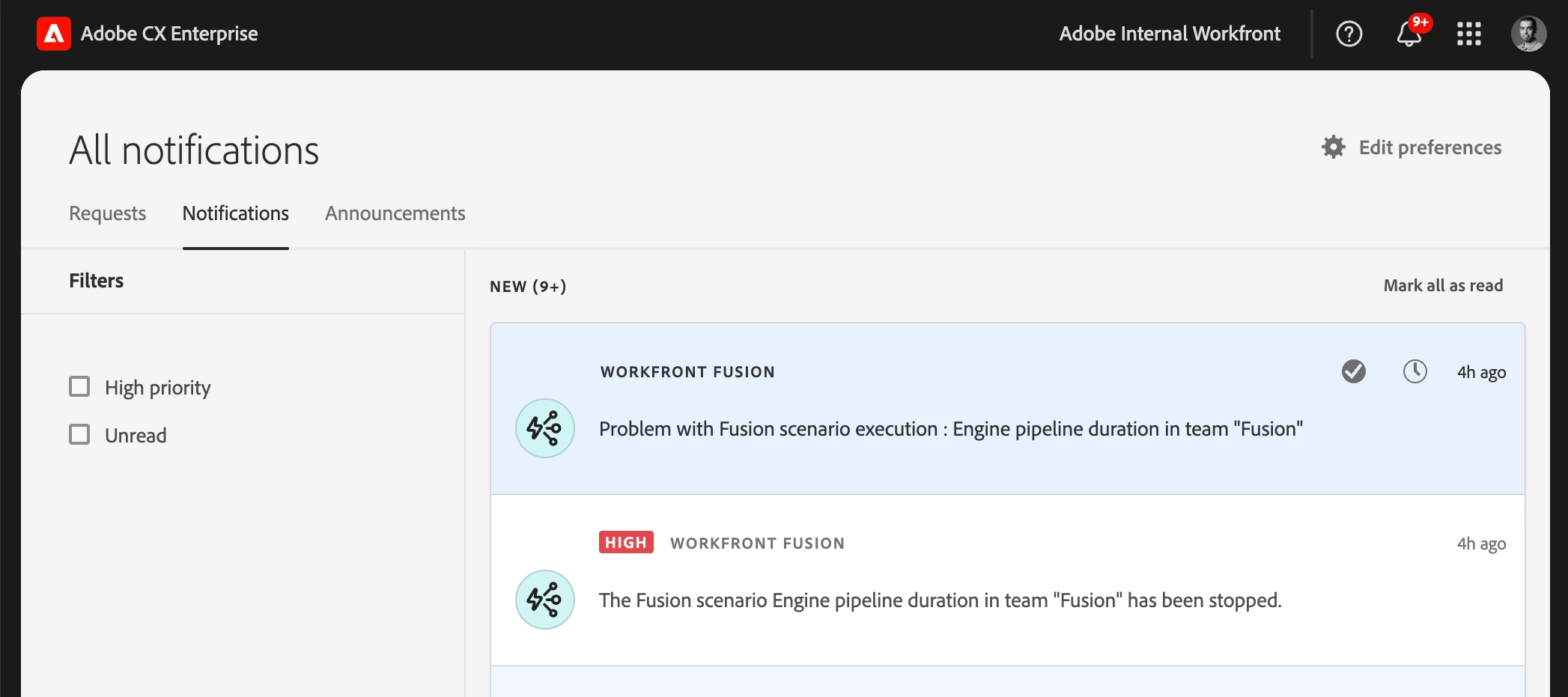
Set team or scenario notification options for IMS organizationsIMS organizations can now enable or disable each notification type independently at the team level — the same fine-grained controls previously available only to non‑IMS organizations. Scenario-level notification settings continue to override team settings when present.OverviewTo give teams finer control over the notifications they receive, administrators and team managers in IMS organizations can now choose which situations trigger Fusion notifications. Instead of a single on/off switch for all notifications, you can toggle each notification type independently:Notify on warning — Send a notification when a scenario execution logs a warning. Notify on error — Send a notification when a scenario execution fails. Notify when scenario is disabled — Send a notification when Fusion auto‑deactivates a scenario (for example, after too many consecutive errors).Scenario-level notification settings still take precedence over team-lev
If you have a follow-up question from the Skill Exchange session Building Strong Links for Your Content Supply Chain with Adobe Solutions with Natalie Shanks from OneAmerica Financial that originally aired on August 5, 2026, you're in the right place! Leave your comment below and our speakers will do their best to reply. And if you see a question below that you know the answer to, don't be shy! We'd love for you to answer from your own experience and perspective. Have questions about another Skill Exchange session? You can see the full list of discussion threads here. On-Demand Viewing - This session is now available on-demand, you can find the recording here.
I am trying to subtract a system property call {estimate} and a custom field called Actual Points. Both properties display correctly using these 2 text mode pieces of code:displayname=Actual Pointslinkedname=resolveProjectnamekey=view.relatedcolumnnamekeyargkey.0=resolveProjectnamekeyargkey.1=Actual Pointsquerysort=DE:resolveProject:Actual Pointsvaluefield=resolveProject:Actual Pointsvalueformat=customDataLabelsAsStringaggregator.displayformat=valaggregator.function=SUMaggregator.namekey=estimateaggregator.valuefield=estimateaggregator.valueformat=valdisplayname=Agile Assigned Pointslinkedname=directnamekey=estimatevaluefield=estimatevalueformat=doubleAsDoubleBut I can’t figure out why I get a blank column when I try to subtract them using this syntax:displayname=Difference +/-linkedname=resolveProjectnamekey=view.relatedcolumnnamekeyargkey.0=resolveProjectnamekeyargkey.1=Actual Pointsquerysort=DE:resolveProject:Actual Pointsvalueexpression=SUB({estimate},{DE:resolveProject:Actual Poi
Hi everyone,I’m currently working on setting up an Edge Delivery Services (EDS) site using an Adobe repository and would appreciate some guidance.My goal is to: Set up a new EDS project using the official Adobe repository Configure the required integrations to create and load the website using AEM Sites authoring Create pipelines, deploy the site, and preview content I’ve gone through the documentation, but most of the references are based on using a public GitHub repository. In my case, I’m working with a private repository (Adobe repo).At the moment, I’m facing an issue with site ownership verification. Even after adding the required verification file, the verification is not successful. Currently, my repository only contains this verification file and does not yet include files like fstab.yaml or other standard EDS configuration files.It would be really helpful to understand the correct approach for private repository setups, EDS site creation, especially around ownership verifi
Hi,I am having some difficulties understanding the documentation regarding event reactions.I have added an event reaction “clicked” with a following email to those who have clicked. If I add an event timeout of 7 days, will the email to those who clicked wait 7 days before being sent? Or will the email be sent immediately when someone clicks?
We’re excited to announce the early access launch of our all-new Dynamic Media Video Player – a faster, smarter, and more accessible upgrade to our existing player. Reimagined from the ground up, this next-gen player is built to deliver a premium viewing experience while giving your brand the performance edge it deserves.We’re inviting select customers to join our VIP Early Access Program! What’s New?Blazing Fast PerformanceOur new lightweight player drastically reduces load times, keeping your site snappy and responsive – no matter the connection speed. We have noticed almost 20% reduction in load time and 55-65% reduction in LCP. . Savings of 70% bytes served for player images and 40% for player JS Adaptive Streaming for Seamless PlaybackComes with full adaptive bitrate streaming support through which the player dynamically adjusts video quality based on the viewer’s bandwidth and device capabilities. That means smoother playback, fewer interruptions, and
Hi everyone,I'm looking for guidance on the recommended approach for securely storing OAuth access tokens in AEM as a Cloud Service.We're evaluating different options for storing an access token that is used for outbound API integrations. The approaches we're considering include:In-memory cache: This avoids persistent storage, but since AEM as a Cloud Service runs multiple author/publish pods, each pod maintains its own cache. As a result, a pod without the token may need to perform an additional OAuth token request. JCR storage under /var: Store the encrypted access token under /var with appropriate ACLs and access it only through a dedicated service user.I'd like to understand:Which of these approaches is generally recommended for AEM as a Cloud Service? Are there Adobe-recommended best practices for securely storing and managing OAuth access tokens? Has anyone implemented a different approach that works well in a cloud-native, multi-pod AEM environment?Any guidance, recommendations,
we are trying to create a destination sdk to swoogo faccing issue which authentication type to use had tried OAuth 2 with Client Credentials Grant it is not working please suggest what kind of customerauthentication to be used for these destination .below for swoogo request api token for refernce :https://swoogo.readme.io/reference/post_oauth2-tokenSwoogo Api:https://swoogo.readme.io/reference/updatecontactthese was used in our config json it was not working: "customerAuthenticationConfigurations": [ { "authType": "OAUTH2", "grant": "OAUTH2_CLIENT_CREDENTIALS", "accessTokenUrl": "https://api.swoogo.com/api/v1/oauth2/token", "clientId": "XXXXX", "clientSecret": "XXXXXXXXXXXXXX", "options": { "useBasicAuth": true } } ],
There is an important option missing in the date rage panel.We can select the current period but not the selected period of the workspace. So it's not possible to create dynamic comparison to the current time range users set in the workspace.In other words we absolutely need these options:- current day- current week- current month- current quarter- current year- current date range
Hi, we have a Channel Capping Rule of 1 Email per day shared across multiple journeys.# Example:Journey 1Trigger → EmailJourney 2Trigger → Email 1 → Wait 1d → Email 2 → Wait 1d → Email 3Scenario:Day 1: Journey 2 - Email 1 → SENTDay 2: Journey 1 - Email → SENT Journey 2 - Email 2 → EXCLUDED by cappingWe need Journey 2 to behave like:Day 3: Retry Email 2Day 4: Email 3The problem is that a capping exclusion does not trigger the Email error path, so the journey continues normally.We also want to avoid creating one recovery journey or audience per communication because it would not scale.Is there a more native/scalable Adobe-recommended solution for this use case? Even with Data Distiller is something dificult to achieve.Thanks.
Hi! I’m working on a use case where an email was not sent because the profile had reached the daily frequency cap.The client would like to keep that communication on hold and retry it the following day. In other words, if the email is excluded today due to capping, it should automatically be sent tomorrow once the profile is eligible again.Is there a way to achieve this behavior in AJO?Thanks!
Requested EnhancementsPlease consider expanding the Activity Revisions API to include more complete audit information, such as:What exactly changed in each revision Who made the change When the change occurred Previous value and new value for changed fields Change type or action performed, such as create, edit, approve, deactivate, archive, or schedule update Workspace, property, or environment context where applicableWhy This MattersMore comprehensive revision history would significantly improve:Audit readiness Troubleshooting and incident analysis Operational transparency Change tracking across teams Governance and compliance reviewToday, it is difficult to fully understand the history of an activity and determine the precise sequence of updates made over time. Expanded revision details would make the API much more useful for enterprise activity management.Request to AdobeWe would appreciate it if this enhancement request could be shared with the Adobe Target product team for conside
I would like to advocate for Adobe to introduce more robust reporting capabilities and intuitive charts that clearly display planned hours, actual hours logged, and remaining planned hours for each assignee when tasks have multiple assignees.Currently, it can be challenging to track individual contributions and workload balance across team members on shared tasks. When there’s one assignee per task, it’s much easier, but that’s not real world for us.Enhanced visual reports and dashboards would empower project managers and leadership to better monitor resource allocation, identify bottlenecks, and improve forecasting accuracy. Leadership doesn’t want to look at numerous reports, or jump to the Resource Planner and apply filters, to try and piece together this puzzle.Thanks for the consideration!
It is a huge inefficiency that we cannot bulk edit like items on template tasks in multiple templates. For example, I want to bulk edit a value on the same task custom form in multiple template tasks/across multiple templates. I pull all of the tasks in a template task report, select the several I want to change, all of which have the same task custom form, and you cannot do this. You get the error below. You can bulk edit tasks across projects, why can we not bulk edit tasks across multiple templates?
If you have a follow-up question from the Skill Exchange session Workfront Architecture: Planning, Fusion, and Workflow for Enterprise Scale with Olya Kollen from WorkFocus.io that originally aired on August 5, 2026, you're in the right place! Leave your comment below and our speakers will do their best to reply. And if you see a question below that you know the answer to, don't be shy! We'd love for you to answer from your own experience and perspective. Have questions about another Skill Exchange session? You can see the full list of discussion threads here. On-Demand Viewing - This session is now available on-demand, you can find the recording here.
If you have a follow-up question from the Skill Exchange session Mastering Workfront Admin Basics: Tips to Accelerate Your Onboarding with Jennifer Mancini (@JenniferMa10) from Aramark that originally aired on August 5, 2026, you're in the right place! Leave your comment below and our speakers will do their best to reply. And if you see a question below that you know the answer to, don't be shy! We'd love for you to answer from your own experience and perspective. Have questions about another Skill Exchange session? You can see the full list of discussion threads here. On-Demand Viewing - This session is now available on-demand, you can find the recording here.
Already have an account? Login
Enter your E-mail address. We'll send you an e-mail with instructions to reset your password.