Request Queue only showing all fields for System Admins and no one else | Community
Skip to main content
November 4, 2024
Solved

Request Queue only showing all fields for System Admins and no one else

  • November 4, 2024
  • 4 replies
  • 1398 views

I have a user who is unable to see any of the fields that come with a request queue's custom form, and I am clueless. Whenever I go to make a request, the fields show up for me, no matter what. And after checking, and logging in as various users with different access levels, it appears that the only ones who can see the request form with all the fields is the system administrator. Is there something that I am overlooking on the request queue that is preventing all other users from seeing it? I will also note, that the only custom form created for this request queue was the Issue. Would not having a Project custom form be part of the problem?


Thank you,
Best answer by -JC

@mph2 had to dig through an old Support ticket of my own. One more place for you to look at:


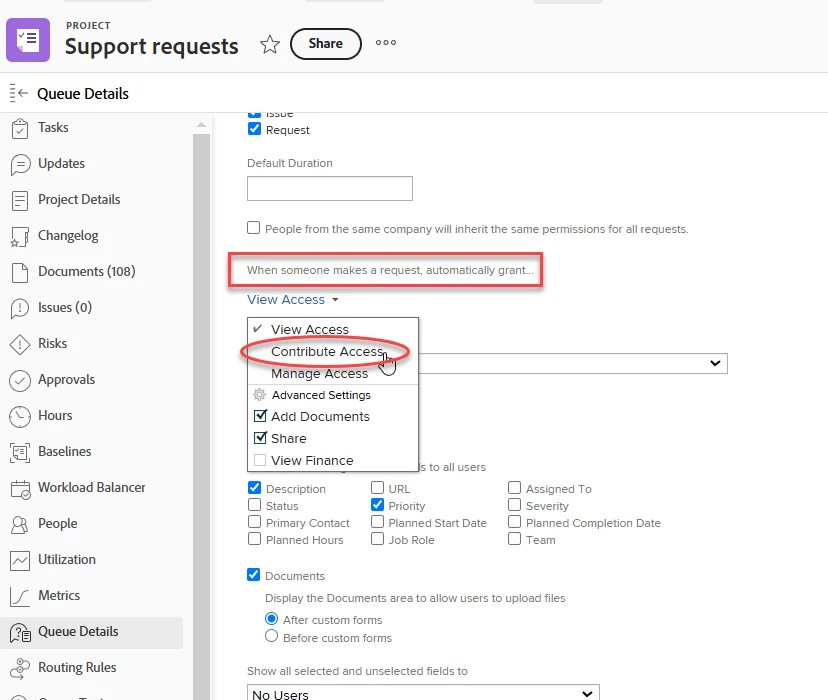
Make sure "When someone makes a request, automatically grant:" is set to at least Contribute Access. I remember saying to the Support rep that this was confusing verbiage, but alas, it's what enabled our users to see the fields when submitting a request.

4 replies

Sven-iX
Community Advisor
Community Advisor
November 4, 2024

Hi @mph2 
check

  • group(s) the user is part of
  • project/queue access (the radio buttons under "Shows as help queue")
  • Form sharing
MPH2Author
November 4, 2024

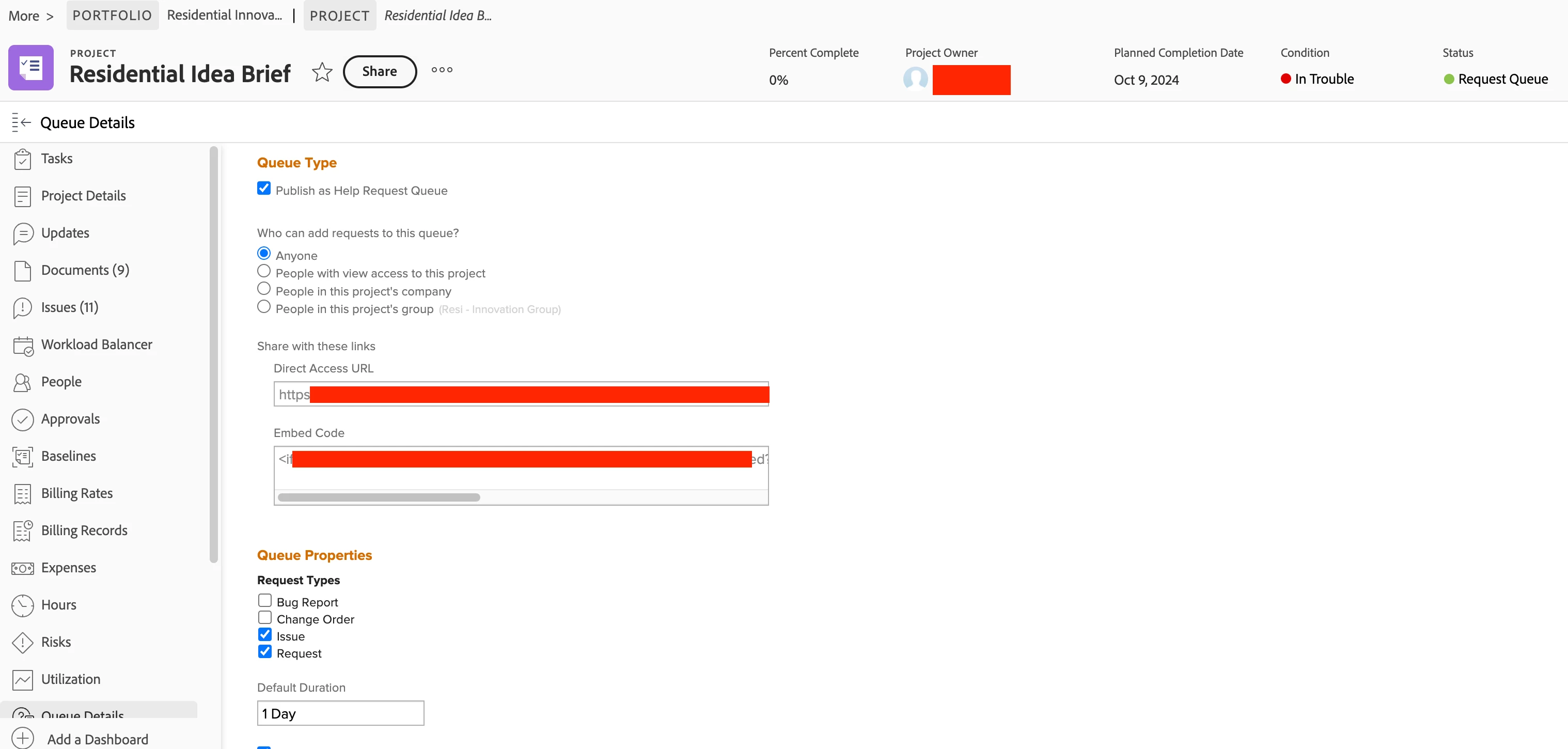
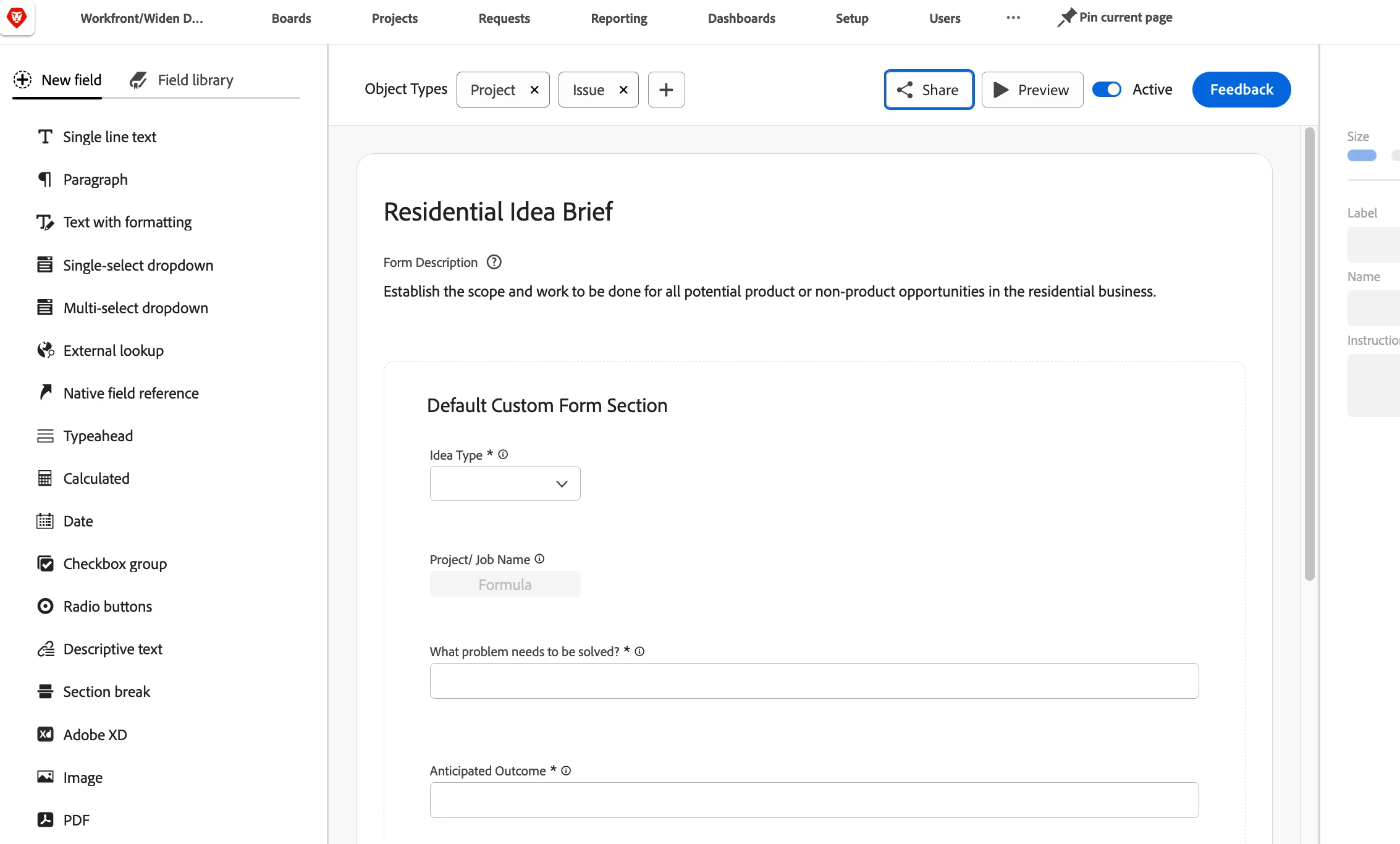
Here is the form's setup: 


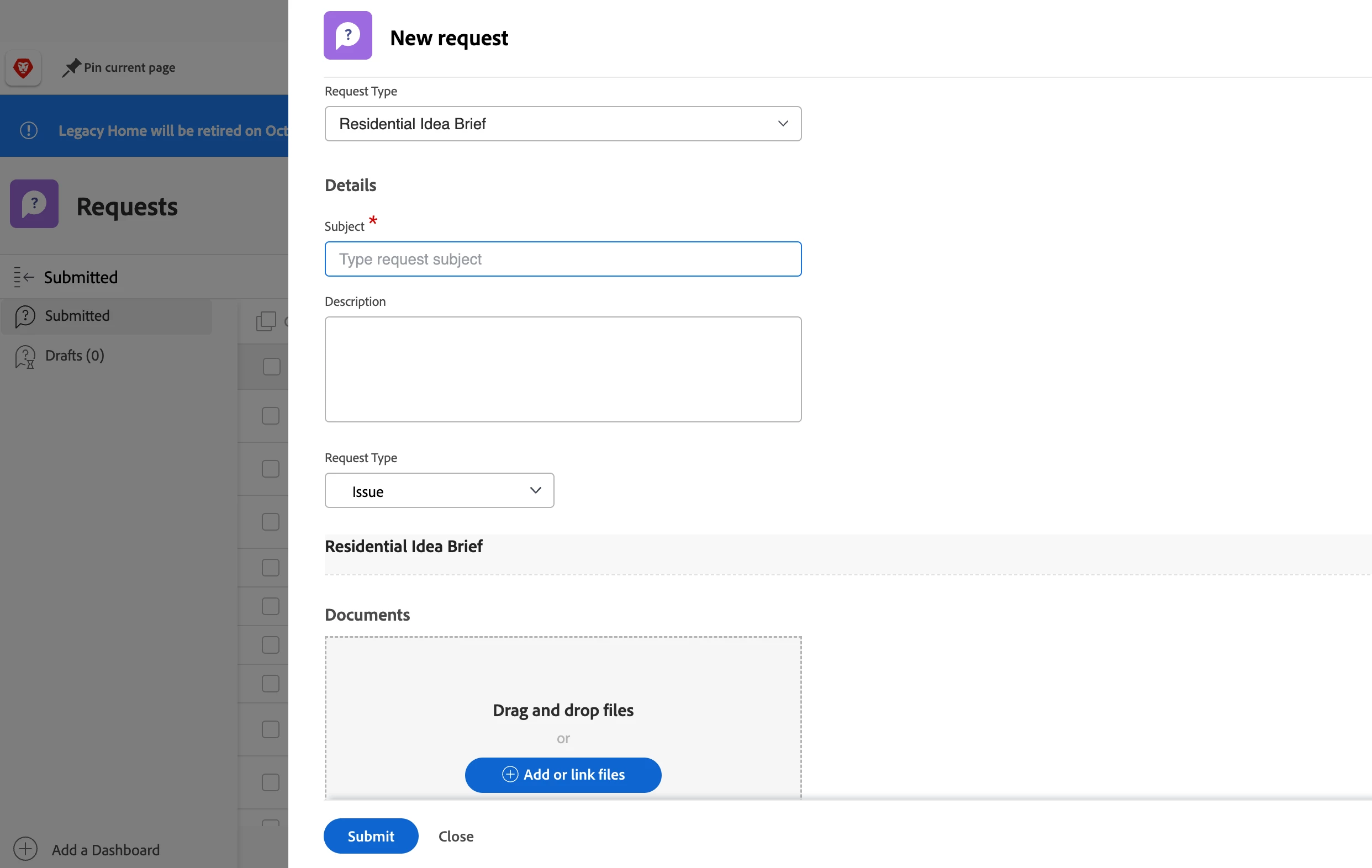
Here is what most users see:


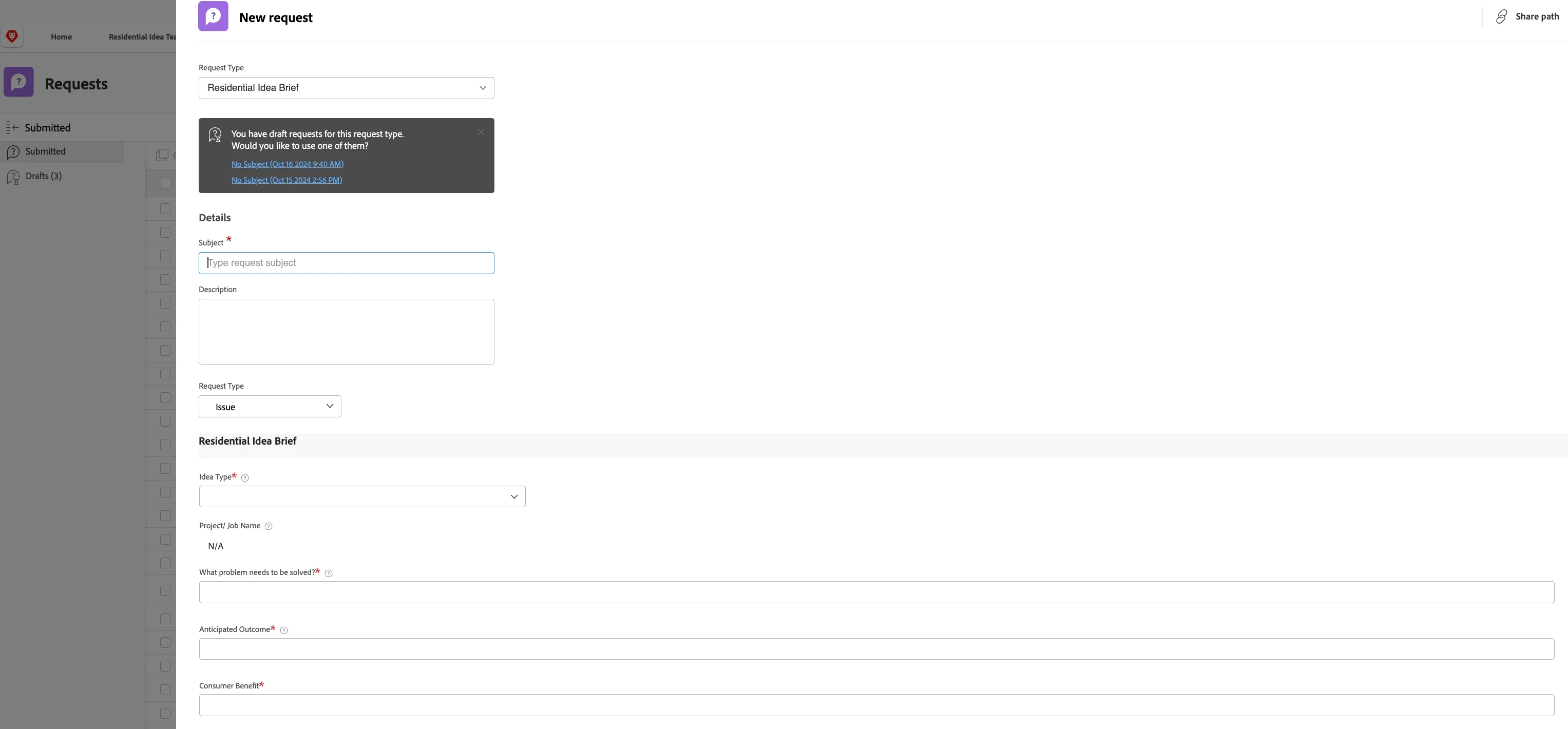
But here is part of what me and the group leader see when we use the same request form (I am Sys Admin, the other user is not):


So, even though it is set to be accessible to anyone, if the user needing to make the request isn't part of the group, then they cannot see the other fields?

-JC
Level 5
November 4, 2024

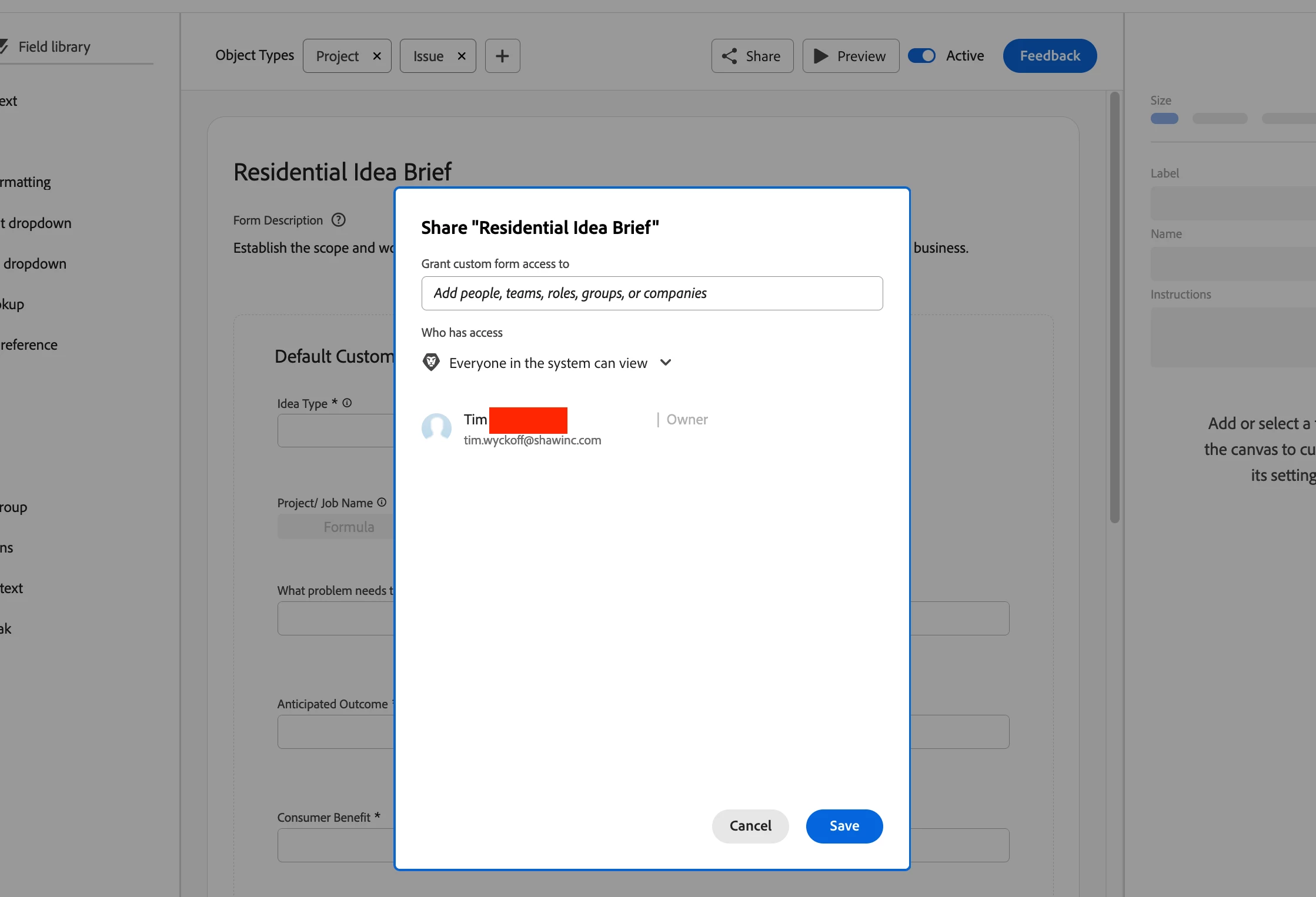
I think you may need to look at the sharing permissions for the custom form called
"Residential Idea Brief".

Richard__Carlson
Community Advisor
Community Advisor
November 4, 2024

In my instance each request is actually a container project, when a request comes in it is an issue within that container project.  That container project has it's own share config just like anything else.  There is a slightly different configuration when you have a project set up as a request queue.  In the queue setup you have view/share options for the request queue.  You can make the request queue visible by share only, global, etc.


MPH2Author
November 4, 2024

I'm sorry if I am a bit slow on the uptake here, I'm a bit new, but the request queue is set up not unlike others we have, but for some reason, the only people able to see all the fields are the System Admins. Even the people in the group that this is intended for are only able to see what is in the first picture I shared and nothing more. I am at a loss...

Richard__Carlson
Community Advisor
Community Advisor
November 4, 2024

Can you share how the others are setup and likewise how this one is setup?

skyehansen
Community Advisor
Community Advisor
November 4, 2024


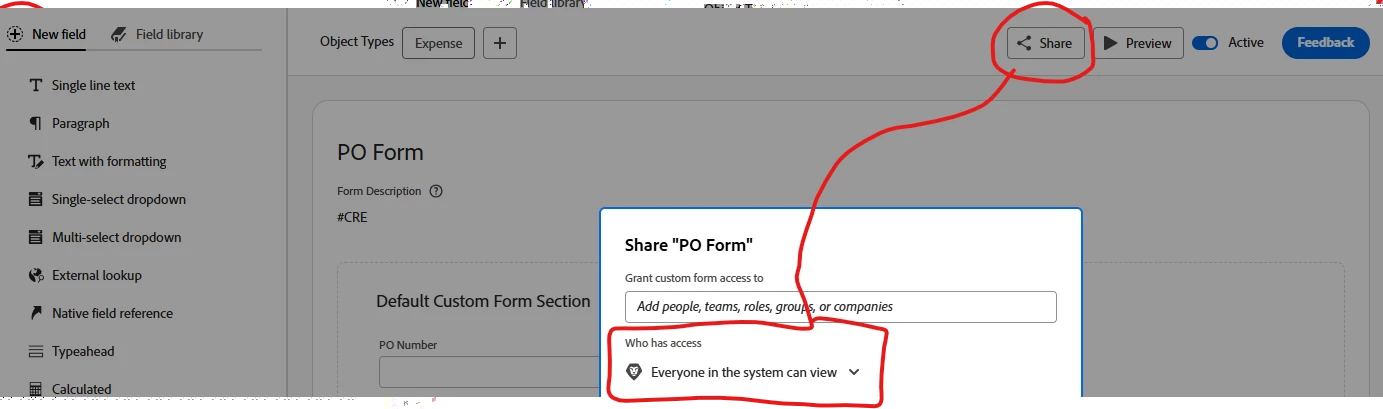
when you open your form in the setup area, is it set so that everyone in the system can view?

MPH2Author
November 4, 2024

We do. 


And here is what we have it built out to:


 And this form was used by people who now aren't able to see any of the fields today, despite seeing them in the past.

-JC
-JCAccepted solution
Level 5
November 4, 2024

@mph2 had to dig through an old Support ticket of my own. One more place for you to look at:


Make sure "When someone makes a request, automatically grant:" is set to at least Contribute Access. I remember saying to the Support rep that this was confusing verbiage, but alas, it's what enabled our users to see the fields when submitting a request.

MPH2Author
November 4, 2024

My coworker and I stumbled across this, just before I came back here. For whatever reason, when we set htis particular queue to Contribute, it locks out almost all the fields available for this request form. For other forms that I created, this is not the case. These same users can access my forms, which are set to Contribute, and update all available/relevant fields. But when we set the queue in question to Manage, it opens them all up. I don't have the foggiest as to why it's doing this, but now that we've fixed it, I'm not touching it unless I have to.


Thank you for your help with this!