Custom Form not visible to users on Request | Community
Skip to main content
Level 2
May 22, 2020
Solved

Custom Form not visible to users on Request

  • May 22, 2020
  • 2 replies
  • 2061 views

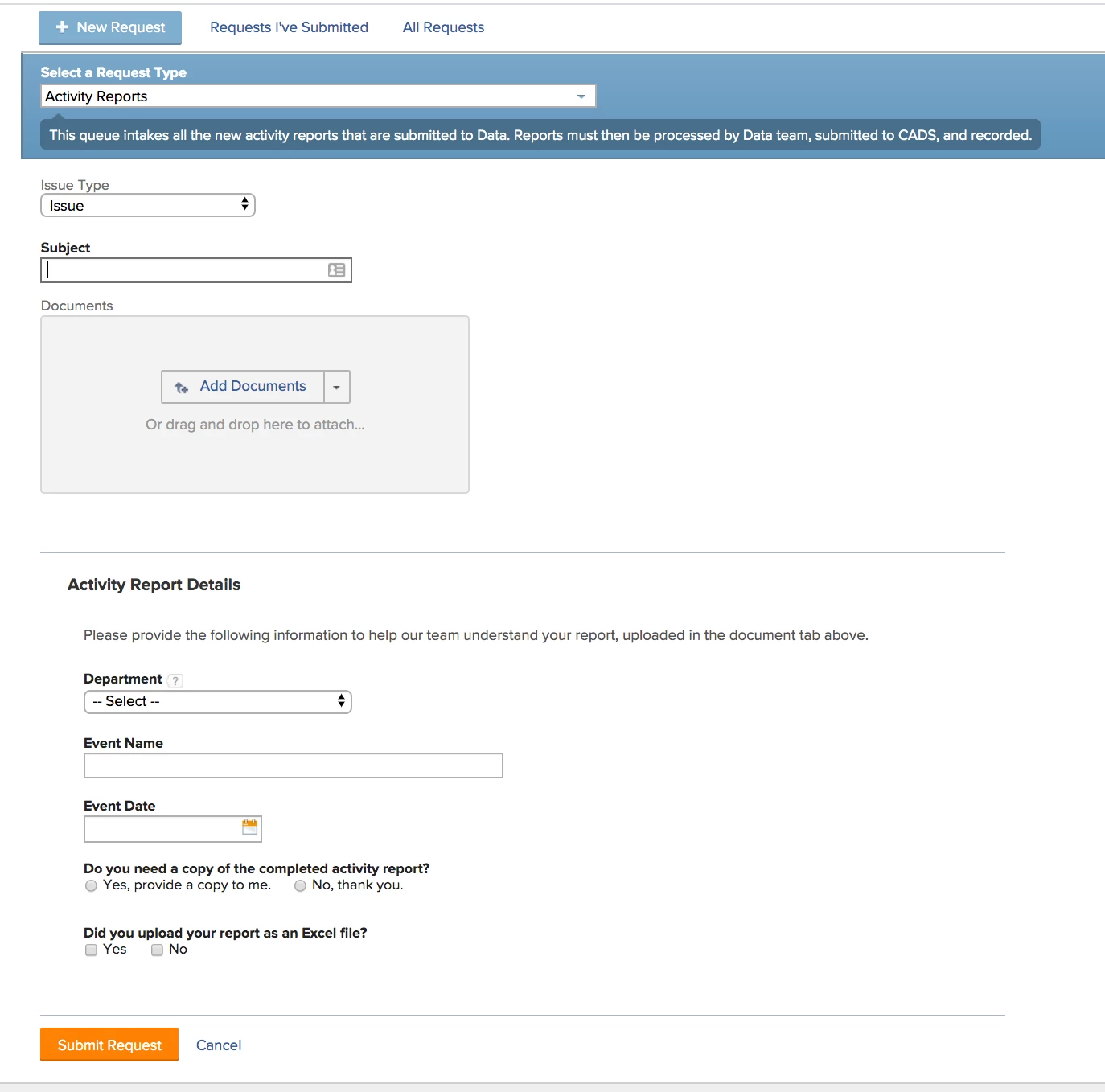
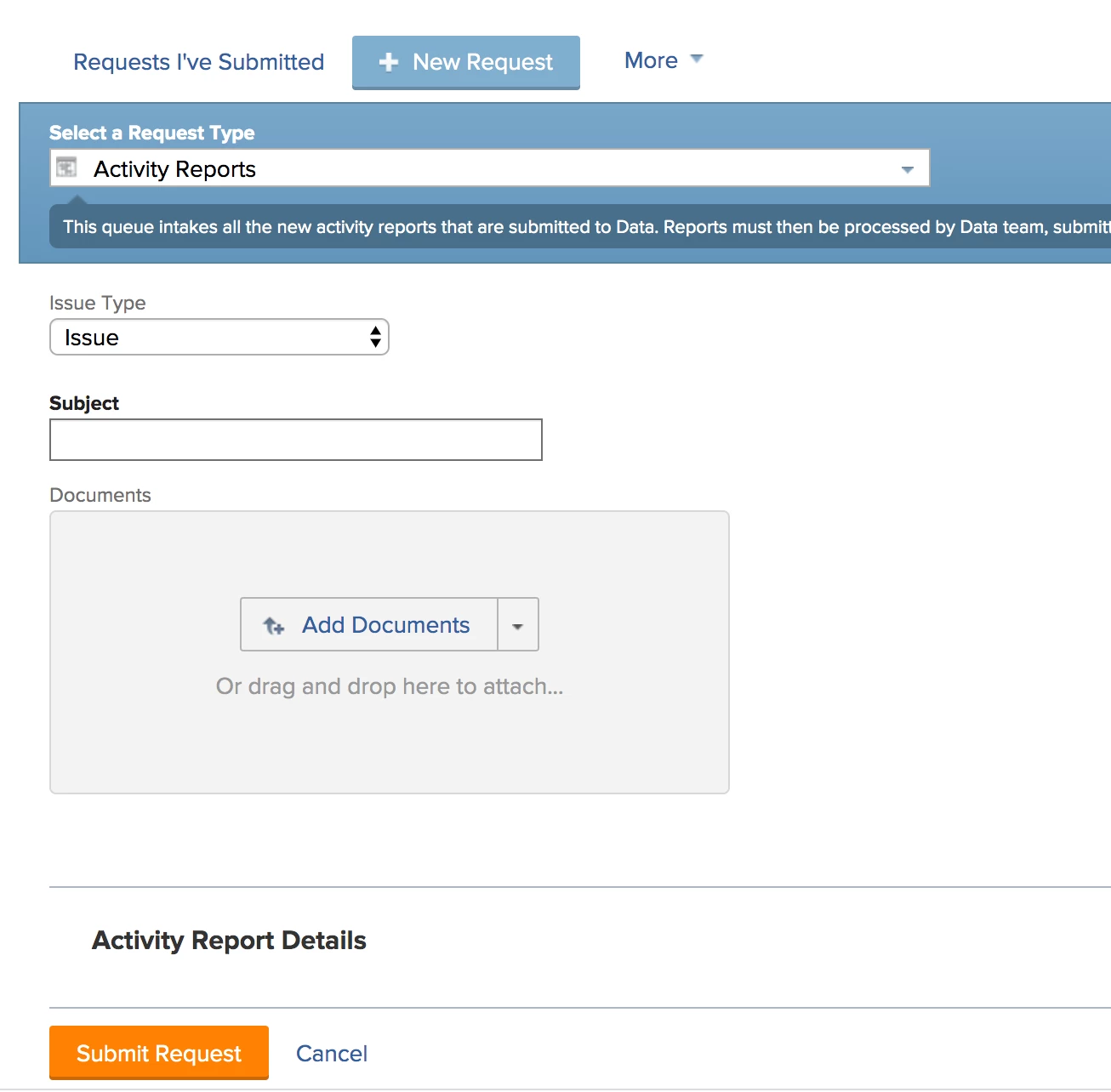
I have a rudimentary problem and I'm blanking on the solution - can anyone help? I created a new queue and a custom form to capture information for the associated request type. But, the form isn't displaying for work and plan users on the request. (Below - screenshot of the custom form as it appears to admins, vs. not visible to work/plan.) I am sure there is a simple permissions setting I am missing, but I can't figure out what, and I've gone over the queue setup and custom form settings multiple times. Any advice would be much appreciated!
This post is no longer active and is closed to new replies. Need help? Start a new post to ask your question.
Best answer by SarahJu1

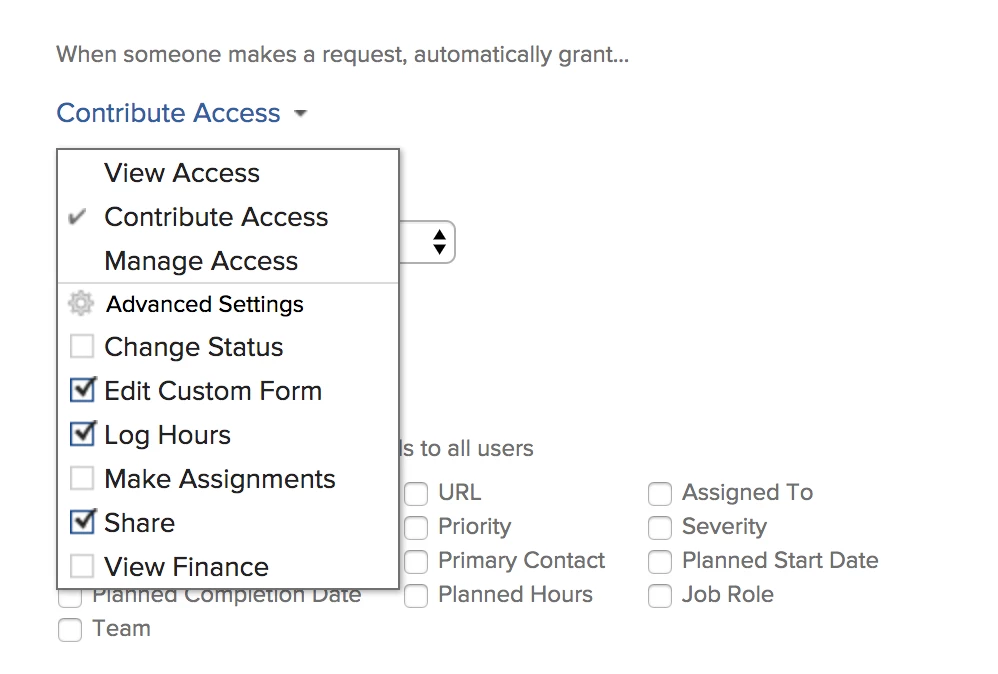
Katherine - thank you for the suggestion! Reporting back to say I found the offender. In the Queue Setup, I had set it to grant View Access instead of Contribute Access (allowing access to the Custom Form). Once corrected, it appeared. I think I mistakenly thought this setting (screenshot below) was for access to the form on the Request/Issue once submitted, but it covers access pre-submission, too. Sharing in case it's helpful for anyone else!

2 replies

Community Advisor
May 25, 2020

Hi Sarah,

Been there, fought with that one. Just like Projects/Tasks can have custom sharing/security settings, the same is true for Custom Forms. Check that tab on the Custom Form itself like in my screenshot and see if it's visible to the right group/team/company matching your request queue? You might have tried that, but I didn't see it in your screenshots.

Katherine

SarahJu1AuthorAccepted solution
Level 2
May 27, 2020

Katherine - thank you for the suggestion! Reporting back to say I found the offender. In the Queue Setup, I had set it to grant View Access instead of Contribute Access (allowing access to the Custom Form). Once corrected, it appeared. I think I mistakenly thought this setting (screenshot below) was for access to the form on the Request/Issue once submitted, but it covers access pre-submission, too. Sharing in case it's helpful for anyone else!

Community Advisor
May 28, 2020

Ohhh. I would have made that same assumption myself! Thanks for following up with the solution.