Expand my Community achievements bar.

Get ready! An upgraded Experience League Community experience is coming in January.
Submissions are now open for the 2026 Adobe Experience Maker Awards
SOLVED

Sending events to Target and measuring them in Analyticis

Avatar

Level 1

Hi, the learning curve for Adobe Target and Adobe Analytics is proving to be tough, see if you can help me understand this case better:


I have created an activity called EVENT-TEST in Adobe Target, which is a simple AB test where a new button appears and fires an event if you press it.

This insertion of the button and the event is made from javascript (the website uses at.js). Therefore the EVENT-TEST activity is activated with a Page Load Event with a Custom Code where I use javascript. The event is triggered like this:


window.adobe.target.trackEvent({
      "mbox": "test-clicked-cta",
      "params": {
        "testvariant": variant
      }
});


I have seen that the event fires well in Adobe Target by QA url.


1. Here comes my first question, why to be able to measure this event I have to put it as -> Metric: Conversion and Action: Viewed an mbox? For me it makes more sense that a click on a button is an Engagement metric and not a Conversion, but I see that from Engagement I can't select this event ‘test-clicked-cta’.


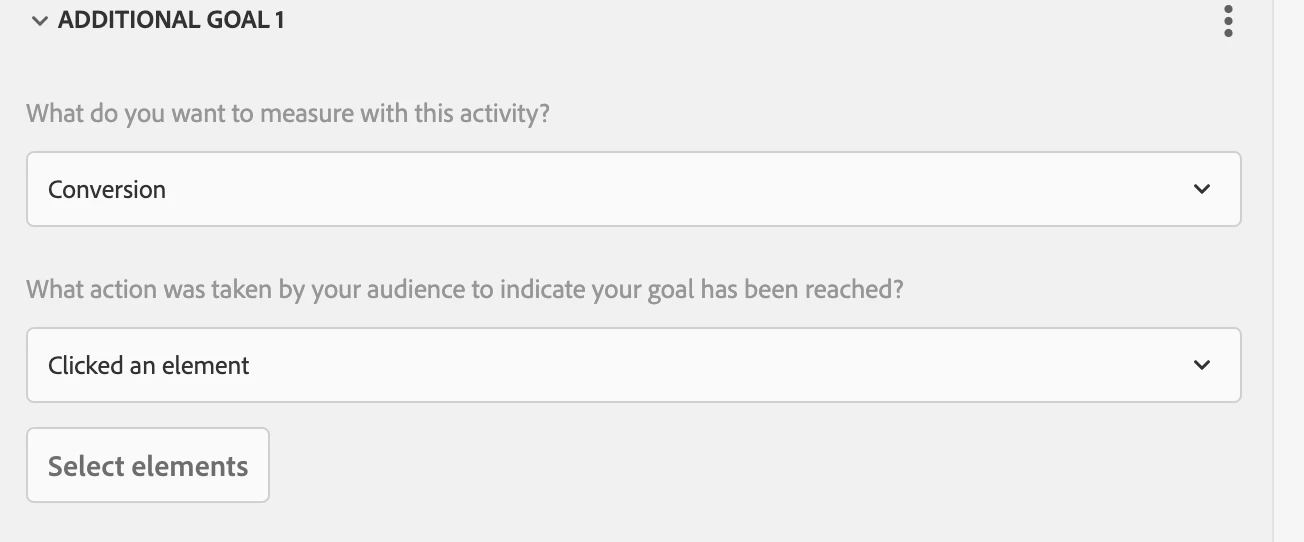
2. Second question: If you tell me this is a Metric: Conversion, then I would like it to be a ‘Clicked an element’. But I also don't have the option to select the custom test-clicked-cta I put in the javascript code:
Captura de pantalla 2024-05-08 a las 16.55.47.png


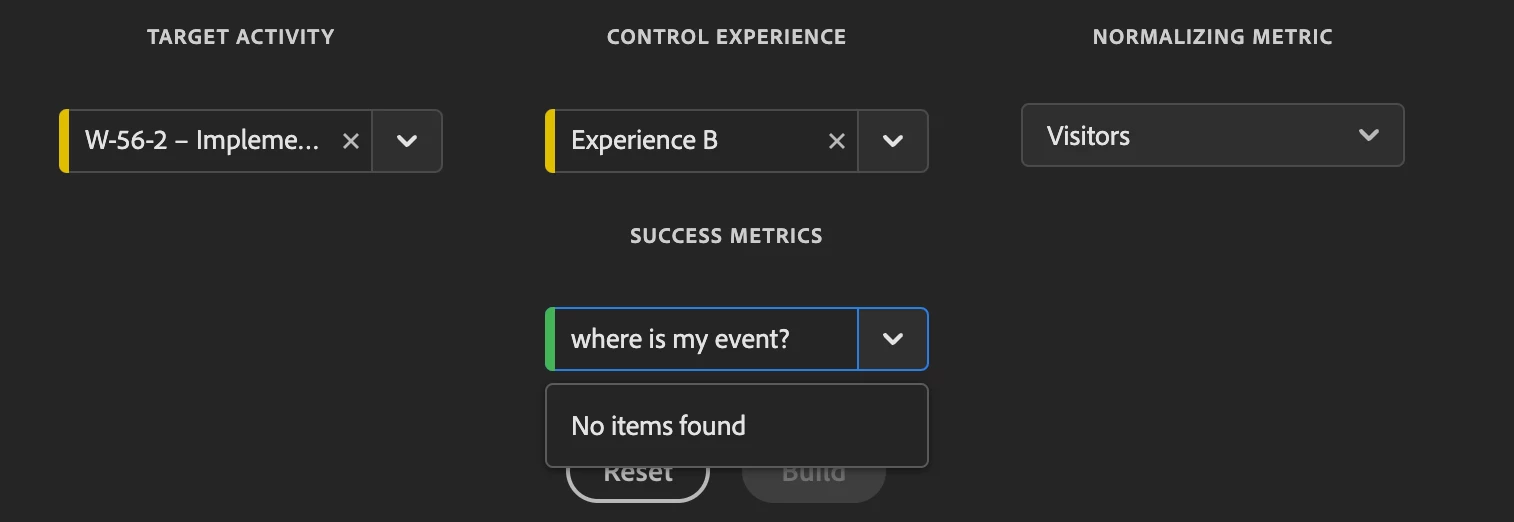
3. Final and most important question: where can I see my test-clicked-cta event reflected in Adobe Analytics, and can I really link that event to a metric?

Im using Analytics for Target:
Captura de pantalla 2024-05-08 a las 17.03.52.png


Thank you very much

Topics

Topics help categorize Community content and increase your ability to discover relevant content.

1 Accepted Solution

Avatar

Correct answer by
Community Advisor

In my case I was added custom event 32 in adobe analytics and used that in Target for button click.

But if you are using conversion as a activity as per your requirement. Then select that button and capture that conversion as event.

prads_0-1715348310125.png

As I explained use Adobe Analytics as a reporting source.


And in analytics report use "Activity Conversion" metrics for capturing this data.


View solution in original post

3 Replies

Avatar

Community Advisor

Hi @YeahBuddy ,


If you want to pass that data to Adobe analytics, in Goals and Settings, add reporting source adobe analytics.

You can also define and capture the button/link click event in adobe analytics and use that for your engagement/goal purpose.


Refer Screenshot.

prads_0-1715256380772.png


Avatar

Level 1

Thank you! Is what you have created in Adobe Analytics an Event? Or is it an eVar (Dimension)? In the client's Analytics I don't see where the events are created, maybe you haven't given me permissions to view and create them.

Avatar

Correct answer by
Community Advisor

In my case I was added custom event 32 in adobe analytics and used that in Target for button click.

But if you are using conversion as a activity as per your requirement. Then select that button and capture that conversion as event.

prads_0-1715348310125.png

As I explained use Adobe Analytics as a reporting source.


And in analytics report use "Activity Conversion" metrics for capturing this data.