Limiting metadata field entries to defined tags only | Adobe Higher Education
Skip to main content
Level 4
January 19, 2024
Beantwortet

Limiting metadata field entries to defined tags only

  • January 19, 2024
  • 4 Antworten
  • 1130 Ansichten

Hopefully a simple one !


In our metadata schema we've got a tags field, that allows users to look up the agreed list of tags.
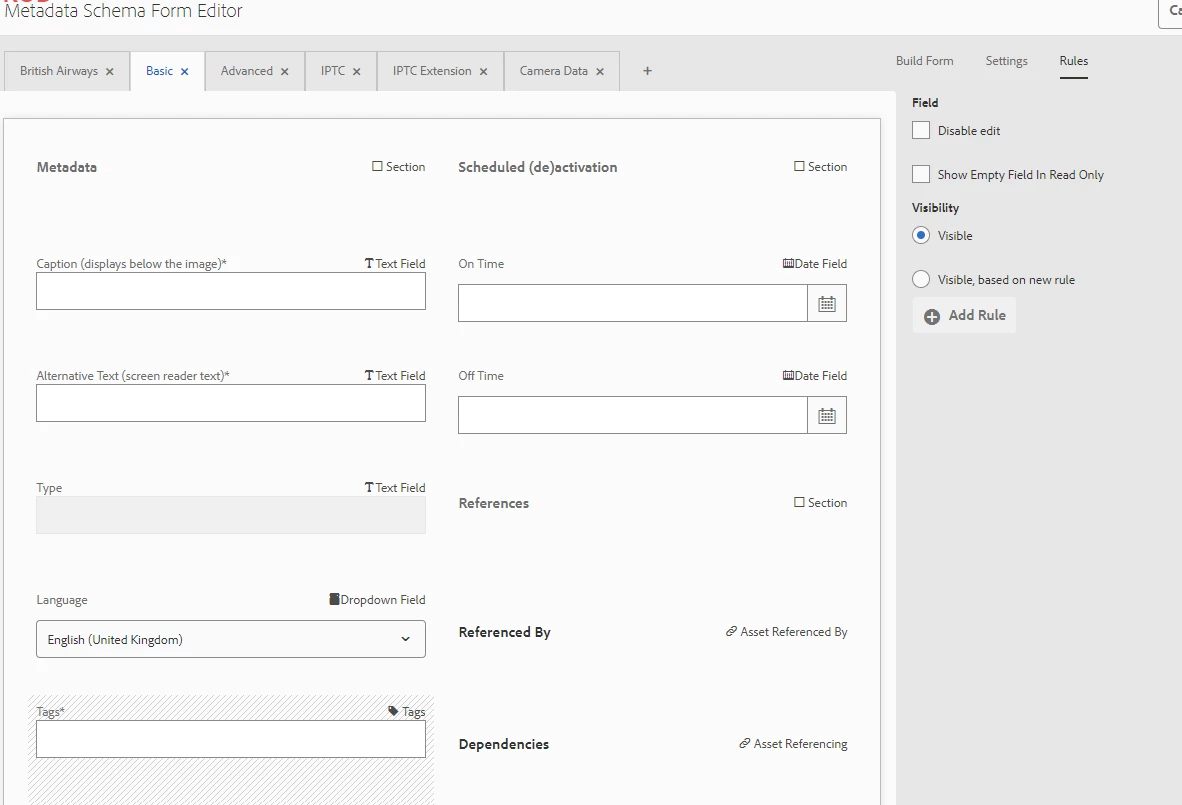


but it also allows users to enter free format text into the field and  save it.


I can't find any setting to only allows tags in the field to be chosen from the agreed metadata, and NOT allow free format text.


Thanks

Dieses Thema wurde für Antworten geschlossen.
Beste Antwort von GeraintJo

Thanks all for your input.


I'm a business admin user so don't have access/knowledge of CRX so can't test those solutions myself.


I'll add them to the docs I'll give my IT team to help them when it comes to them as a change request !!


Thanks again

4 Antworten

Adobe Employee
January 21, 2024

Hi @geraintjo ,


This feature which you need to achieve is not available in OOTB tags field. However, to achieve this feature you need to overlay the same(/libs/dam/gui/coral/components/admin/schemaforms/formbuilder/formfields/v2/tagsfield/tagsfield.jsp) or add new field altogether. 


Please refer : AEM: Custom metadata forms for Assets | by Theo Pendle | Medium


lukasz-m
Community Advisor
Community Advisor
January 21, 2024

Hi @geraintjo,

In general there are 2 ways to achieve your goal:

  1. Quick workaround that you can apply without additional development. In general Tags Filed in metadata schema is using cq/gui/components/coral/common/form/tagfield in background. Having this knowledge you can simply navigate to that filed in your custom schema in crx and add forceSelection property. This will restrict users to only select tags.
    Here is a sample screen that shows what you have to do - of course location of your schema in crx could be a bit different in you case.
  2. Proper solution will be to implement some changes, please follow the instructions I have provided in other topic. It is exactly the same case you have: https://experienceleaguecommunities.adobe.com/t5/adobe-experience-manager/metadata-schema-tagfield-is-there-a-way-to-add-properties-for/m-p/599916/highlight/true#M150101
kautuk_sahni
Community Manager
Community Manager
January 23, 2024

@geraintjo Did you find the suggestions from users helpful? Please let us know if more information is required. Otherwise, please mark the answer as correct for posterity. If you have found out solution yourself, please share it with the community.

Kautuk Sahni
GeraintJoAutorAntwort
Level 4
January 23, 2024

Thanks all for your input.


I'm a business admin user so don't have access/knowledge of CRX so can't test those solutions myself.


I'll add them to the docs I'll give my IT team to help them when it comes to them as a change request !!


Thanks again