
How to add custom action tool bar on aem asset selection ? | Community
Skip to main content
Shahid_Siddiqui_04
Level 2
May 27, 2024

How to add custom action tool bar on aem asset selection ?

  • May 27, 2024
  • 1 reply
  • 1025 views

I want to add a button on asset tool bar, when I hit custom button a pop should be appear and in pop all selected asset should be list,
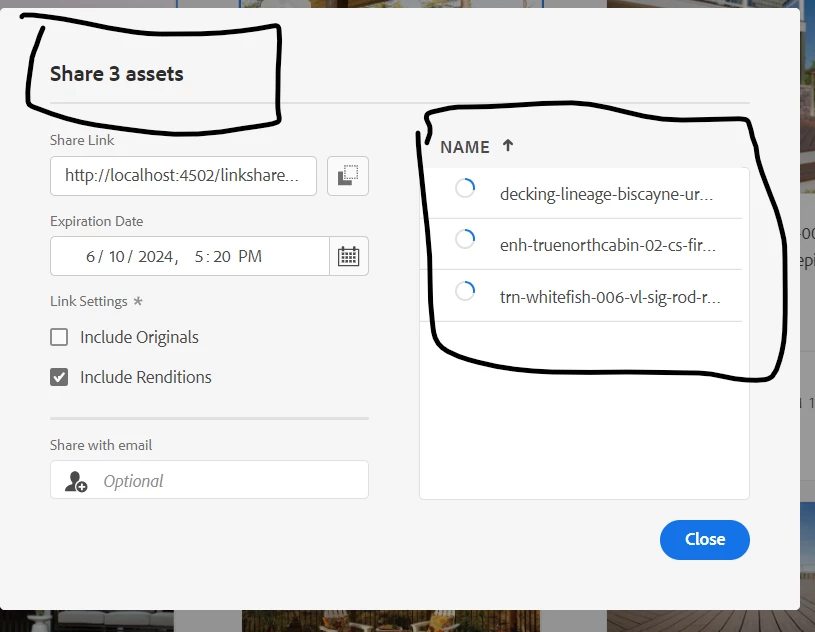
For example we have already a button Share link, and when we click on share link then a pop is appeared with list, see the below screenshot, Similarly I want a new custom button and in pop a list display for all selected asset

Thankyou


This post is no longer active and is closed to new replies. Need help? Start a new post to ask your question.

1 reply

diksha_mishra
Community Advisor
Community Advisor
May 27, 2024

@shahid_siddiqui_04 You can refer to the below approach:

1. JavaScript should extend the existing functionality of the asset selection toolbar. Example:  

(function(document, $) { 'use strict'; $(document).on('foundation-contentloaded', function(e) { var toolbar = $(".granite-collection-actionbar"); if (toolbar.length > 0) { var customButton = $('<button is="coral-button" variant="primary" icon="add" title="Custom Action">Custom Action</button>'); customButton.on('click', function() { // Add your custom action logic here alert('Custom action triggered'); }); toolbar.append(customButton); } }); })(document, Granite.$);

2. Update your component to include the newly created client library

<clientlibs js="custom-asset-toolbar" />
Shahid_Siddiqui_04
Level 2
May 27, 2024

Hi @diksha_mishra Thankyou for reply, can you please explain this more? 
I want to add my new custom button somewhere in tool bar after asset selection, and then I can perform my custom logic
/libs/dam/gui/content/assets/jcr:content/actions/selection this is action path tool bar path