Add search in input form | Community
Skip to main content
Level 4
October 7, 2021
Solved

Add search in input form

  • October 7, 2021
  • 2 replies
  • 2132 views

Hi All,


I am trying to give search option for my input form like shown below.

 

Can someone please tell me how i can give it to my input from?

Thanks & Regards,

Greeshma


This post is no longer active and is closed to new replies. Need help? Start a new post to ask your question.
Best answer by Jyoti_Yadav

Hi @greeshma_sampath1 ,


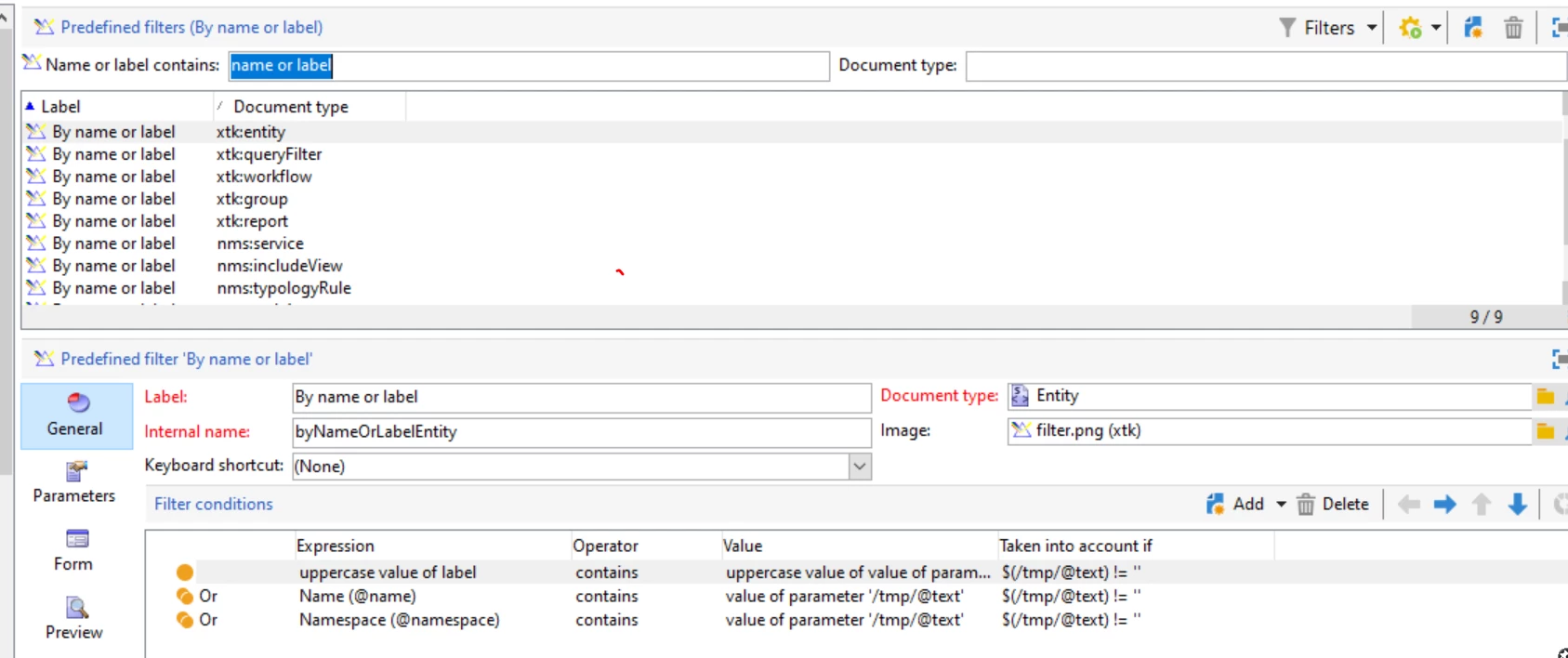
Screenshot you have shared is a filter which you can define under:

Administration > Configuration> Predefined Filters.

PFB screenshot of how it is defined for some table.
 

Thanks,

Jyoti

2 replies

Jyoti_Yadav
Jyoti_YadavAccepted solution
Level 8
October 7, 2021

Hi @greeshma_sampath1 ,


Screenshot you have shared is a filter which you can define under:

Administration > Configuration> Predefined Filters.

PFB screenshot of how it is defined for some table.


Thanks,

Jyoti

Level 3
November 2, 2021

Hi Jyoti/Team,


    Thank you so much for above information, but our expectation here is we are looking to search a particular filed from input form and not in the navtree or list. i.e search box should be in input form frame. Can we replicate the Query filter option in present navtree section in input form frame/container or else we are expecting a search box in input form that converts every filed in the input form is searchable (This functionality is already available in other CRM tools like siebel where we can query in all the fields/any field in form applet and get the respective available records).


Thank you so much.

Krishnanunni
Level 4
October 7, 2021

Hi @greeshma_sampath1 ,

Sorry if I got you wrong. But if you just want to have a search option, then you might be required to create a custom filter. The administration->Configuration->Predefined filters are the one that are being shown above the table in navigation hierarchy for a schema. Please check the below link for details.
https://experienceleague.adobe.com/docs/campaign-classic/using/automating-with-workflows/use-cases/designing-queries/creating-a-filter.html?lang=en

Level 4
October 7, 2021

Thank you @krishnanunni .

I got the filter section in my input form after creating a predefined filter.