Copy discount code within HTML (copy to clipboard functionality in html) | Community
Skip to main content
November 18, 2024
Solved

Copy discount code within HTML (copy to clipboard functionality in html)

  • November 18, 2024
  • 2 replies
  • 769 views

Hello, 


Our client wants to implement a copy to clipboard functionality in an email, however when we send proofs to ourselves it does not work as expected (see an example of what we need below). If anyone has an html/js script that works for adobe campaign would be great.
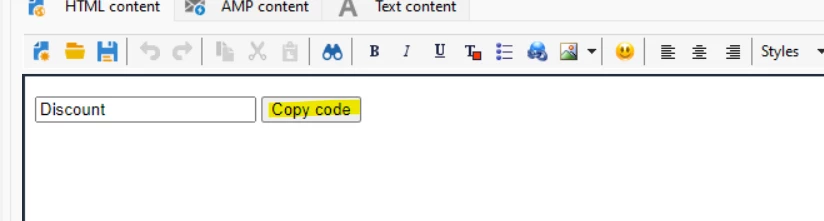
Appreciate any help beforehand. 


BR,Yiannis


This post is no longer active and is closed to new replies. Need help? Start a new post to ask your question.
Best answer by abhinav99

Hey @yiannissk !

Unfortunately, adding a coupon code directly into an email isn't possible because it relies on Javascript, which emails can't use.


Here's a quick approach on how did I achieve this :
We can create a unique URL for each member using their coupon code. This way, when they click the link in the email, it automatically adds the code for them.
For example, your string would look like this when you code it: href="http://www.yousite.com/?[%coupon%]," and your ESP will do the rest, provided the database is set up correctly.


Hope this helps!

Regards,

Abhinav

2 replies

November 18, 2024

Hello Yiannis, 


Most modern email clients do not allow JavaScript execution so this will not be feasible.

abhinav99
abhinav99Accepted solution
Level 4
November 19, 2024

Hey @yiannissk !

Unfortunately, adding a coupon code directly into an email isn't possible because it relies on Javascript, which emails can't use.


Here's a quick approach on how did I achieve this :
We can create a unique URL for each member using their coupon code. This way, when they click the link in the email, it automatically adds the code for them.
For example, your string would look like this when you code it: href="http://www.yousite.com/?[%coupon%]," and your ESP will do the rest, provided the database is set up correctly.


Hope this helps!

Regards,

Abhinav