Welcome to the Adobe Workfront Community! Connect with peers to ask questions, share best practices, explore release updates, and contribute ideas that shape the future of Workfront.
Recently active
OverviewTo reduce reliance on long‑lived secrets and make connections more secure and manageable, we’ve added federated connection support to the AWS S3, Azure DevOps, and SharePoint connectors in Fusion. You can now authenticate these connectors using your organization’s identity provider (Azure AD / Microsoft Entra ID or AWS IAM federation) so Fusion obtains short‑lived credentials at runtime instead of storing client secrets or static keys.What’s newFederated connection option — a new connection type for AWS S3, Azure DevOps, and SharePoint that uses your identity provider to mint temporary credentials or tokens. Consistent auth model — setup follows the same federated/OIDC or IAM role pattern you already use for other Azure AD or AWS identity integrations. No long‑lived secrets — Fusion uses short‑lived tokens/credentials returned by your IdP or AWS STS, reducing secret sprawl and rotation overhead. Admin controls — organizations can enforce which identity providers and roles are
OverviewYou can now connect Workfront Fusion directly to the Adobe Marketo Engage MCP server using the new Adobe Marketo Engage MCP connector. The connector exposes an instruction‑driven module that lets you provide open‑ended, plain‑English instructions; an AI agent then determines and executes the Marketo actions required to fulfill your request.What’s newAdobe Marketo Engage MCP connector — a new connector that talks to the Marketo MCP server and exposes Marketo tools to MCP‑compatible agents. Instruction module — enter free‑form, plain‑English instructions (for example, “Create a nurturing program for new trial users in EMEA and add a 3‑step email sequence”) and let the agent translate them into concrete Marketo operations. Action restrictions — admins can explicitly limit which read, write, and delete actions the agent is allowed to perform so unattended runs remain within the approvals you set. AI provider flexibility — by default the module uses Adobe’s managed AI service; you
OverviewWe’ve added a new HTTP module: HTTP > Make a JWT request. This module mirrors the behavior of the existing HTTP > Make a request module but builds, signs, and injects a short‑lived JSON Web Token (JWT) based on the claims you provide. By default the signed JWT is sent as an Authorization: Bearer <jwt> header so you can call APIs that require signed JWT authentication without a separate token‑generation step in your scenario.What’s newMake a JWT request module — a new HTTP module that creates, signs, and attaches a JWT to the outgoing request. Claims input — provide standard and custom claims (iss, sub, aud, exp, nbf, jti, and custom claims) in the module UI. Automatic signing — the module signs the JWT with the key material you supply and inserts it into the request (default: Authorization Bearer). Request parity — supports the same HTTP method, headers, body, query, timeout, and retry controls you already use in the HTTP Make a request module.How it worksOpen your
OverviewWe’ve added a new field to the HTTP modules: Additional Retry Status Codes. This lets you list extra HTTP response codes that should be treated as retryable connection errors when Evaluate all states as errors (except 2xx and 3xx) is enabled. Previously Fusion retried only the built‑in retryable statuses (408, 429 and all 5xx). Now you can extend retry behavior to other status codes (for example, 422 or 404) when your integration needs it.What’s newAdditional Retry Status Codes — a free‑form field on the HTTP Make request module where you can add numeric HTTP status codes (comma or space separated) that should be treated as retryable. When Evaluate all states as errors (except 2xx and 3xx) is enabled, any code listed here is reclassified as a retryable connection error and will be retried according to the module’s Retry Count. Default retryable statuses (408, 429, and all 5xx) remain unchanged and continue to be retried even if this field is empty.How it worksEnable Evaluate a
OverviewWe’ve added service‑account authentication options to the Jira Software connector in Fusion. You can now create Jira connections using a service account API token or service account OAuth 2. These options let teams build reliable, machine‑level integrations that aren’t tied to an individual user account.What’s newService account — API token: Authenticate the Jira connector with a service account identity using an API token. Service account — OAuth 2: Authenticate via OAuth 2 using a registered OAuth client tied to a Jira service account. Both connection types appear alongside existing user‑based connection options in the Jira connector dialog.Why this mattersStability — Service accounts reduce disruptions caused by employee changes or credential expirations. Auditability — Activities generated by connector operations are scoped to a dedicated service identity, making logging and compliance easier. Enterprise fit — Supports machine‑to‑machine integration patterns and centralized
OverviewToday we’ve turned on the Fusion MCP server and integrated Fusion with Adobe Coworker. That means you can now interact with your Fusion organization — scenarios, executions, connections, webhooks, data stores, activity logs, and more — via natural‑language in Coworker or any MCP‑compatible agentic platform that supports remote (Streamable HTTP) MCP servers with OAuth.What’s newFusion MCP server is available at https://mcp.fusion.adobe.com/mcp for custom MCP integrations (Claude, ChatGPT, Copilot, Gemini, Cursor, VS Code, and others). Adobe Coworker now includes built‑in Fusion support (standalone Coworker and Coworker in the Fusion right rail). No custom MCP URL or OAuth app registration required for Coworker. All MCP tools described in the Fusion MCP tools reference are exposed to connected agents and follow the same read/write permissions as your Fusion role and team membership.How to get startedChoose the surface you want to use:Coworker (recommended) — Open Coworker (stan
You can now authenticate your Salesforce connections using PKCE (Proof Key for Code Exchange) in addition to standard OAuth 2.0, and enable Refresh Token Rotation for improved long‑term credential security. When creating a Salesforce connection, choose the authentication method from the new Connection type dropdown.OverviewThis update adds two security‑focused options to the Salesforce connector: PKCE for secure, browser‑based authorization flows (recommended for public clients and scenarios where a client secret cannot be safely stored), and Refresh Token Rotation (RTR) to automatically rotate refresh tokens and reduce risk from long‑lived credentials. What’s newPKCE (Proof Key for Code Exchange) — Authenticate without a client secret by using a code verifier/challenge flow. Useful for public clients or environments where storing a client secret is not desirable. Refresh Token Rotation (RTR) — Optionally enable RTR for Salesforce connections so refresh tokens are rotated on each use.
Save time writing scenario summaries — click Describe with AI in a scenario’s Settings panel and Fusion will generate a clear, human‑readable description for you automatically, based on the modules and configuration in the scenario.OverviewThis release adds a Describe with AI action to the Description field in a scenario’s Settings panel. When invoked, Fusion analyzes the modules, connections, triggers, and mapped outputs in the scenario and produces a concise description you can accept, edit, or discard. The feature is designed to help teams keep scenario metadata accurate and useful without having to compose descriptions manually. What’s newDescribe with AI button — One‑click generation of a scenario description from the Settings panel description field. Context‑aware summaries — The generated text reflects the scenario’s modules, triggers, key connections, and primary outputs so descriptions are actionable and relevant. Edit and accept flow — Generated descriptions are presented in
You can now access your Fusion objects from inside a scenario. The new Workfront Fusion connector lets scenarios call Fusion’s own API to create, inspect, modify, and operate Fusion resources.OverviewThis release introduces a first‑party Workfront Fusion connector that exposes Fusion APIs directly inside the scenario canvas. Use it to back up or clone scenarios, inspect dependencies, export activity logs, and gather operational telemetry — all as part of your automation flows.What’s newFull record lifecycle — Create, read, update, delete, list, and clone Fusion records from scenarios. Dependency insights — Retrieve a record’s dependencies so you can understand or safely update resources that are referenced elsewhere. Activity exports — Export activity logs for auditing, troubleshooting, or archival workflows. Queue and hook visibility — List hook queues, read queue items, and get queue statistics to monitor trigger backlogs and failure patterns. Connection & scenario mapping — List
Two new MCP connectors bring conversational, model-driven automation to Fusion. Instead of wiring together many individual modules, a single MCP module accepts an open-ended instruction and lets an AI model determine which Workfront or AEM operations are needed to fulfill it.OverviewThis release adds two first‑party connectors that speak to Adobe's Model Context Protocol (MCP) server: Adobe Workfront MCP and Adobe AEM MCP. Each connector exposes a single, flexible module you place on a scenario canvas and drive with natural‑language instructions (prompts). The MCP module synthesizes the required API calls, executes them, and returns a consolidated, human‑readable result — reducing the need to build long chains of Get/Filter/Transform/Write modules for many common tasks.What’s newSingle conversational module — One module accepts an instruction and lets the MCP model plan and run the necessary Workfront or AEM operations, returning a synthesized answer or structured output. Task examples
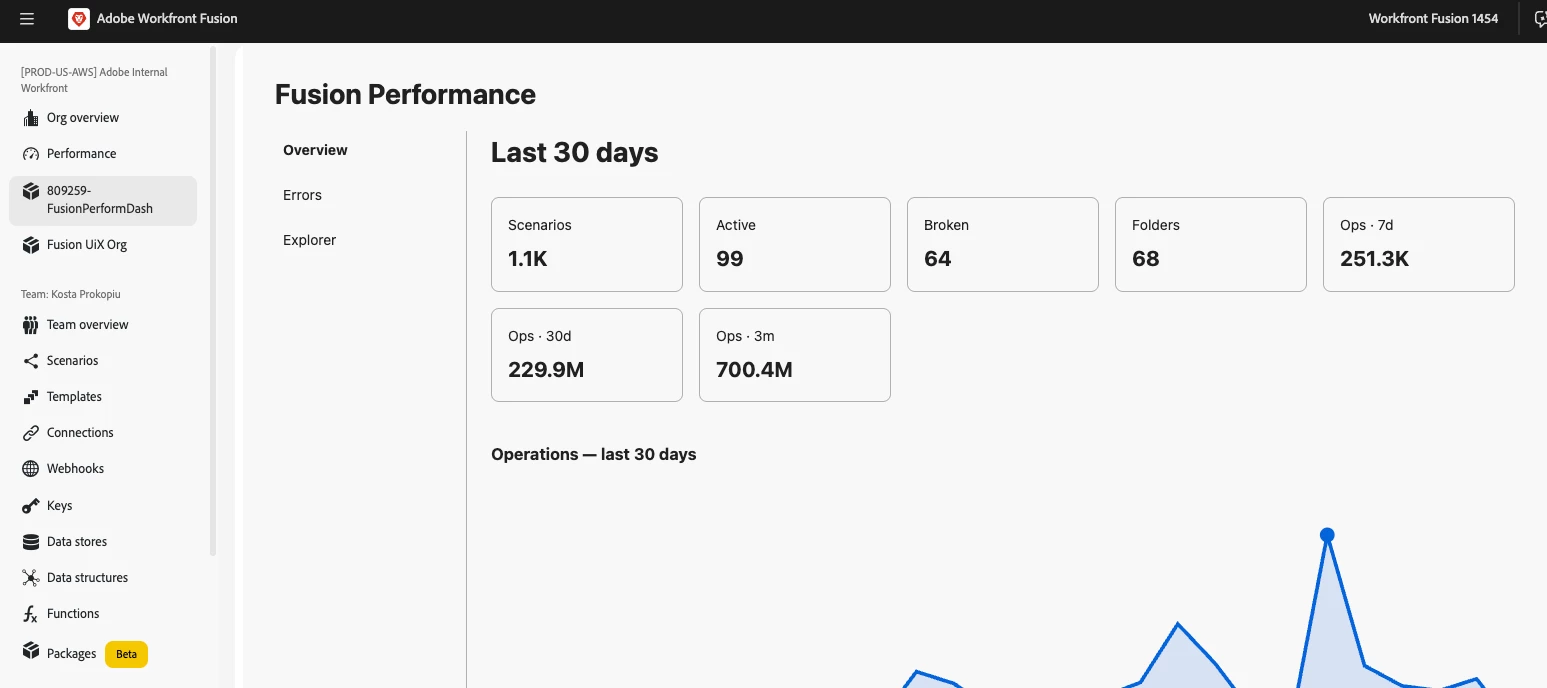
New: A faster way to see what broke — Failed Executions Logs in the Insights dashboardWhen multiple scenarios fail across your org, tracking down how many, which ones, and why used to mean opening scenarios one-by-one. The new Failed Executions Logs widget surfaces every failed execution across every scenario in a single table so you can triage incidents fast, at scale.OverviewThe Failed Executions Logs widget lives on the new Insights page (which now also contains the Performance widget). It aggregates failed executions across your organization into a single, filterable table so you get the full picture quickly — no more stitching together results from individual scenario pages.What’s newCentralized failure list — See every failed execution across every scenario in your organization in one table. Powerful filters — Filter by team, scenario, type, error message, and date range. Each filter supports "only these" or "everything except these" to help narrow or exclude results quickly. Rea
Workfront Fusion — Native Adobe Storage (ESM) supportWorkfront Fusion now natively supports Adobe Storage (ESM)Workfront Fusion now connects directly to Adobe cloud storage (Enterprise Storage Management, ESM). Browse and upload assets inside Fusion, automate store lifecycle and access, and generate presigned URLs for secure read/write integrations with external systems.OverviewThis release adds native Adobe Storage support in Fusion using the same ESM layer that powers the Workfront/Frame.io unified review and approval experience and is shared across Frame.io, Document Cloud, and Creative Cloud. You’ll see a new Storage navigation menu for browsing and uploads, plus Adobe Storage modules you can use in scenarios to manage stores, collaborators, and presigned URLs.What’s newStorage navigation — A new Storage menu item in Fusion to browse ESM stores and upload files without leaving the app. Store lifecycle — Create, discard, restore, and delete ESM stores from scenarios for automated pr
Packages is now generally available in Workfront Fusion — build and run your own custom JavaScript functions, backed by Adobe App Builder, and use them directly in your scenario mappings.OverviewPackages let you build and run your own custom logic inside Fusion, without leaving the Fusion interface. When the standard modules don't do exactly what you need, you can write a function to transform data, do a calculation, call an external service, or wrap a routine you want to reuse — then test it, publish it, and call it from your scenarios. A package can bundle everything a function needs: the function itself, reusable variables (like a base URL or API key), outside library dependencies, and automatic version history.What's newFunctions — Write custom logic in JavaScript, define typed inputs, test drafts safely before publishing, and republish or unpublish live functions as needed. Variables — Store reusable values (URLs, IDs, keys) once and reference them across functions. Mark variables
Connect Azure DevOps to Workfront Fusion using a service principalYou can create a connection that uses a service principal (an Application API connection) instead of a personal account. Use this when you want the integration to run as an application or service identity rather than a specific person — for example, to avoid breakage when someone leaves the company or changes credentials. This connection type is available for all Azure DevOps modules.OverviewService principal connections let Fusion authenticate to Azure DevOps as an application identity (an app registration in Microsoft Entra ID) using a client secret. After you register the app and add it as a user in your Azure DevOps organization, create a Service Principal connection in the Azure DevOps module and provide the Tenant ID, Client ID, Client Secret, and organization name.NOTE: Service principal authentication does not support every Azure DevOps feature. A small number of admin-level actions — for example, managing user l
Workfront Fusion Custom UI extensions OverviewFusion can display your own web UI inside its interface. Build a small web app (a guest extension), publish it via Adobe App Builder, and Fusion will show a new menu item in its navigation that opens your UI in the main canvas. The guest automatically receives context such as the signed‑in user, organization, team, and other metadata so your extension can adapt to the current environment.The technology underneathYour guest is built with two Adobe technologies:Adobe App Builder — Free hosting and tooling for small web apps and serverless actions. App Builder hosts your static UI on Adobe’s CDN and provides the aio CLI to create, build, and publish the app. Adobe UI Extensibility SDK (UIX) — The libraries that let host and guest talk. Use @adobe/uix-guest in your guest; Fusion uses @adobe/uix-host on its side.Extension pointsAn extension point is a named slot in Fusion where a guest may appear. Extension point names use the format: service/n
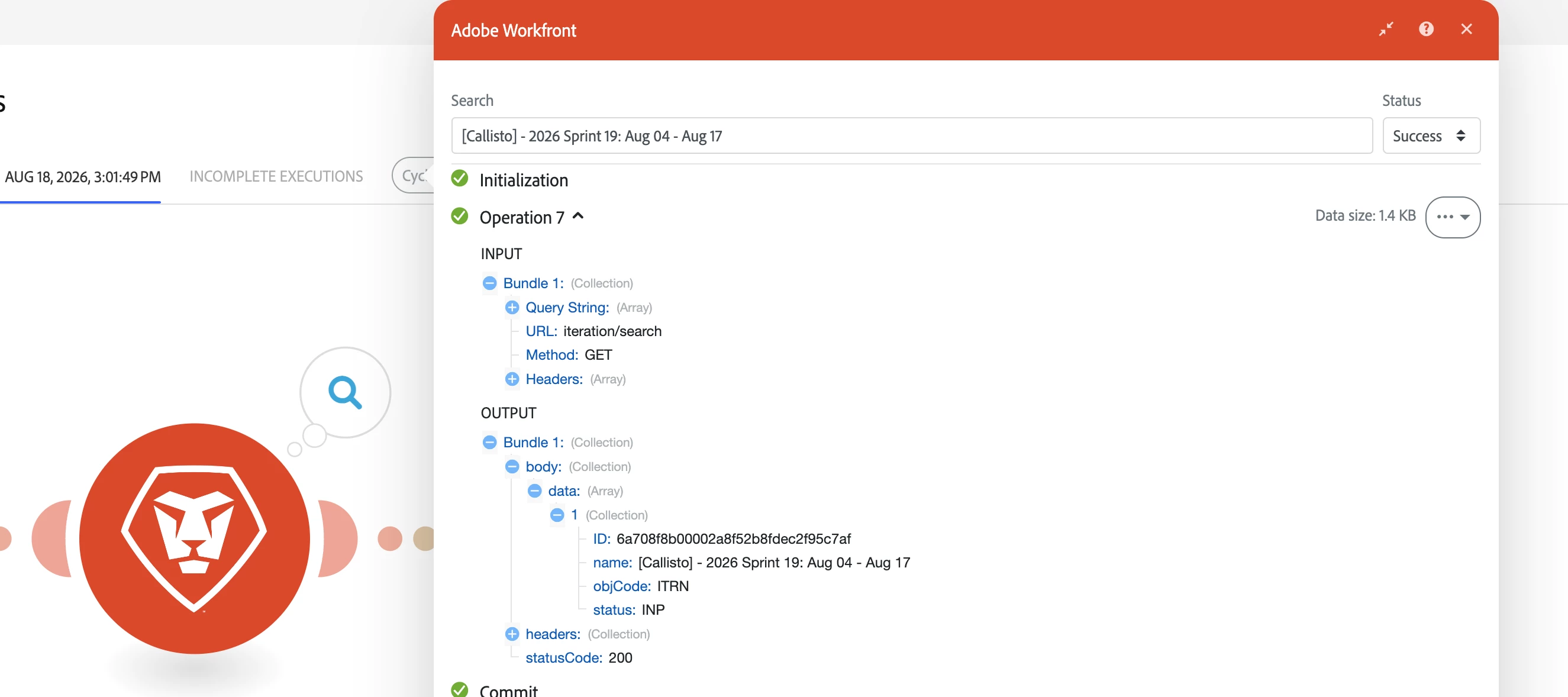
Search input and output bundles in scenario executionsPreviously you could not search the actual input and output bundles shown in an execution. Now you can search both input and output bundles directly from the execution UI — use the module/filter output search bars or the execution search to find specific bundle content, IDs, or events.OverviewWe’ve added the ability to search the text and metadata inside bundle payloads for both inputs and outputs in an execution. This makes it much faster to locate a particular bundle, debug processing logic, or verify that expected data passed through a specific step. You can search at the module/filter level or across the entire execution timeline.What’s newSearch the contents of input bundles shown for a module or filter. Search the contents of output bundles shown for a module or filter. Combine content searches with status filtering to surface only Success, Warning, Failed, Passed, or Failed bundles as applicable.How to search bundle contentO
Workfront Watch Event modules secured by default with authTokenEffective August 23, 2026, all Workfront Watch Event module subscriptions — including existing ones — will be protected by authToken-based verification by default. This ensures payloads delivered to your Fusion scenarios can be validated as originating from Workfront.OverviewTo improve webhook security, Fusion will be enabling authToken validation by default for the Watch Event modules. The authToken is a shared secret included with every webhook delivery so your receiving endpoint can verify the request before processing it. This change applies to both new subscriptions and any Watch Event modules you already have in active scenarios.What’s changingAll Workfront Watch Event module subscriptions will include an authToken with delivered payloads by default starting August 23, 2026. Fusion will automatically apply this security setting to existing Watch Event module webhooks — no manual migration or reconfiguration is requir
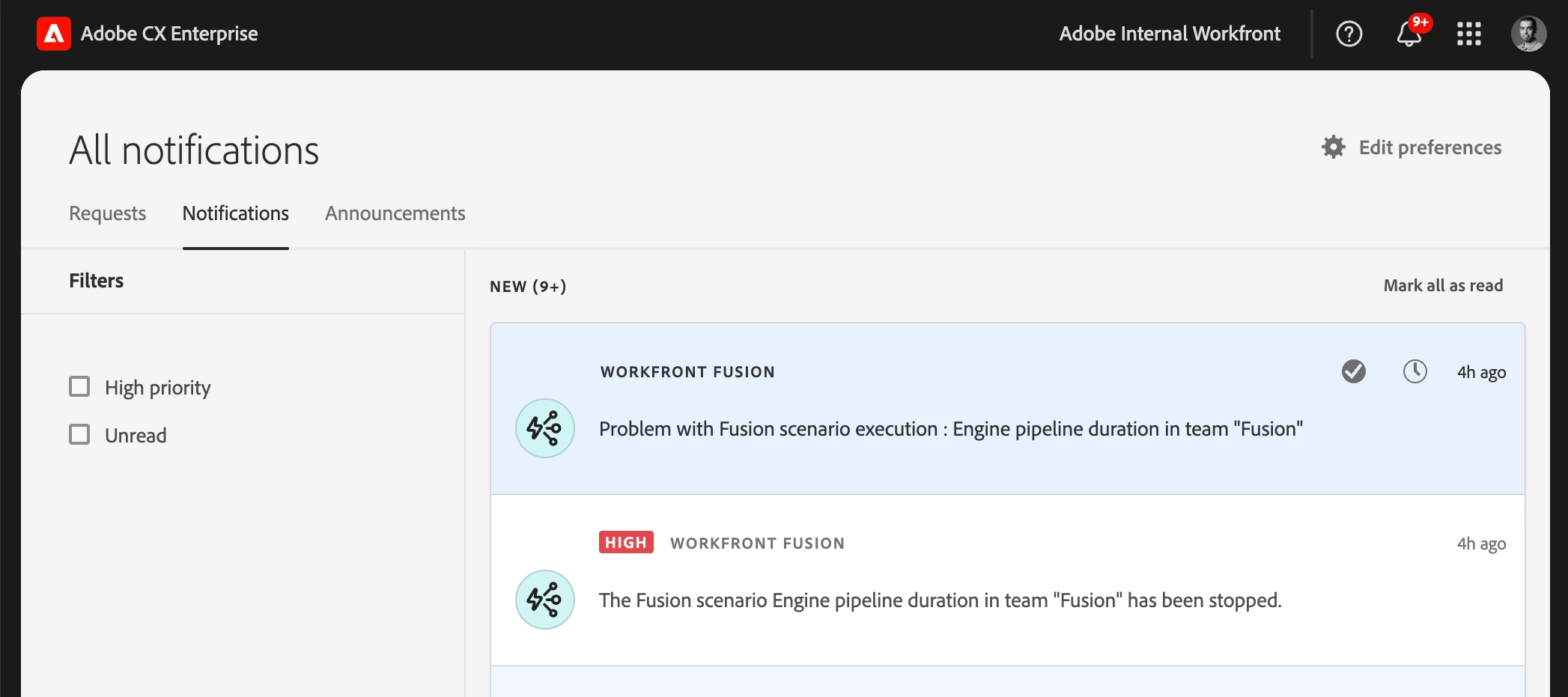
Set team or scenario notification options for IMS organizationsIMS organizations can now enable or disable each notification type independently at the team level — the same fine-grained controls previously available only to non‑IMS organizations. Scenario-level notification settings continue to override team settings when present.OverviewTo give teams finer control over the notifications they receive, administrators and team managers in IMS organizations can now choose which situations trigger Fusion notifications. Instead of a single on/off switch for all notifications, you can toggle each notification type independently:Notify on warning — Send a notification when a scenario execution logs a warning. Notify on error — Send a notification when a scenario execution fails. Notify when scenario is disabled — Send a notification when Fusion auto‑deactivates a scenario (for example, after too many consecutive errors).Scenario-level notification settings still take precedence over team-lev
Restrict webhooks by Adobe IMS authorization and browser originRestrict webhooks by Adobe IMS authorization and browser originWe’ve added two new security controls for custom webhooks: Allowed Origins (CORS) to restrict browser-based calls to specific domains, and Adobe IMS Bearer token validation so webhooks accept requests only when callers present a valid Adobe IMS access token.OverviewCustom webhooks can now enforce two common security requirements:Allowed Origins (CORS) — Specify which browser origins may invoke the webhook from client-side JavaScript. Requests from other origins are blocked by CORS, preventing untrusted web pages from calling your webhook. Adobe IMS authorization — Require requesters to send an Adobe IMS access token in the Authorization header (Bearer <token>). Fusion validates the token before accepting the webhook payload, enabling secure server-to-server or user-scoped calls using Adobe Identity Management.How to configure Allowed Origins and IMS author
Adobe Express connector now available in Workfront FusionWe’ve added a new Adobe Express connector so you can automate common Express workflows—like listing tagged documents, creating variations, exporting renditions, and checking operation status—directly from Workfront Fusion integrations and automations.OverviewThe Adobe Express connector exposes the primary Express API surface so you can programmatically interact with Express documents and tagged elements from your Fusion scenarios. The connector maps the Express API endpoints into modules that make it easy to include Express operations in integration flows, automation canvases, and scheduled jobs.Connector capabilities (API endpoints)Tagged documents — List all documents that contain tagged elements so you can discover assets to process. Tagged document details — Retrieve metadata and the tagged-element structure for a specific document to inspect editable regions and element IDs. Generate variation — Create new document variatio
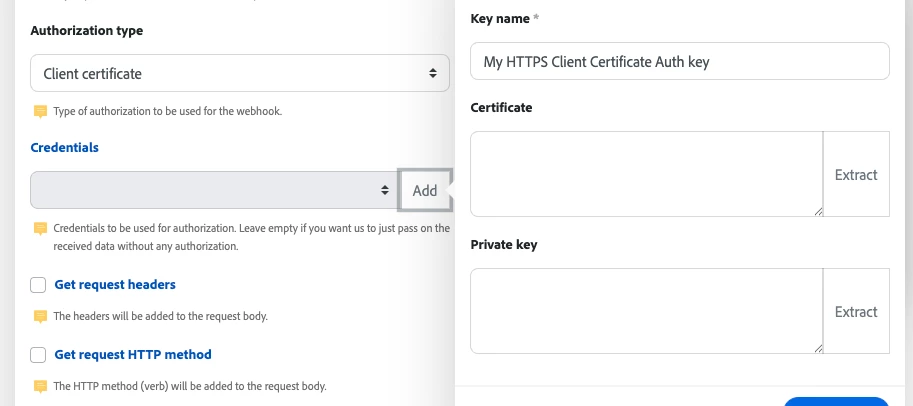
Product update:mTLS support for custom webhooksTo meet stronger security requirements, you can now use mutual TLS (mTLS) with custom webhooks. Add a client certificate and private key to a webhook so Experience League integrations and automations authenticate to the receiving service using client-side TLS credentials.OverviewCustom webhooks now support Client certificate authorization. When you configure a webhook to use a client certificate, Fusion will present that certificate and private key during the TLS handshake so the remote service can verify the client. This provides an extra layer of security for server-to-server webhook delivery when the endpoint requires mTLS.How to configure mTLS for a webhookOpen the Add a hook dialog for the webhook you want to create or edit and check Show advanced settings. Under Authorization type, select Client certificate. In the Credentials field, click Add. This opens the Create a key dialog. Give the key a descriptive Key name (for example, “My
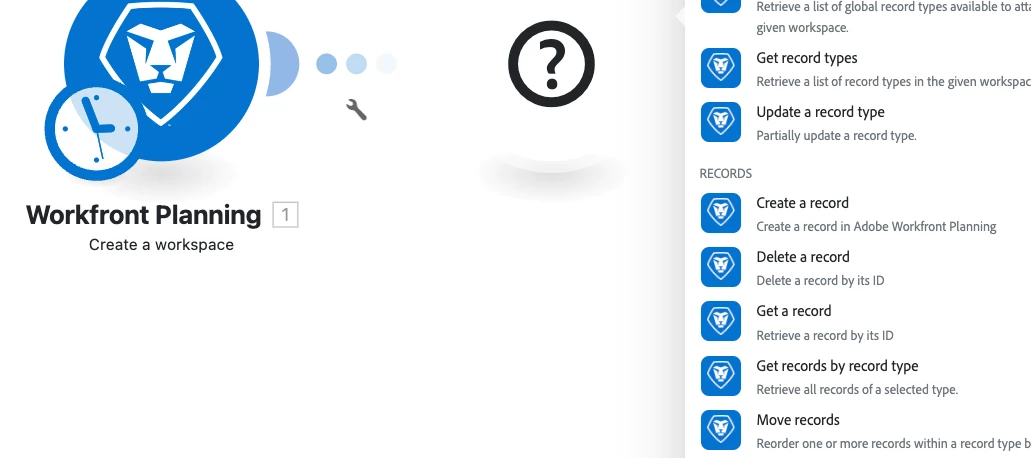
Product update: Workfront Planning v2 connectorWorkfront Planning v2 connector now availableWe’ve released a new connector that exposes the expanded capabilities of the Workfront Planning API version 2 so you can automate and integrate Workfront Planning resources directly from Experience League integrations and workflows.OverviewThe new Workfront Planning v2 connector adds modules that map to the Planning API v2 surface so you can programmatically manage Workfront Planning workspaces, record types, records, fields, and access workflows. The connector also includes user and permission queries and a generic custom-call module so you can call any remaining endpoints not covered by the dedicated modules.What you can do with the Workfront Planning v2 modulesCreate, read, update, and delete workspaces, record types, records, and fields. Retrieve user-level info such as authorization ID and permissions. Request access to a resource and view pending access requests. Make custom API calls to a
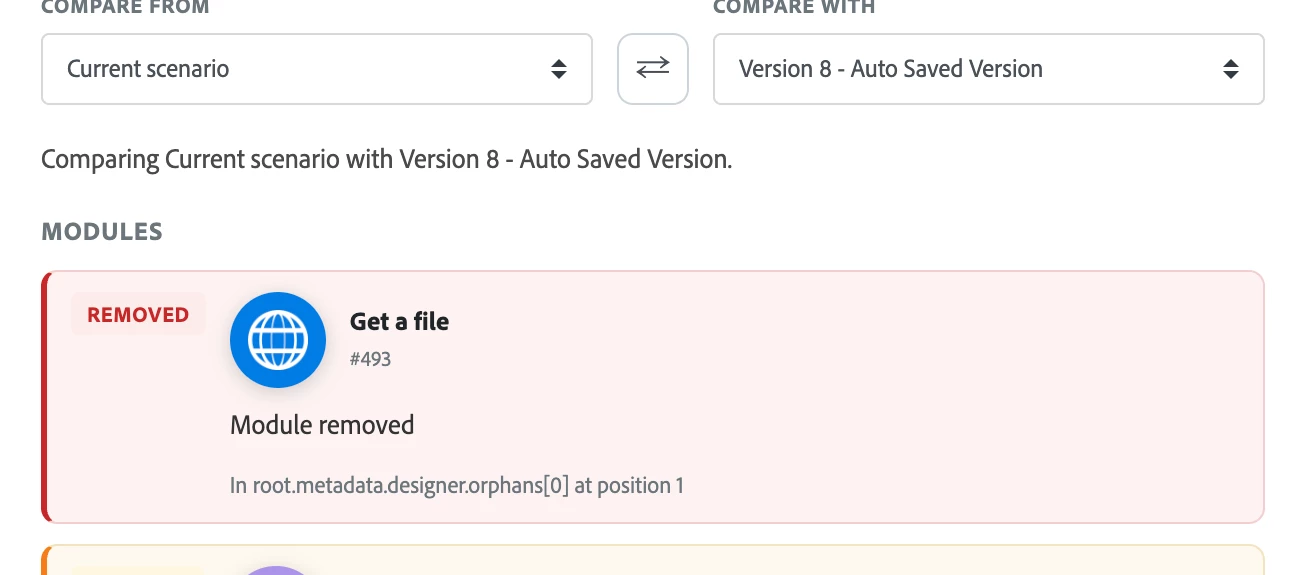
Product update: View and compare scenario versionsThis post introduces a new Review changes experience that makes it easy to see exactly what changed between two versions of a scenario so you can confidently restore older versions when needed. OverviewYou can now open a side-by-side comparison of any two versions of the same scenario to view detailed differences before you restore a version. The Review changes view highlights additions, removals, and edits (colored green and red) and groups changes by logical sections (Scenario, Scenario settings, Modules, Flows, Router routes, Error handlers, and Orphan groups). Restoring a version creates a new version, so all restores are reversible.How to compare scenario versionsClick Scenarios in the left panel and open the scenario you want to inspect. Click the More icon at the bottom of the screen, then choose Previous Versions. From the list of previous versions, click View changes for the version you want to compare. The Review changes panel
Already have an account? Login
Enter your E-mail address. We'll send you an e-mail with instructions to reset your password.