


Search input and output bundles in scenario executions
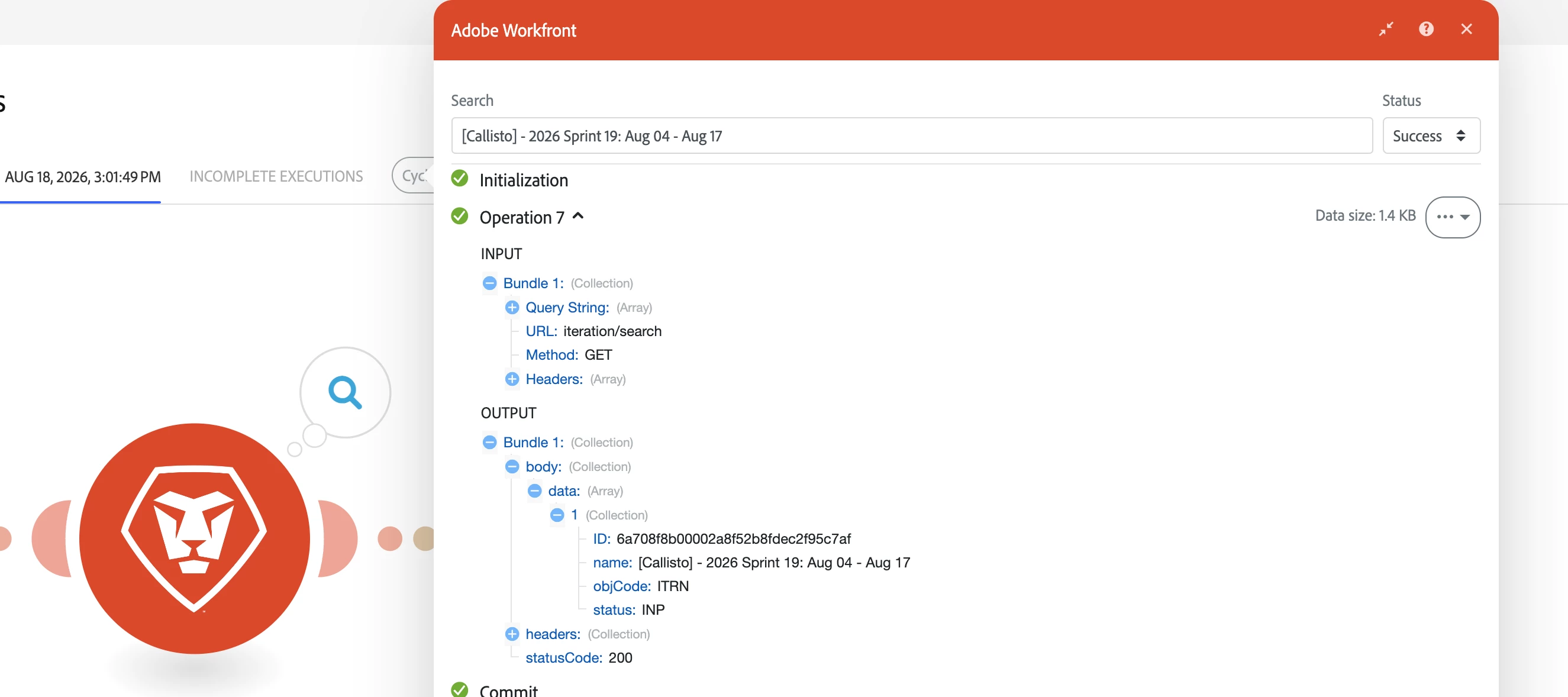
Search input and output bundles in scenario executions
Previously you could not search the actual input and output bundles shown in an execution. Now you can search both input and output bundles directly from the execution UI — use the module/filter output search bars or the execution search to find specific bundle content, IDs, or events.
Overview
We’ve added the ability to search the text and metadata inside bundle payloads for both inputs and outputs in an execution. This makes it much faster to locate a particular bundle, debug processing logic, or verify that expected data passed through a specific step. You can search at the module/filter level or across the entire execution timeline.
What’s new
- Search the contents of input bundles shown for a module or filter.
- Search the contents of output bundles shown for a module or filter.
- Combine content searches with status filtering to surface only Success, Warning, Failed, Passed, or Failed bundles as applicable.
How to search bundle content
- Open the scenario and select the execution you want to inspect.
- To view a module’s input/output, click the details bubble next to the module. The number in the bubble is the count of bundles the module produced for that execution.
- In the module output panel, use the search bar to search the text and metadata inside input and output bundles. Results update immediately to show matching bundles
- Refine searches by status: use the Status Filter dropdown in the search panel to show only Success, Warning, Failed, Passed, or Failed bundles.
Behavior and tips
- Searches operate on the entire payload and metadata returned by the module.
- Combining content search with status filters (for example, search for an order ID and show only Failed bundles) helps isolate problematic records faster.
Where to find documentation
You can learn more about viewing execution history on Experience League: see the View a specific scenario execution.
Need help or want to give feedback?
If you have questions, encounter issues, or want to suggest improvements (for example, saved bundle searches, regex search, or direct links from execution search results to bundle payloads), post a comment below, start a thread in the Experience League Community, or contact Adobe Support through the Admin Console Support portal. Your feedback helps us prioritize future enhancements.