How to use a Webhook in Watch Events | Community
Skip to main content
Level 3
December 10, 2024
Question

How to use a Webhook in Watch Events

  • December 10, 2024
  • 2 replies
  • 1048 views

Hi everyone,


Quick question that might be a bit basic:


In Workfront, I’m trying to set up Fusion to trigger as soon as a custom field is set to "Yes" (e.g. "Ready to trigger" = "Yes").

From what I understand, the Watch Events module is the only one that can start a scenario instantly, so I assume that’s what I need to use here.

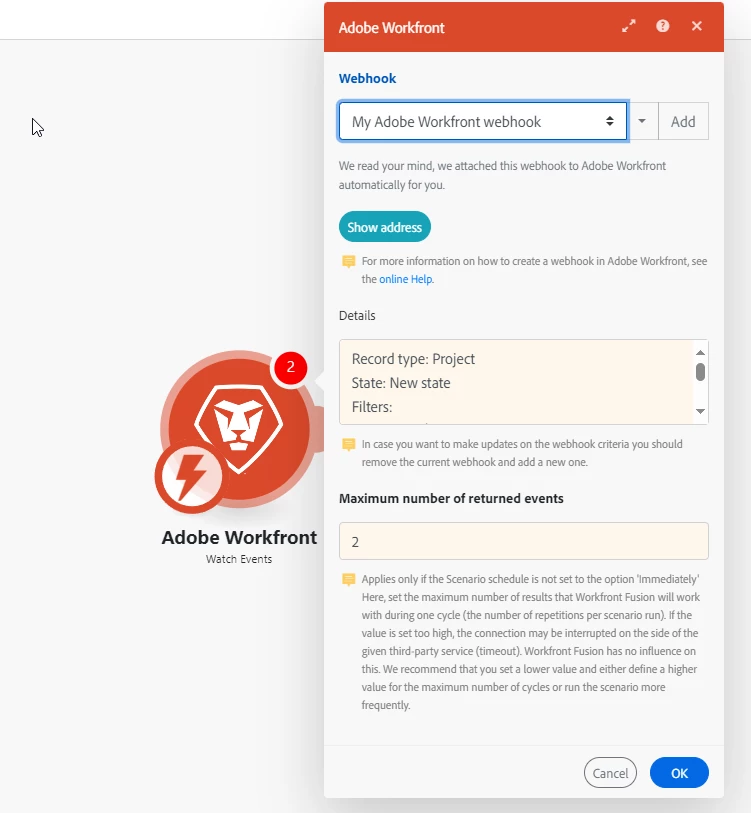
If that’s correct, I’m wondering how to set up the Watch Events module to monitor the "Ready to trigger" field. I see it involves using a webhook, and I’ve set one up, but I’m not sure where to use the webhook URL in this context.


This might be something really straightforward, so thanks for bearing with me and for any guidance!


Cheers!


This post is no longer active and is closed to new replies. Need help? Start a new post to ask your question.

2 replies

Level 4
December 10, 2024

Hello - connect your next module, then in between the modules put a filter for the Customer Field "Ready to Trigger" is equal to "Yes".


You will also have to change your webhook State to include New and Updated Tasks if the "Ready to Trigger" can be checked after the task has been created.


This is how we start several of our Fusion Scenarios to only work with the records that meet the criteria.


Scott

ab_cdefAuthor
Level 3
December 10, 2024

Thanks @scottmo1 


I’m not seeing the custom field in the filter between the two modules - see below:


That said, I do see some options when setting up the webhook in the Watch Events module (I also set my Record Origin to include new and updated records)


After setting this up, I switched my scenario to "ON" and ran a test by setting "Ready to trigger" to "Start" in the project, but nothing happened....


Feels like this might be something pretty basic that I’m just not fully getting..


Thanks again for looking into this

Level 4
December 11, 2024

Can you send a snap shot of your customer field  "Ready to Trigger"?


ab_cdefAuthor
Level 3
December 18, 2024

Quick update -  thanks for the help! 

I managed to get it working. The issue was with the checkbox that says something like "exclude the action done by the user". Once unchecked, the data arrives to the Fusion scenario as expected.

All sorted now!