Custom quality checks while reviewing/finalizing Campaigns
In Adobe Journey Optimizer Campaigns there is a feature checking if a mail has any issues or problems.
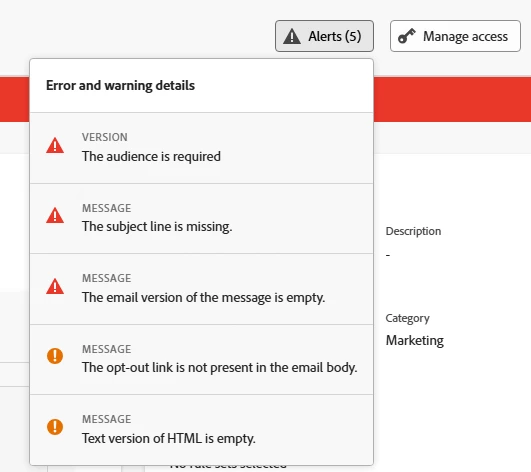
We would like to extend this functionality and make our own custom checks if a mail (or any other channel) fulfills our quality standards. This would include the following checks:
- (profanity) word filter
- image size
- overall size
- branding guides (fonts, colors, having color palettes or other brand related restrictions while content editing is also desirable…)
- remove tracking pixel if no consent for tracking exists (we want to send to both with the same campaign, recipients that consented and those who didn’t)
- check URLs
- missing assets
- when an audience is selected and we include personalization, let us know how many empty or ’invalid’ records for this personalization exist
- audience checks before send (this could also become a part of approval process)
- let us do audience count validations before sendout (final numbers, blacklist (suppression) subtracted, quarantines, etc.)