Filtering metrics in report based upon click-tracking | Community
Skip to main content
chrisd76587458
Level 2
November 10, 2017
Solved

Filtering metrics in report based upon click-tracking

  • November 10, 2017
  • 2 replies
  • 1579 views

I have an activity set up in Target that has a click track event for when users select certain options.  I need to figure out how to add that click track event to the audiences in the reports tab so I can see the results for just those users.  This is something I did once before in Classic, but does anyone know how to do that in Standard?

If I can set this up, it will help us get a better picture of the behavior for those users that select those options.

It seems like I need to add that click track event as an additional metric in the Reporting Settings section in Goals and Settings.  I figure I need to do this as an audience, but I can't find the right combination.

(And if it matters, we are using Adobe Target as the Reporting Source)
This post is no longer active and is closed to new replies. Need help? Start a new post to ask your question.
Best answer by Amelia_Waliany

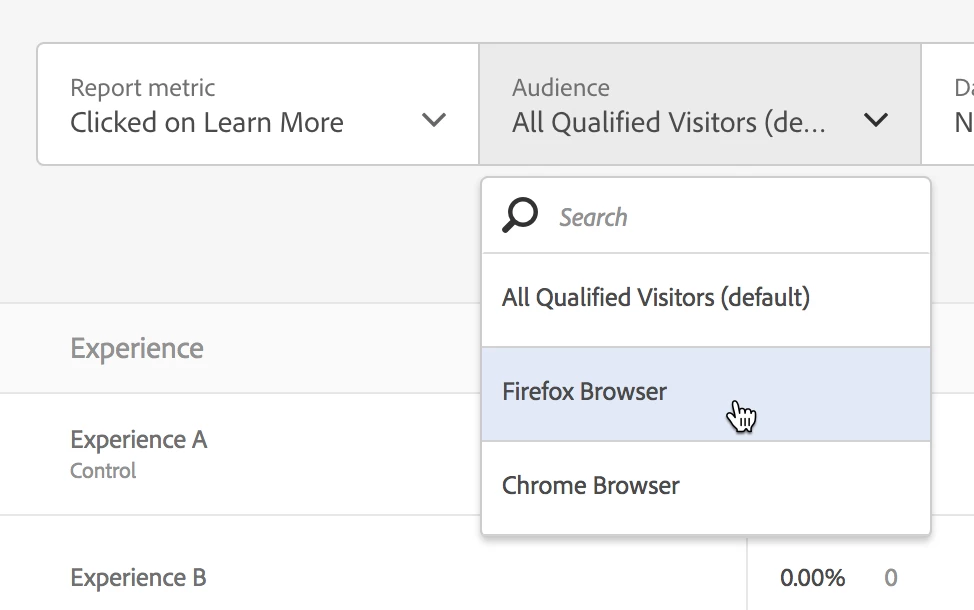
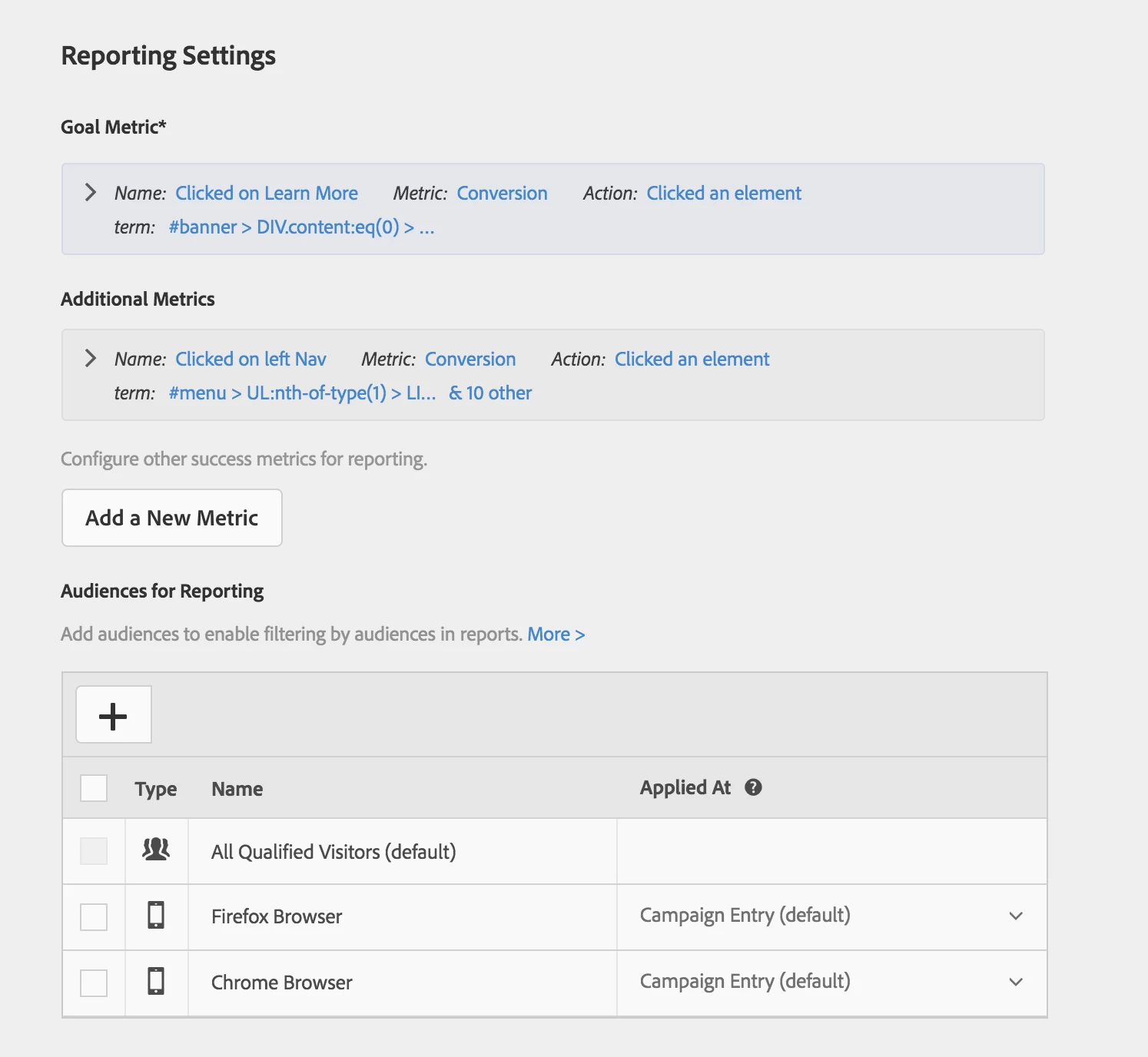
Add whichever click metrics you'd like to add (see screenshot):

and then add Reporting Audiences (see screenshot):

Hope this was helpful!

2 replies

Amelia_Waliany
Adobe Employee
Amelia_WalianyAdobe EmployeeAccepted solution
Adobe Employee
November 16, 2017

Add whichever click metrics you'd like to add (see screenshot):

and then add Reporting Audiences (see screenshot):

Hope this was helpful!

Amelia_Waliany
Adobe Employee
Adobe Employee
November 21, 2017

Hi Chris! Hope this was helpful - please mark the answer as correct if so, and if you have any other questions, please feel free to post them here! Thanks!