Audience Traffic Source UTM Parameter Setup | Community
Skip to main content
Level 1
September 19, 2022
Solved

Audience Traffic Source UTM Parameter Setup

  • September 19, 2022
  • 1 reply
  • 1609 views

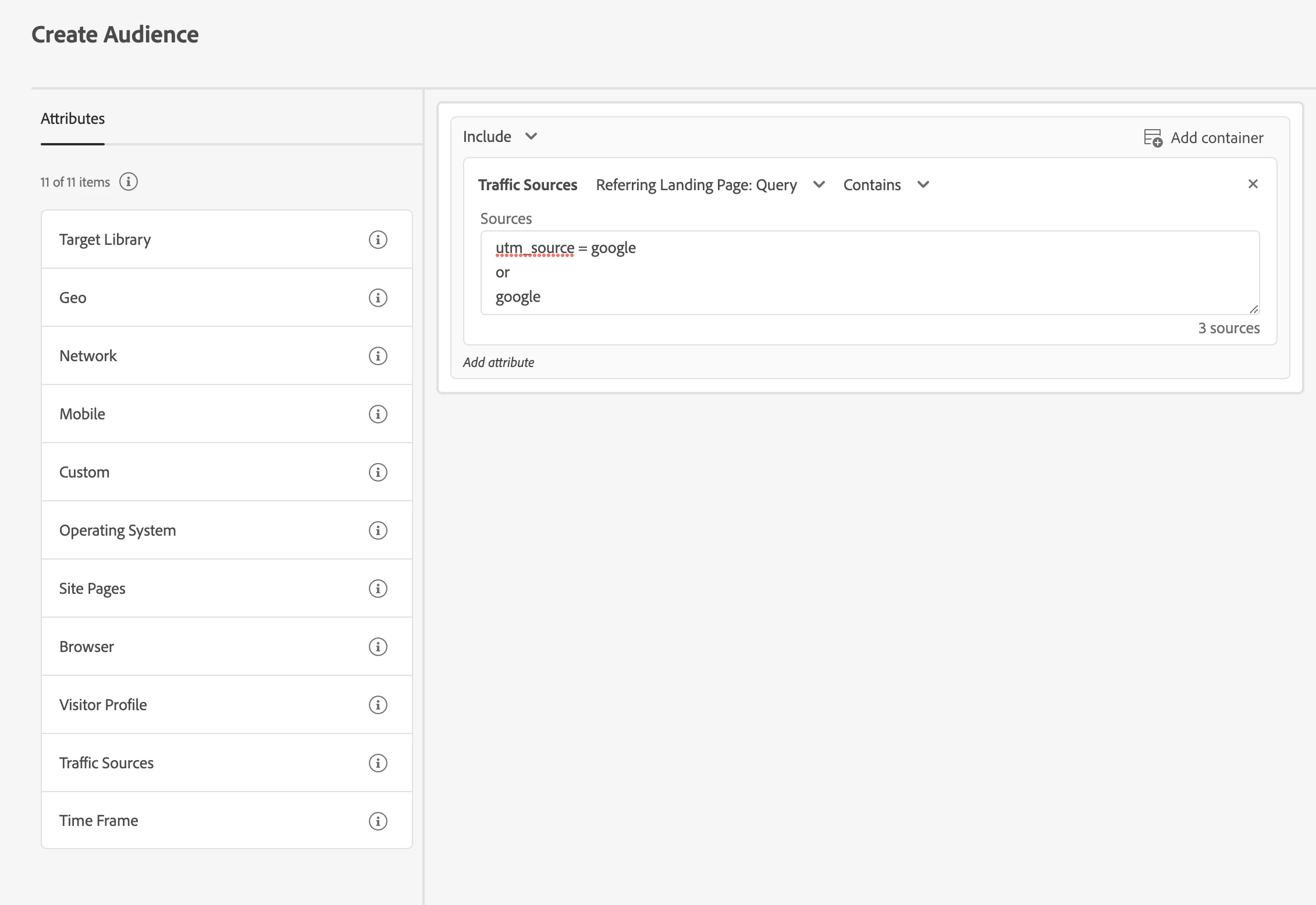
When specifying a traffic source based on referring LP Query, syntax wise how do I input the source? I.e. tracking affiliate traffic via utm_source contains affiliate | tracking paid traffic from google (not organic) utm_source contains google. 

In the source box do I just input the source 'affiliate' or do I have to specify 'utm_source=affiliate'. Haven't had too much luck finding documentation for this. Thank you!
 

This post is no longer active and is closed to new replies. Need help? Start a new post to ask your question.
Best answer by Perrin_Ennen

You can simply write utm_source=google and in the next line google. You don't need to write an or - each new line is like an or.


However, I'm not sure if traffic sources is the right thing to do here. If you always get a utm_source=google parameter in the URL - I would use "Site Pages" instead of "Traffic Sources" (Current Page > URL > Contains).

1 reply

Perrin_Ennen
Community Advisor
Perrin_EnnenCommunity AdvisorAccepted solution
Community Advisor
September 20, 2022

You can simply write utm_source=google and in the next line google. You don't need to write an or - each new line is like an or.


However, I'm not sure if traffic sources is the right thing to do here. If you always get a utm_source=google parameter in the URL - I would use "Site Pages" instead of "Traffic Sources" (Current Page > URL > Contains).