Launch Build date not showing in console | Community
Skip to main content
May 21, 2020
Solved

Launch Build date not showing in console

  • May 21, 2020
  • 3 replies
  • 6343 views

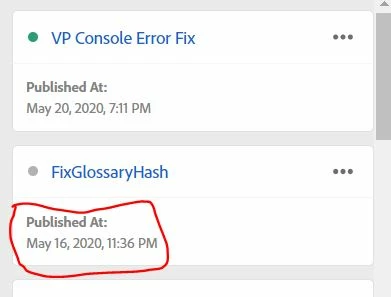
Hello Everyone, I have published the library in production yesterday (21/05/2020), when I am checking in the console with _satitlight.buildinfo, instead of showing a build date 21/05/2020, it showing old published library date(16/05/2020).

for your reference screenshots are below.

@andrey_osadchuk 

@jenn_kunz1


This post is no longer active and is closed to new replies. Need help? Start a new post to ask your question.
Best answer by franzli

Here's a checklist when I experience this:


  1. Do a hard refresh on your browser. Clear all application data.
  2. Try Incognito
  3. Try outside a different network (use cellphone network or another wifi not connected to same network) - This is incase it is a network caching issue.
  4. Check with your website/akamai cache


3 replies

Andrey_Osadchuk
Level 10
May 21, 2020

Can you share a link to the website?

Vamshi77Author
May 21, 2020
Thanks for your replay. website won't open outside of the office network. it is internal website.
franzli
franzliAccepted solution
Level 4
June 11, 2020

Here's a checklist when I experience this:


  1. Do a hard refresh on your browser. Clear all application data.
  2. Try Incognito
  3. Try outside a different network (use cellphone network or another wifi not connected to same network) - This is incase it is a network caching issue.
  4. Check with your website/akamai cache


jantzen_b
Adobe Employee
Adobe Employee
September 14, 2020
Do any of the answers below answer your initial question? If so, can you select one of them as the correct answer? If none of the answers already provided answer your question, can you provide additional information to better help the community solve your question?