Update/Insert a value to a field when importing a list | Community
Skip to main content
Level 3
August 18, 2018
Solved

Update/Insert a value to a field when importing a list

  • August 18, 2018
  • 2 replies
  • 1763 views

Hi,

I have two questions.

  1. If there any way to update or insert a value to a field when importing a list. The value will look like "ABC_GetDate()", so the final value will be "ABC_8/18/2018".
  2. When deploying a campaign, In the Query window, can I set query to: A field name equal to "ABC_GetDate()" to get the above the record.

Thanks,

Jason
This post is no longer active and is closed to new replies. Need help? Start a new post to ask your question.
Best answer by vraghav

Hi Jason,

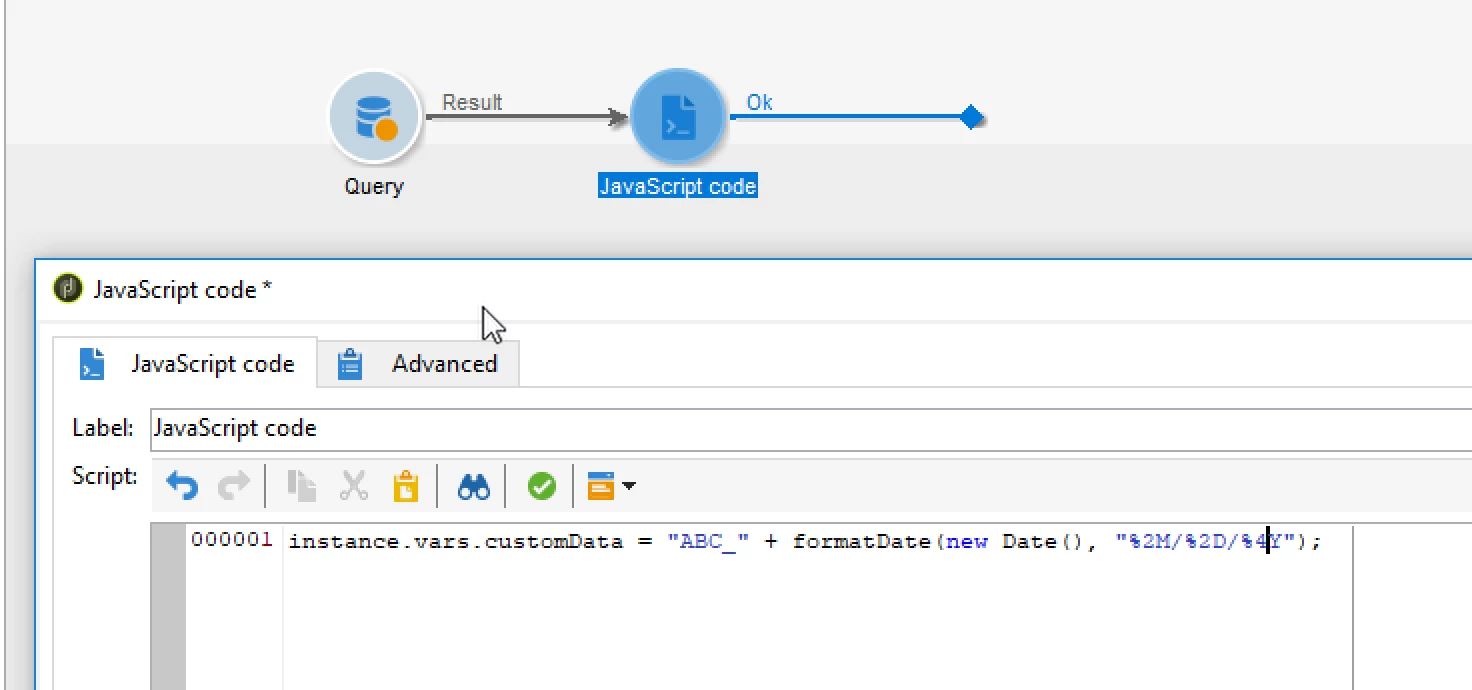
Use a JS code activity to create your custom data. Add the following line of code

instance.vars.customData = "ABC_" + formatDate(new Date(), "%2M/%2D/%4Y");

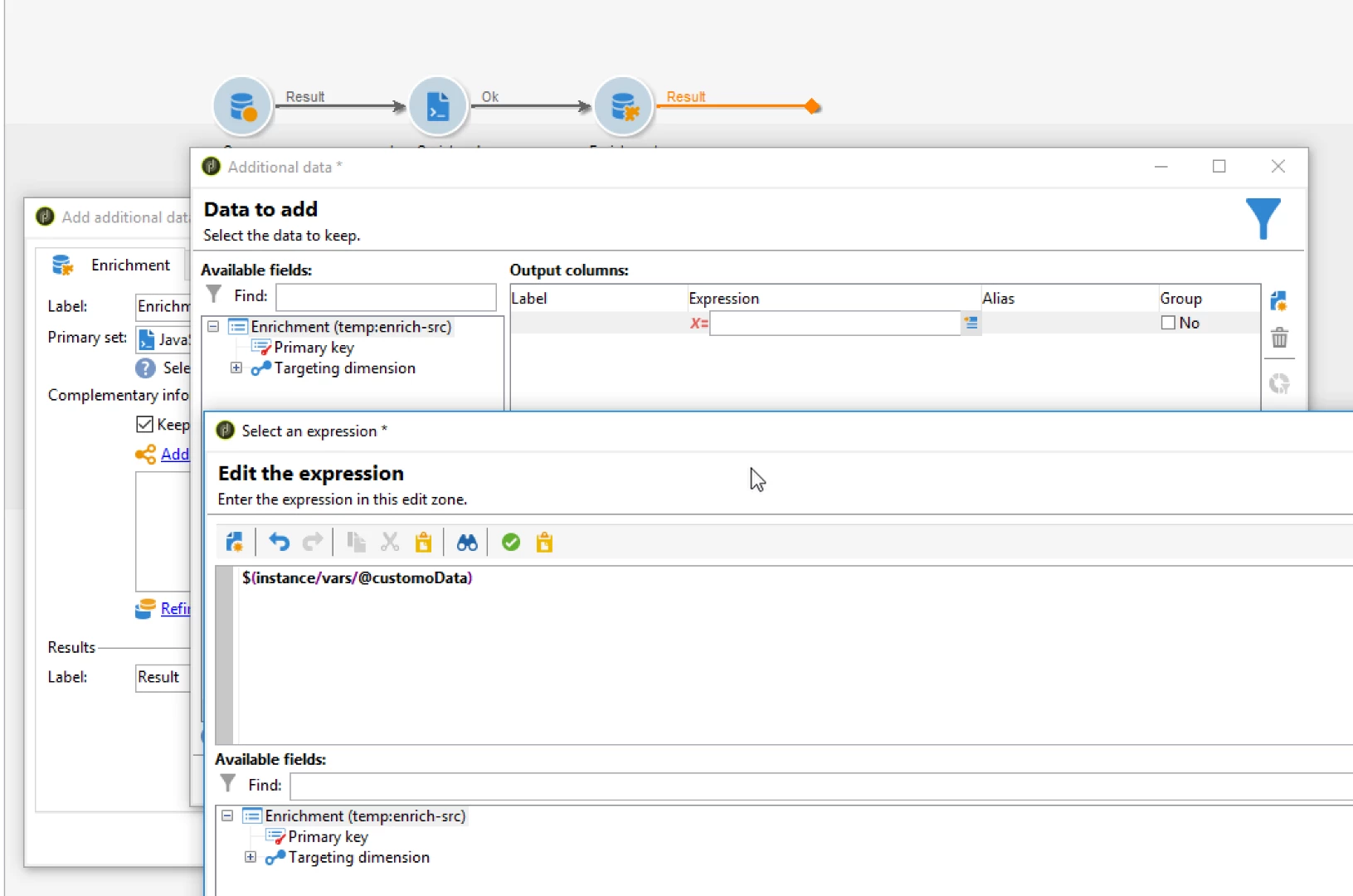
Then connect this JS code activity to your query activity or an Enrichment. Add a new column and use the formula

= $(instance/vars/@customoData)

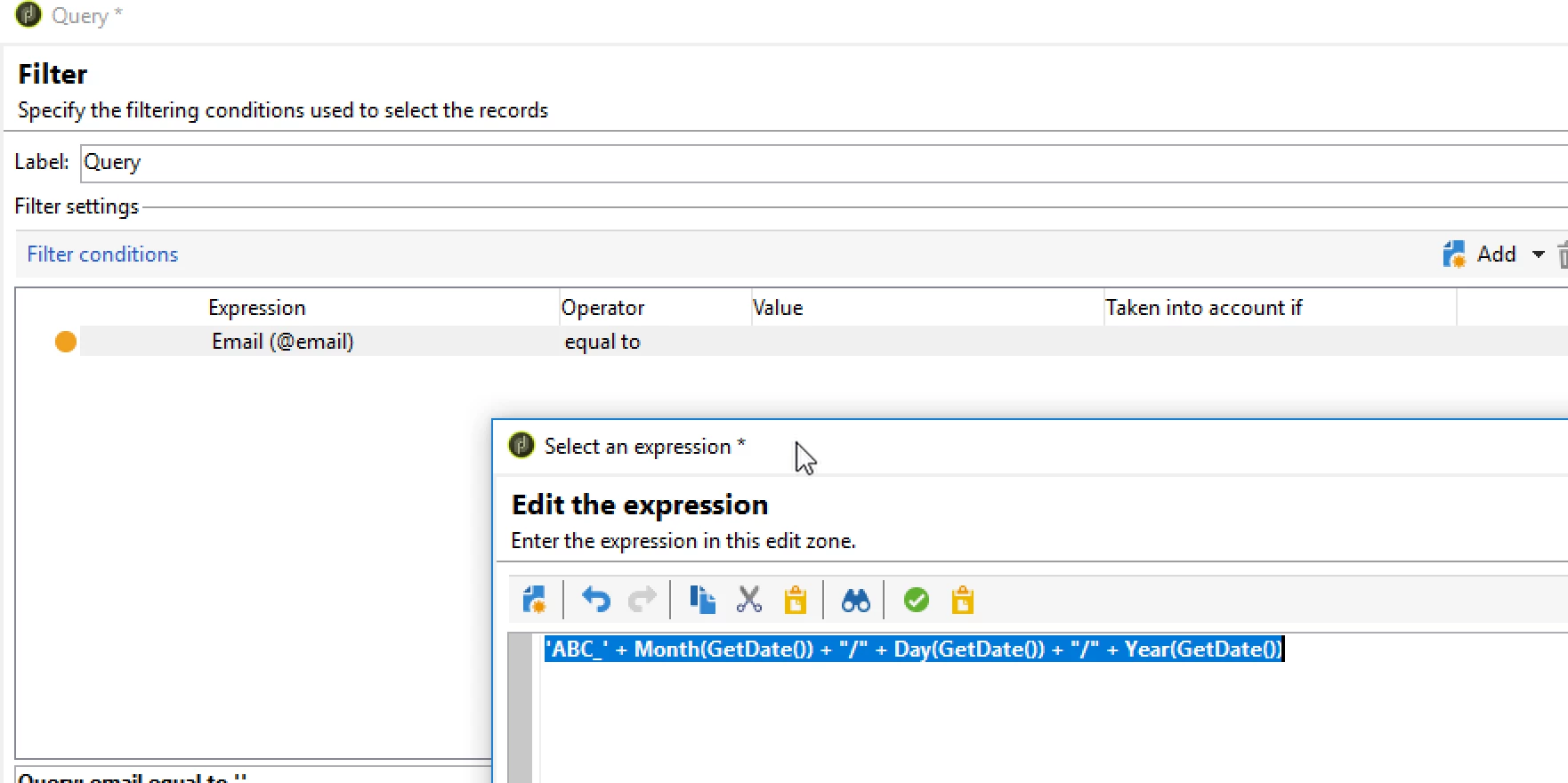
When trying to filter thiis data you the condition as

'ABC_' + Month(GetDate()) + "/" + Day(GetDate()) + "/" + Year(GetDate())

Regards,
Vipul

2 replies

vraghav
Adobe Employee
vraghavAdobe EmployeeAccepted solution
Adobe Employee
August 19, 2018

Hi Jason,

Use a JS code activity to create your custom data. Add the following line of code

instance.vars.customData = "ABC_" + formatDate(new Date(), "%2M/%2D/%4Y");

Then connect this JS code activity to your query activity or an Enrichment. Add a new column and use the formula

= $(instance/vars/@customoData)

When trying to filter thiis data you the condition as

'ABC_' + Month(GetDate()) + "/" + Day(GetDate()) + "/" + Year(GetDate())

Regards,
Vipul

Level 3
August 20, 2018

Thank you very much Vipul!

Jason