Workspace Reports Disappeared, Please Help | Community
Skip to main content
August 4, 2023
Solved

Workspace Reports Disappeared, Please Help

  • August 4, 2023
  • 1 reply
  • 629 views

Hi there,
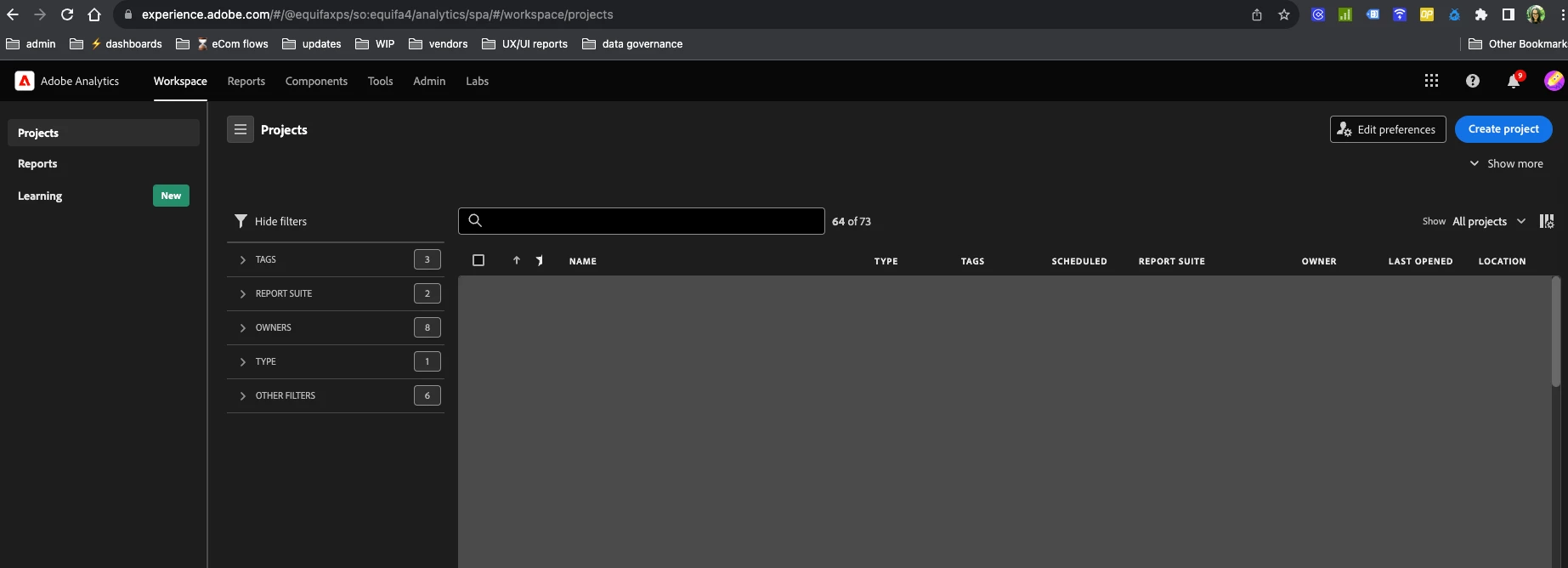
Logged into Adobe Analytics today and was unable to access historical reports. I did log out, reset password and log back in. Confirming I can access historical reports via links, just not through Workspace. Send help.

View of Workspace
 

This post is no longer active and is closed to new replies. Need help? Start a new post to ask your question.
Best answer by yuhuisg

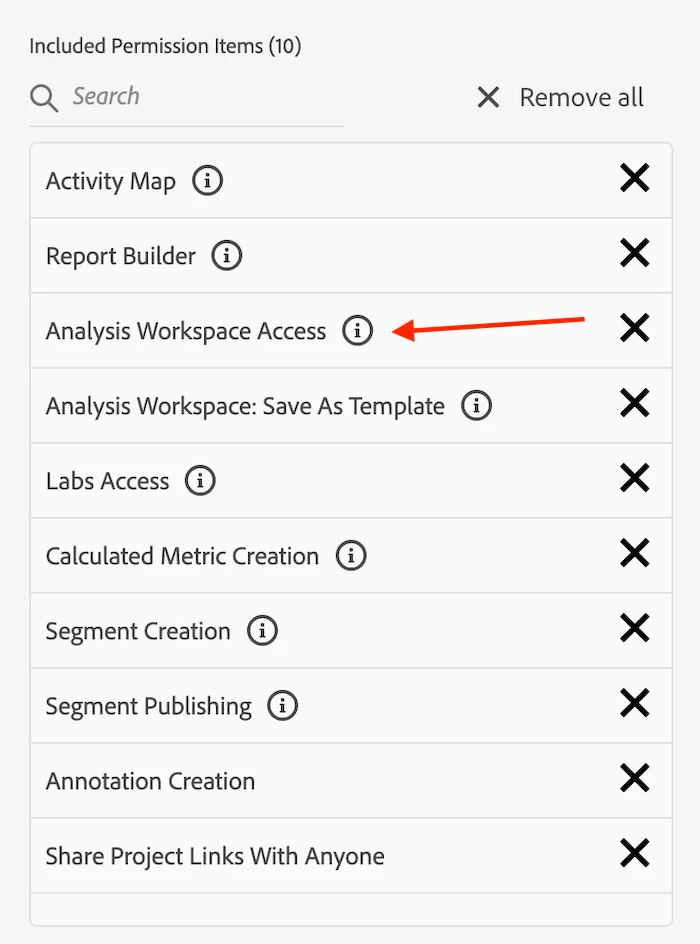
Check with your organisation's Adobe admin that you are still in the relevant Adobe Analytics product profile that has the "Analysis Workspace" permission. They will need to perform this check in adminconsole.adobe.com > Products > Adobe Analytics > the product profile where you have been added > Permissions > Analytics Tools, then verify that "Analysis Workspace Access" is in the Included permissions list.


1 reply

yuhuisg
Community Advisor
yuhuisgCommunity AdvisorAccepted solution
Community Advisor
August 7, 2023

Check with your organisation's Adobe admin that you are still in the relevant Adobe Analytics product profile that has the "Analysis Workspace" permission. They will need to perform this check in adminconsole.adobe.com > Products > Adobe Analytics > the product profile where you have been added > Permissions > Analytics Tools, then verify that "Analysis Workspace Access" is in the Included permissions list.