First time visits in Report Builder | Community
Skip to main content
Level 5
October 8, 2019
Solved

First time visits in Report Builder

  • October 8, 2019
  • 1 reply
  • 1594 views

Why can I not use a calculated metric for Visits filtered by condition that visit number = 1 in the report builder plug in for Excel?

This post is no longer active and is closed to new replies. Need help? Start a new post to ask your question.
Best answer by saumyag24417044

Hi, 

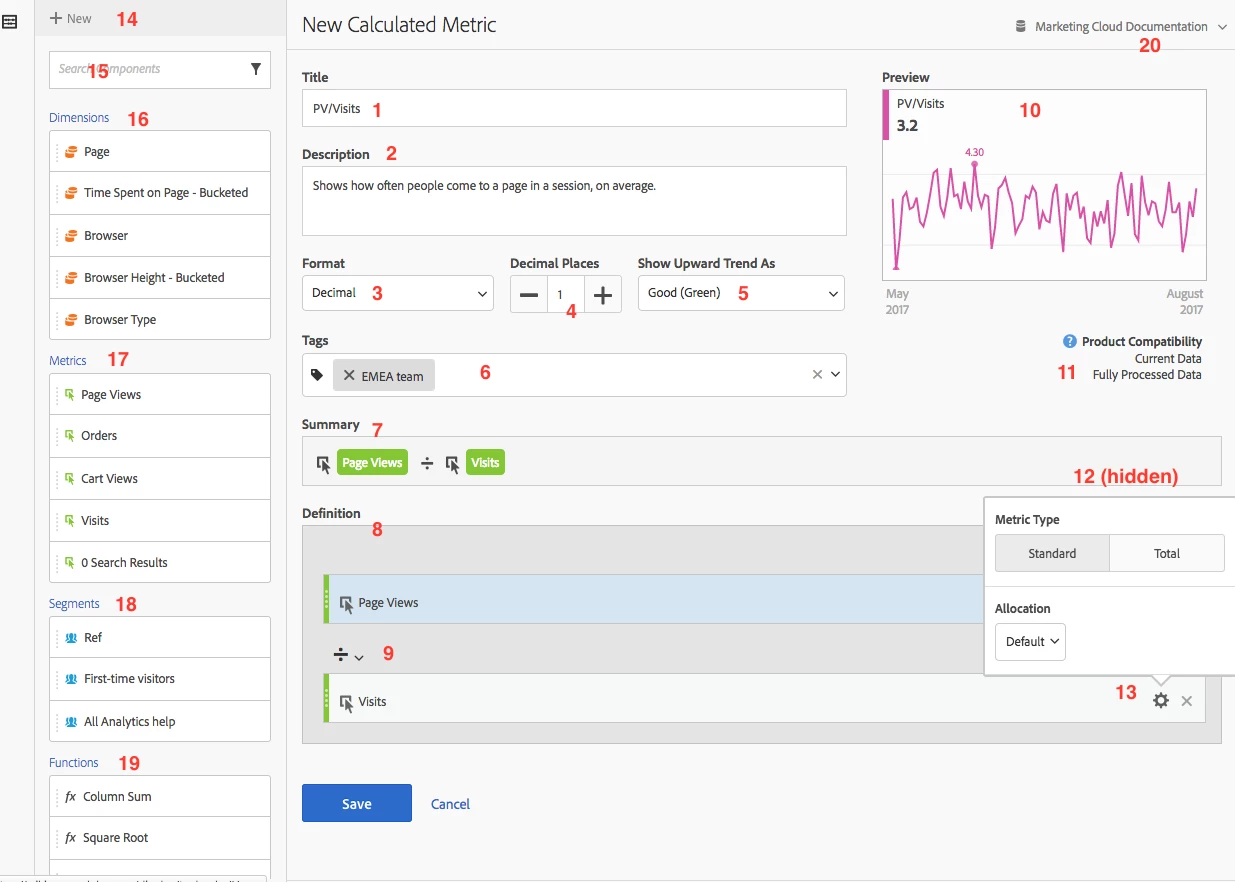
You can check 'Product Compatibility' of the calculated metric in the metric definition itself. See #11 in screenshot below:


Document Reference: https://docs.adobe.com/content/help/en/analytics/components/calculated-metrics/calcmetrics-reference/cm-compatibility.html


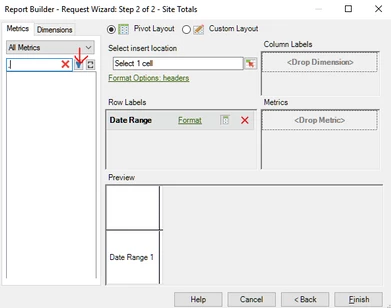
If the metric is compatible, you can access the Calculated Metrics created under specific report suite, in Report Builder click on the filter icon for Metrics and then select the Report Suite under which it is created. This will make the same available in the list - screenshot below:


Refer article: https://experienceleaguecommunities.adobe.com/t5/adobe-analytics-questions/calculated-metrics-not-available-in-report-builder/qaq-p/366070/comment-id/18773#M18773


Hope this helps!


Thanks,

Saumya

1 reply

saumyag24417044Accepted solution
Level 4
July 8, 2020

Hi, 

You can check 'Product Compatibility' of the calculated metric in the metric definition itself. See #11 in screenshot below:


Document Reference: https://docs.adobe.com/content/help/en/analytics/components/calculated-metrics/calcmetrics-reference/cm-compatibility.html


If the metric is compatible, you can access the Calculated Metrics created under specific report suite, in Report Builder click on the filter icon for Metrics and then select the Report Suite under which it is created. This will make the same available in the list - screenshot below:


Refer article: https://experienceleaguecommunities.adobe.com/t5/adobe-analytics-questions/calculated-metrics-not-available-in-report-builder/qaq-p/366070/comment-id/18773#M18773


Hope this helps!


Thanks,

Saumya