Adobe report builder error | Community
Skip to main content
Level 2
June 13, 2024
Solved

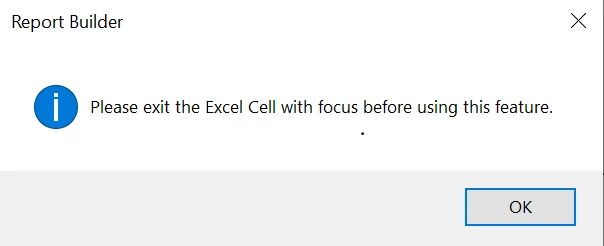
Adobe report builder error
  • June 13, 2024
  • 2 replies
  • 1291 views

how to resolve this error while using report builder.


This post is no longer active and is closed to new replies. Need help? Start a new post to ask your question.
Best answer by FarazHusain

installed it a week back so should not be a version issue 


I understand, but the older one had a bug related to cell locking; hence, suggesting you upgrade since such issues were fixed in this release.

2 replies

RohitNa1Author
Level 2
June 13, 2024

nope not working

FarazHusain
Adobe Employee
Adobe Employee
June 13, 2024

A new version of the Report Builder version 5.6.57 has been released today where issues related to cell locking were reported. If you're using an older one, can you try updating to this particular version and see if that helps?

Jennifer_Dungan
Community Advisor and Adobe Champion
June 13, 2024

Just out of curiosity.. are you double-clicked inside any cell? Have you tried just selecting another cell which is not actively in the "edit" state?


I don't know if that could be the issue.


But as @farazhusain said, a new version of Report Builder was released today, so you still will likely want to upgrade the version to avoid the bug that was recently fixed.