Adobe Analytics showing for same dates when changing date range | Community
Skip to main content
TheMarianoC
Level 2
January 4, 2019
Solved

Adobe Analytics showing for same dates when changing date range

  • January 4, 2019
  • 4 replies
  • 2351 views

Hello, I've got a problem I don't know how to resolve.

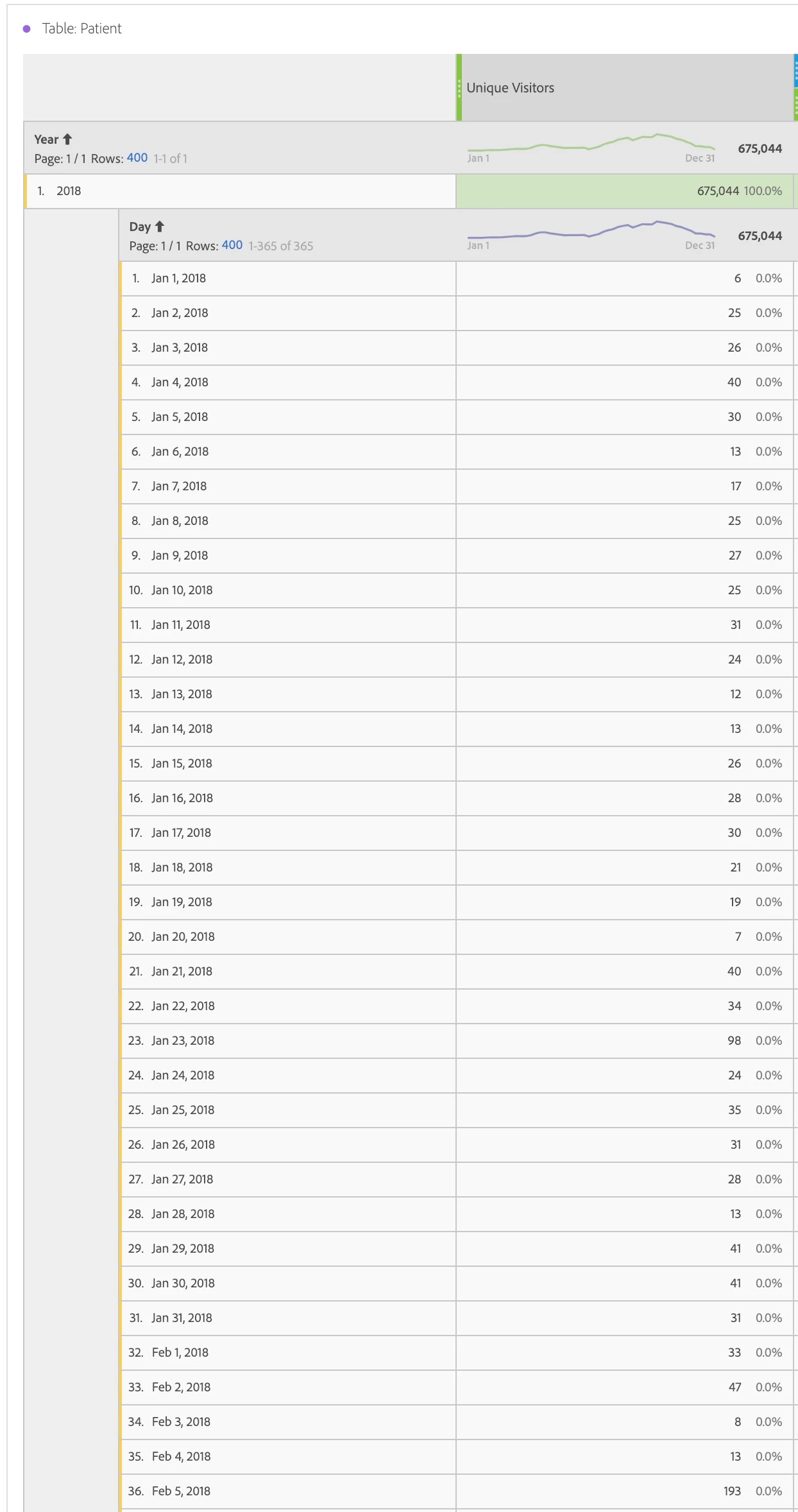
I'm looking at a particular segment (two of them have the same problem actually) - When looking at Unique visitors (although this happens with ALL other metrics too, I'm just using UV as it's easier to explain) and select This year, or Last year of data, I get "correct" data or at least some data:
However if I select only January, or only February, or only a part of any of these two months back in 2018, I get this:
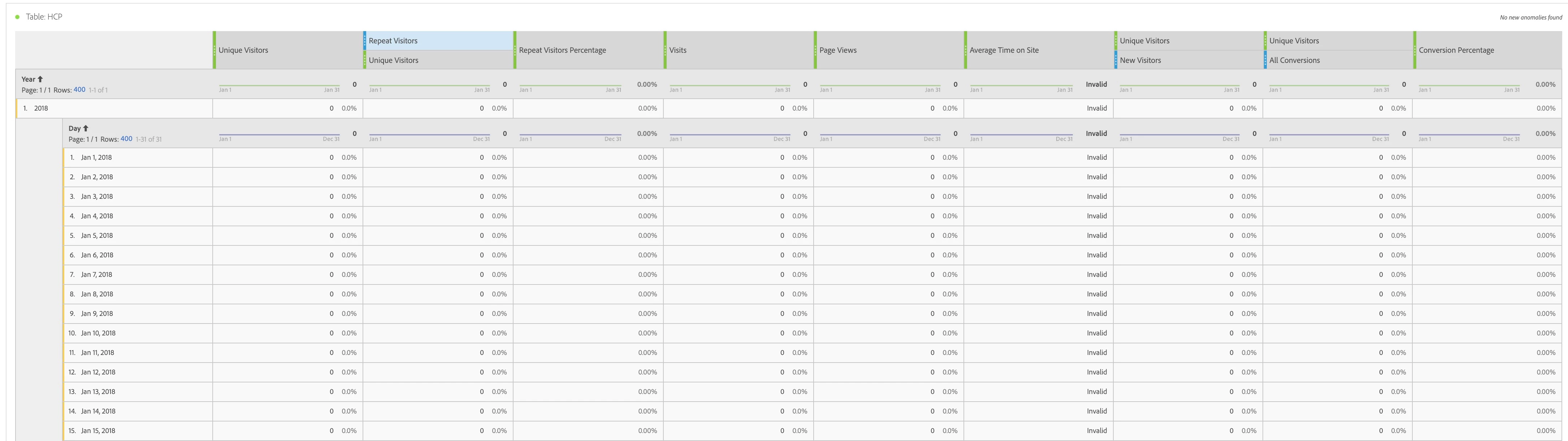
Everything is blank!

Any ideas?

Thanks,

Mariano

This post is no longer active and is closed to new replies. Need help? Start a new post to ask your question.
Best answer by EricMatisoff

Interesting. I wonder if it has something to do with the segment? Could you share a screenshot of the definition it? If not comfortable sharing publicly here, you can PM me.

4 replies

EricMatisoff
Adobe Employee
Adobe Employee
January 4, 2019

Hm, that's definitely strange. I tried this in one of my report suites and didn't have the same issue:

Can you send a bigger screenshot of your full browser, not just the table? I'm curious if segments are applied, or a virtual report suite, etc.

TheMarianoC
Level 2
January 4, 2019

Hi there,

Yes, there is a segment applied within a report suite:

Thanks for your help!

Mariano

EricMatisoff
Adobe Employee
EricMatisoffAdobe EmployeeAccepted solution
Adobe Employee
January 4, 2019

Interesting. I wonder if it has something to do with the segment? Could you share a screenshot of the definition it? If not comfortable sharing publicly here, you can PM me.

Gigazelle
Adobe Employee
Adobe Employee
January 9, 2019

Hi Mariano, were you able to get this figured out?