
Add functionality to wrap long values in rows in Freeform Tables, or at the very minimum allow this in PDFs | Community
Skip to main content
Jennifer_Dungan
Community Advisor and Adobe Champion
October 31, 2022
New

Add functionality to wrap long values in rows in Freeform Tables, or at the very minimum allow this in PDFs

  • October 31, 2022
  • 5 replies
  • 1039 views

Description -

Long values, particularly when paired with multiple metric columns, get truncated visually with an ellipses. While this is okay in a live Workspace report where the user can hover over the row to see the full value, when in a rendered PDF the values are completely lost, leaving stakeholders with missing information.


It would be of great value to allow long values to wrap (similar to how there is an option to wrap headers).


Why is this feature important to you -


Data will be easier to see, with less information being lost when presented to Stakeholders. Having the wrapping be optional allows for people to control when and if they want their data to wrap or to truncate.


How would you like the feature to work -


Add an option to the settings on the dimension to allow the values to wrap, or not to wrap. 
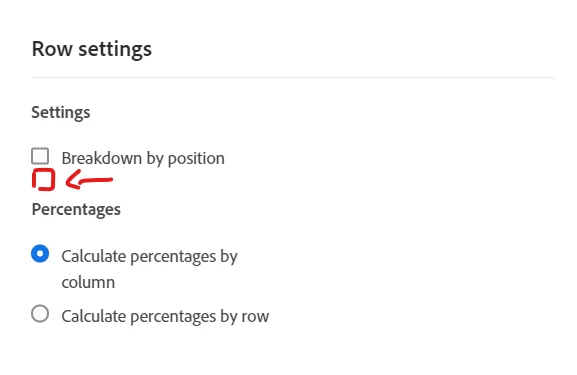
 

Current Behaviour -


No option to wrap, and PDF generation doesn't allow for hover states to see the full value

5 replies

Biggsy50
Level 3
October 31, 2022

Thanks @jennifer_dungan - this would be great, especially when the dimension contains a long URL (with or without a query string) or if the dimension is 'Last Touch Channel Details' containing lengthy PPC campaign strings for example.


In Google Data Studio (Looker) there's the option to wrap text for both the header and the body of a table so it would be nice if I could do that in AA too:

Chart > STYLE > Table Header > Wrap Text

Chart > STYLE > Table Body > Wrap Text

Level 2
April 8, 2024

Hello, 

Has there been any solution to this?

Jennifer_Dungan
Community Advisor and Adobe Champion
April 8, 2024

@ki_admin not as of yet... but fingers crossed.

fishmatt
Level 2
February 20, 2025

I have found adding a description to the tile works best when a lot needs to be said here.  I keep the title broad and concise, but add a description (which allows for wrapped text) and adjust the text size as needed

Jennifer_Dungan
Community Advisor and Adobe Champion
February 20, 2025

@fishmatt That would work for visualization titles, but doesn't help the data rows where you can't see the values of each row... This is about the data, like for instance the Page URL, which is too long to fit the column width... on web, you can hover your mouse over each row to read the value... there is no such option in the PDF.


So if you have a bunch of URLs like:

https://www.domain.com/some...

https://www.domain.com/some...

https://www.domain.com/some...

https://www.domain.com/some...


You cannot tell them apart, because the end of the value is cut off.