Développer ma barre des réalisations de la Communauté.

RÉSOLU

Pdf in a custom form - how to make the link work?

Avatar

Level 3

Hi all,

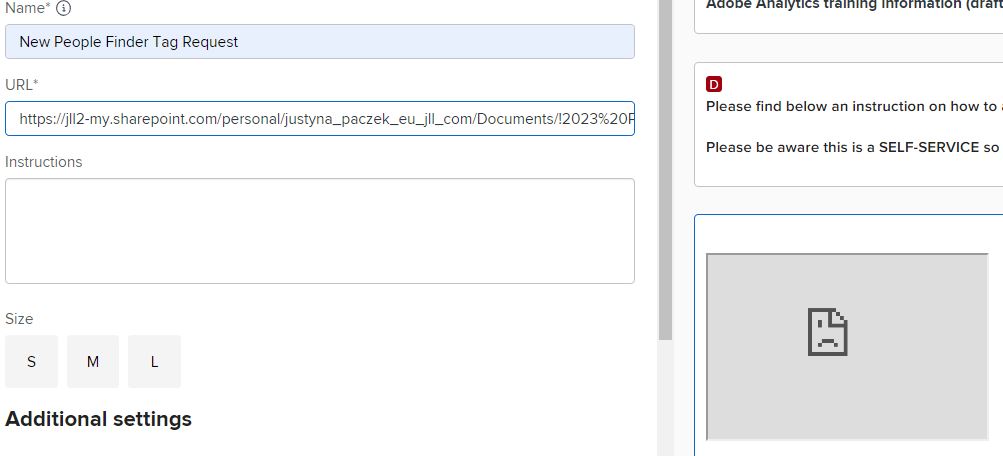
Can anyone help me on how to use a pdf link in a custom form so that it actually works? I have tries Sharepoint and OneDrive of my company, OneDrive is for sure connected and still when I use the link it shows me a grey area with a broken link symbol. I also tried uploading to the Documents section in the Workfront menu but not sure how to get a link from there...any tips?

Best

Justyna

1 solution acceptée

Avatar

Réponse correcte par
Level 6

I've only ever done it by keeping the PDF completely in Workfront:

  1. Create a generic project.
  2. Upload your PDF to the Documents folder of the generic project.
  3. Click on your uploaded file so that you're previewing the PDF in your browser window.
  4. Copy the URL.
  5. Navigate to your custom form.
  6. Select "Add New Field"
  7. Select "PDF"
  8. Paste the URL from step 4 into the URL field.

You should see now see a preview of your PDF on the form.

Voir la solution dans l'envoi d'origine

3 Replies

Avatar

Réponse correcte par
Level 6

I've only ever done it by keeping the PDF completely in Workfront:

  1. Create a generic project.
  2. Upload your PDF to the Documents folder of the generic project.
  3. Click on your uploaded file so that you're previewing the PDF in your browser window.
  4. Copy the URL.
  5. Navigate to your custom form.
  6. Select "Add New Field"
  7. Select "PDF"
  8. Paste the URL from step 4 into the URL field.

You should see now see a preview of your PDF on the form.

Avatar

Level 3

Thank you! I have tried something similar but did not get a right link, it turns out the adobe pdf chrome extension would change it, but if I clicked on a Document and copied the link from that place, it worked in the custom form:)


Avatar

Level 1

how can i use this on presswire18.com