Interactive Proof exporting | Community
Skip to main content
July 6, 2021
Question

Interactive Proof exporting

  • July 6, 2021
  • 1 reply
  • 512 views

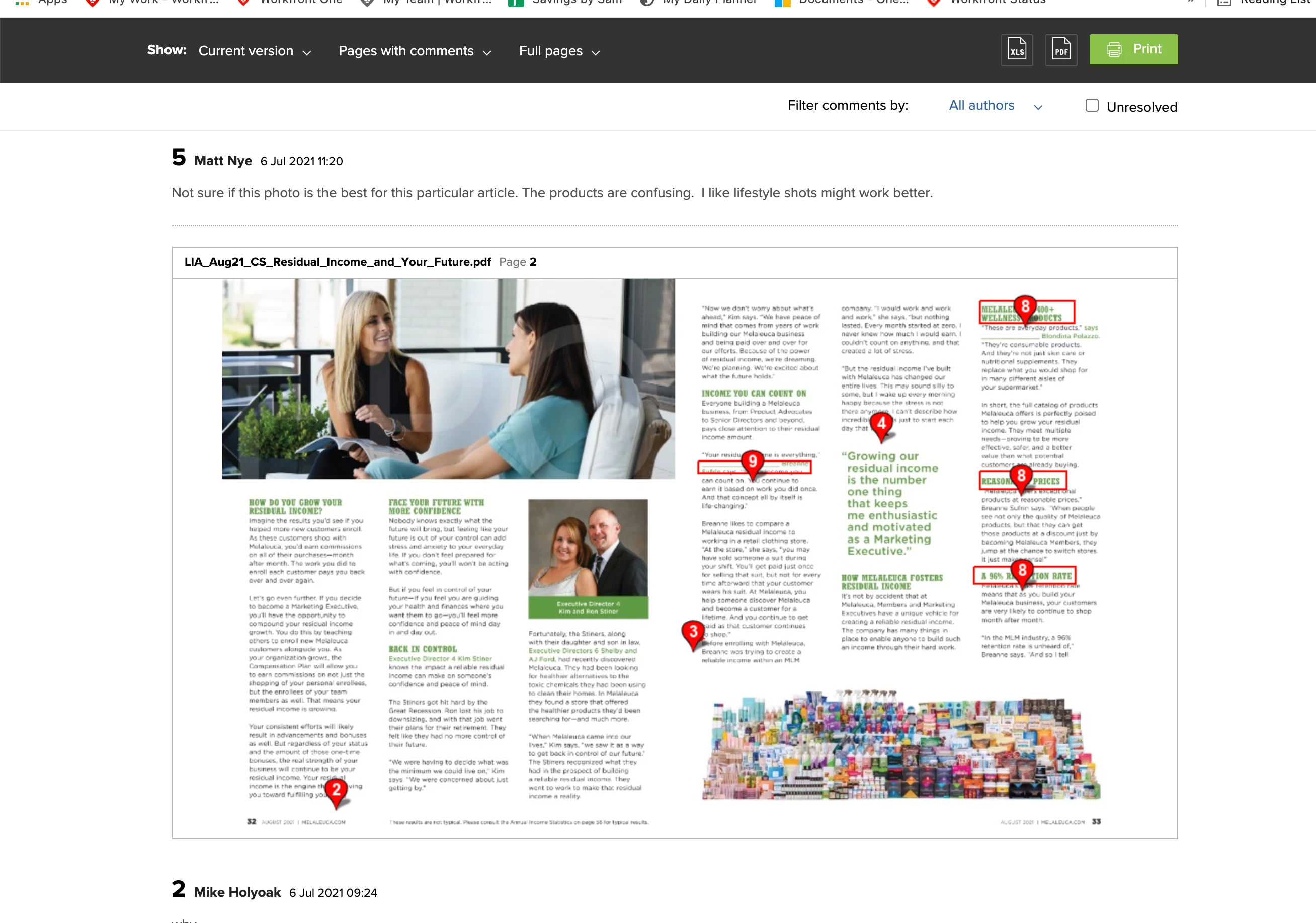
Does anyone know if there is a way to display the arrow markups in interactive proofs when printing to a PDF. We are able to get all of the comments listed along with an image of the proof BUT the arrows that point to where the comment was made do not copy over and it makes it difficult to know where the comment is referring to. The account people who need to share these with clients do not have design programs to pull these into an mark up nicely. Hoping someone knows of a trick or setting I am missing.

This post is no longer active and is closed to new replies. Need help? Start a new post to ask your question.

1 reply

SamanthaIsin
July 7, 2021

Kind of. A little bit. Sorta.

If you open the print summary on your proof you can see all the comments that were made on (X) version. You can view per comment or whole pages - I prefer the full pages option. This is what it looks like.

It's not great - but it's the best we've been able to work out.

July 7, 2021

Hi Samantha,

You get that option on interactive proofs? We only get that option on static proofs.