AB test , how to identify which experience the customer qualified for troubleshooting purpose | Community
Skip to main content
Level 2
July 21, 2023
Solved

AB test , how to identify which experience the customer qualified for troubleshooting purpose

  • July 21, 2023
  • 1 reply
  • 2836 views

We have setup AB test via Adobe Target. The test is live , while troubleshooting would like to understand where I could see which experience we are getting qualified for in developer tools or Adobe experience platform debugger, So that I can go and share snapshot to tagging team.
 

This post is no longer active and is closed to new replies. Need help? Start a new post to ask your question.
Best answer by alexbishop


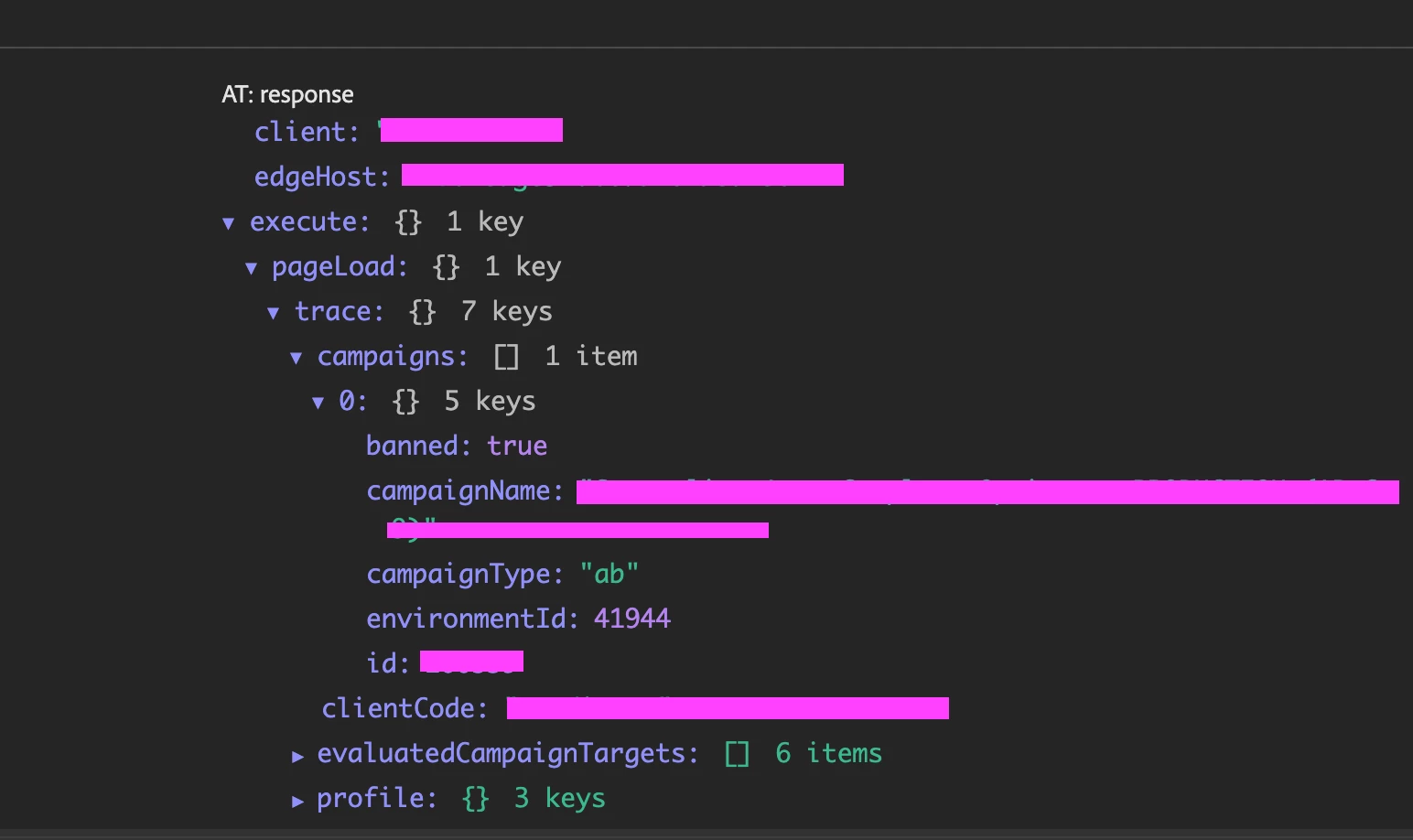
These are the details which shows in AEP Debugger


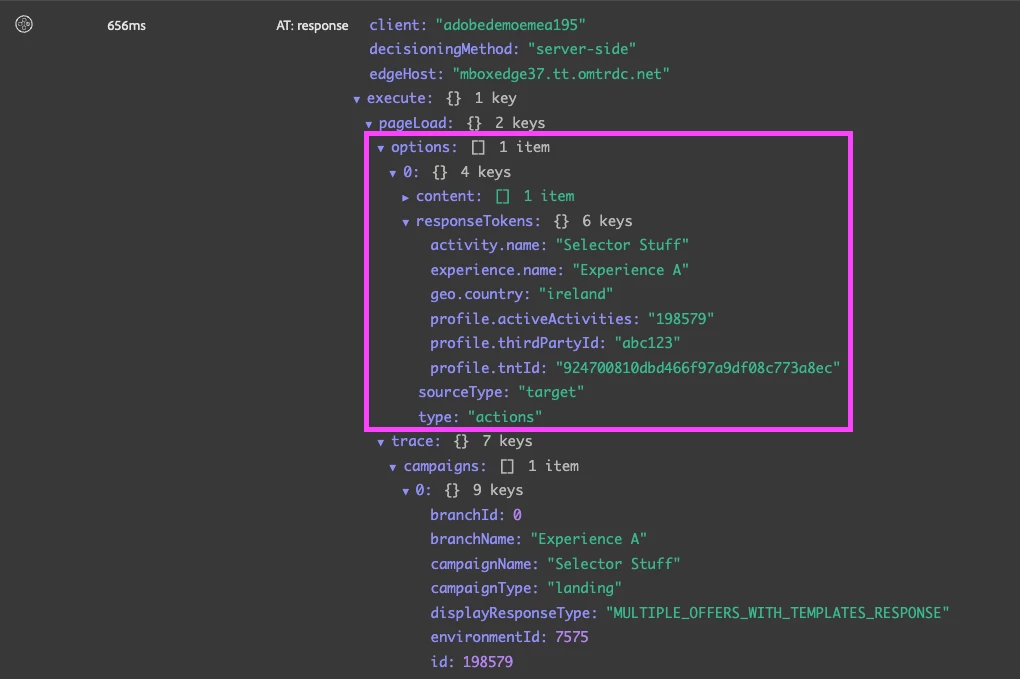
Ok, so that means you're not qualifying for the activity, because you don't have the "options" array, which is what contains the activity/experience content (and also response tokens).

For example, when I load a page and my activity content is returned in the response, I see this:

1 reply

alexbishop
Adobe Employee
Adobe Employee
July 24, 2023

If you use the AEP Debugger then you can......
i) Click "Target", select "Configuration" and toggle on "Target Console Logging":


ii) Click "Logs", find "AT:response" and expand the "Execute" object until you see Response Tokens

Ramya_SRAuthor
Level 2
July 24, 2023

Hi Alex,

Thanks for the screenshots , it really helps. I tried this method. But I could only see " Campaign name, Campaign Type, environmentID and ID , banned: true " these being listed under  the "execute " session. No response token.


The AB test is setup via Cookie drop. Data collection is enabled only through Adobe target but report not being generated properly in Target. Thats the reason for troubleshooting. 


Thanks

Ramya

alexbishop
Adobe Employee
Adobe Employee
July 24, 2023

If you check the Response Tokens within the Administration section of Target, do you see activity.name & experience.name with a status of Activated? If not, then by activating these you should then see the value as part of the response.

However, you won't see any Response Tokens in the response payload if you haven't qualified for at least 1 activity. So if there is no Response Tokens object in the response & the Content array is empty then it means you aren't qualifying for the activity