Hi,
I'm new on the AEM. I'm facing an issue in my local environment, can anyone help on this? Thanks a lot!
I've set local environment and created new AEM project, and installed the AEM WKND Sites, everything is fine, no errors occurred.
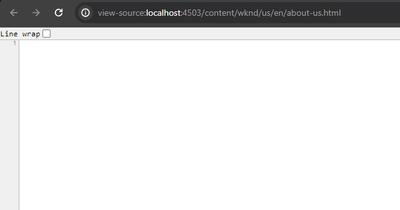
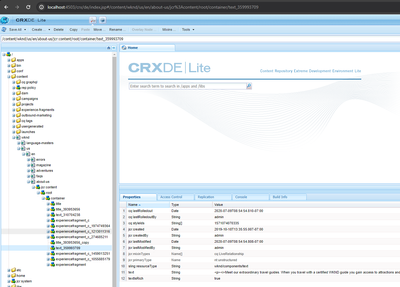
But when I tried to visit the page(already published) from publish instance (http://localhost:4503/content/wknd/us/en/about-us.html), it shown nothing on page. I checked the page source, it's nothing. I checked the page in CRXDE, everything looks fine. what's the problem on my AEM?
this is my reference sites:
https://github.com/adobe/aem-guides-wknd
해결되었습니다! 솔루션으로 이동.
토픽은 커뮤니티 콘텐츠를 분류하여 관련성 있는 콘텐츠를 찾는 데 도움이 됩니다.
조회 수
답글
좋아요 수
WKND bundles and /apps/wknd should be available on publish for pages to render.
Please assure, that you have installed same packages on Author and publish instance.
Even if we push content from author to publish. The Code still needs to be present on author and publish both.
Please assure you install the WKND all on publish as well
조회 수
답글
좋아요 수
Can you possibly share
Or Pages to render you would need to assure following:
- The all package is also installed along with COntent
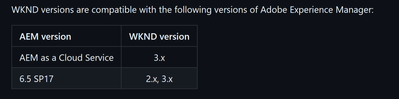
- The WKND version is compatible with your AEM version. Details here: GitHub - adobe/aem-guides-wknd: Tutorial Code companion for Getting Started Developing with AEM Site...
조회 수
답글
좋아요 수
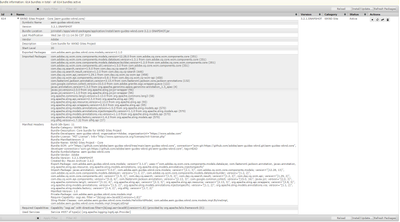
Hi @aanchal-sikka thanks for your response, I can't find the WKND bundle from 4503 instance, but I can see it in author(4502) instance, below is the details.
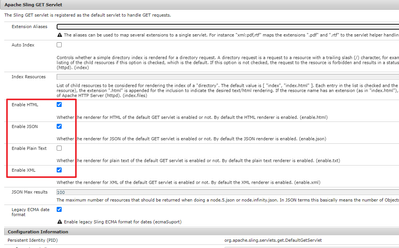
btw, I saw another post to ask the same issue, it says to check Sling GET servlet configuration at
http://<host>:<port>/system/console/configMgr/org.apache.sling.servlets.get.DefaultGetServlet
Make sure that Enable JSON and Enable XML are selected.
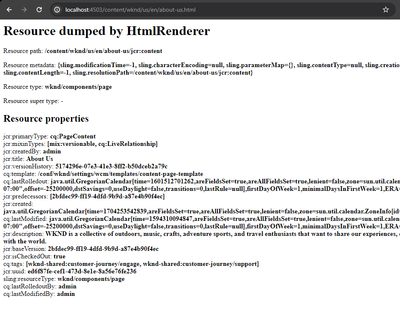
I checked in 4503 instance, then visit the page http://localhost:4503/content/wknd/us/en/about-us.html, it shows the nodes directly, not the HTML.
I also check the error.log (4503 publish instance), here is the error log details:
03.01.2024 12:08:59.392 *WARN* [[0:0:0:0:0:0:0:1] [1704254939382] GET /content/wknd/us/en/about-us.html HTTP/1.1] com.day.cq.wcm.core.impl.page.PageImpl page at /content/wknd/us/en does not have a jcr:content childresource
03.01.2024 12:08:59.393 *WARN* [[0:0:0:0:0:0:0:1] [1704254939382] GET /content/wknd/us/en/about-us.html HTTP/1.1] com.day.cq.wcm.core.impl.page.PageImpl page at /content/wknd does not have a jcr:content childresource
조회 수
답글
좋아요 수
WKND bundles and /apps/wknd should be available on publish for pages to render.
Please assure, that you have installed same packages on Author and publish instance.
Even if we push content from author to publish. The Code still needs to be present on author and publish both.
Please assure you install the WKND all on publish as well
조회 수
답글
좋아요 수
you're right, that's the root cause. I upload the package and install to publish, it works now.
no need to change the Sling GET servlet configuration of "org.apache.sling.servlets.get.DefaultGetServlet"
thanks!
Check logs for any errors - it will show the missing references.
조회 수
답글
좋아요 수
thanks for your reply, it's solved.
as @aanchal-sikka said, need to install the WKND all on publish instance as well.
조회 수
답글
좋아요 수
Hi @eamon-zhang ,
Looks like your code is only present on author and not on publish.
Push the code to publish instance using 'mvn clean install -PautoInstallPackagePublish'. This should fix your issue
조회 수
답글
좋아요 수
thanks for you reply. I've installed the package manually to publish instance.
yes, command line is good way to deploy the code to publish instance.
조회 수
답글
좋아요 수