Error on quickstart AEM 6.4 | Community
Skip to main content
MartinKSA
December 13, 2018
Solved

Error on quickstart AEM 6.4

  • December 13, 2018
  • 7 replies
  • 11904 views

hi,

I installed AEM 6.4 locally and have been running it fine for the past few days.
After a machine restart and trying to rerun the jar files on my Mac I get the following errors on http://localhost:4502/aem/start.html, as well as on http://localhost:4503/sites.html/content

"libs/granite/ui/components/shell/header/user/User has been compiled by a more recent version of the Java Runtime (class file version 53.0), this version of the Java Runtime only recognizes class file versions up to 52.0

Cannot serve request to /aem/start.html in /libs/granite/ui/components/shell/header/user/user.html"
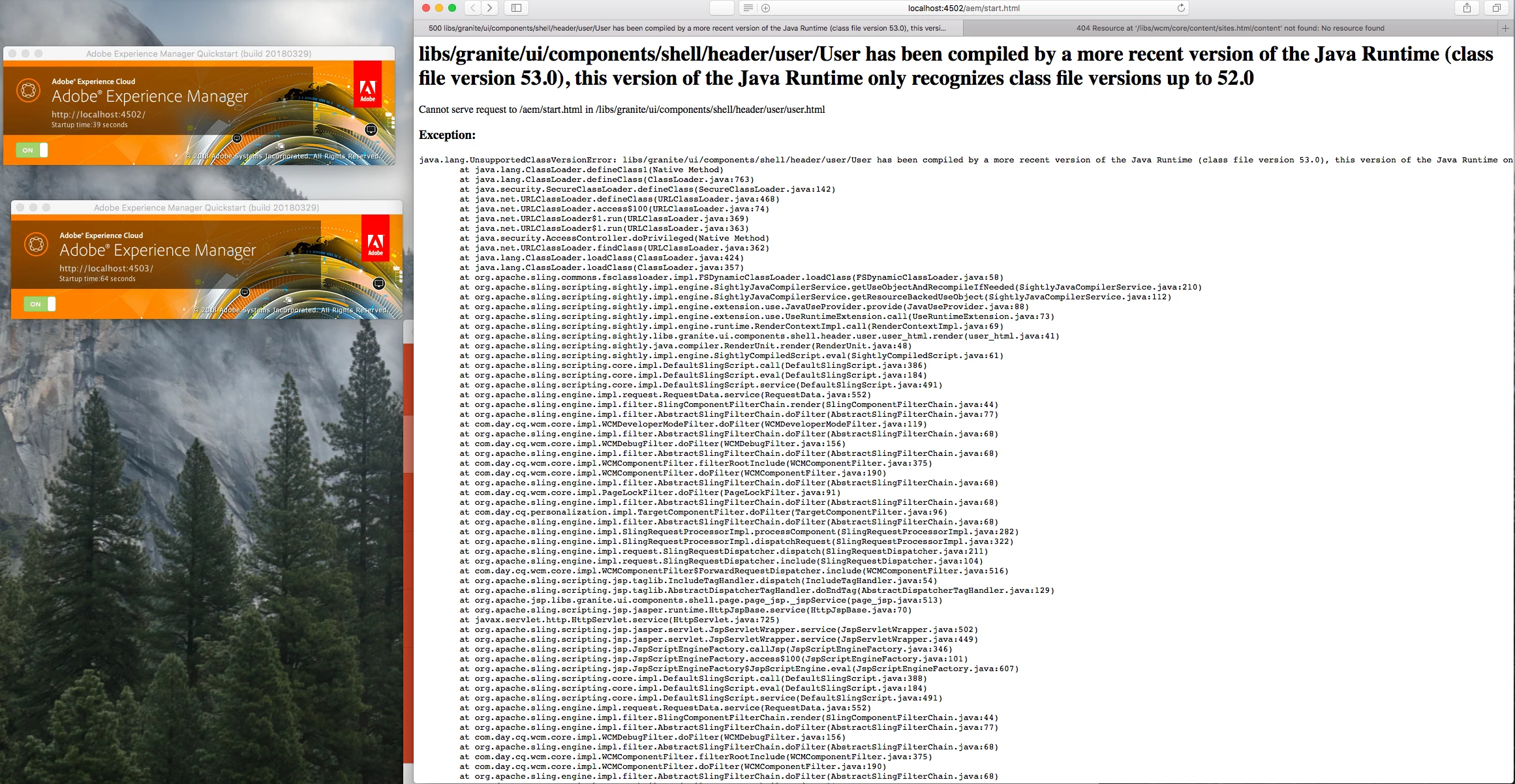
can anyone help me with this issue?

thanks

This post is no longer active and is closed to new replies. Need help? Start a new post to ask your question.
Best answer by Nausheed

You have compiled with a different JDK version and are running with a different JRE version . 

- Create a new folder and copy the AEM's quickstart.jar file and run it. Now compilation and execution will be done via same versions . 

Hope this helped !

7 replies

arunpatidar
Community Advisor
Community Advisor
December 13, 2018

Hi,

Did you updated Java version to 9? Could you please check? AEM runs on Java 8.

I think Version 52.0 is Java 8 and 53.0 is Java 9.

Arun Patidar
MartinKSA
MartinKSAAuthor
December 13, 2018

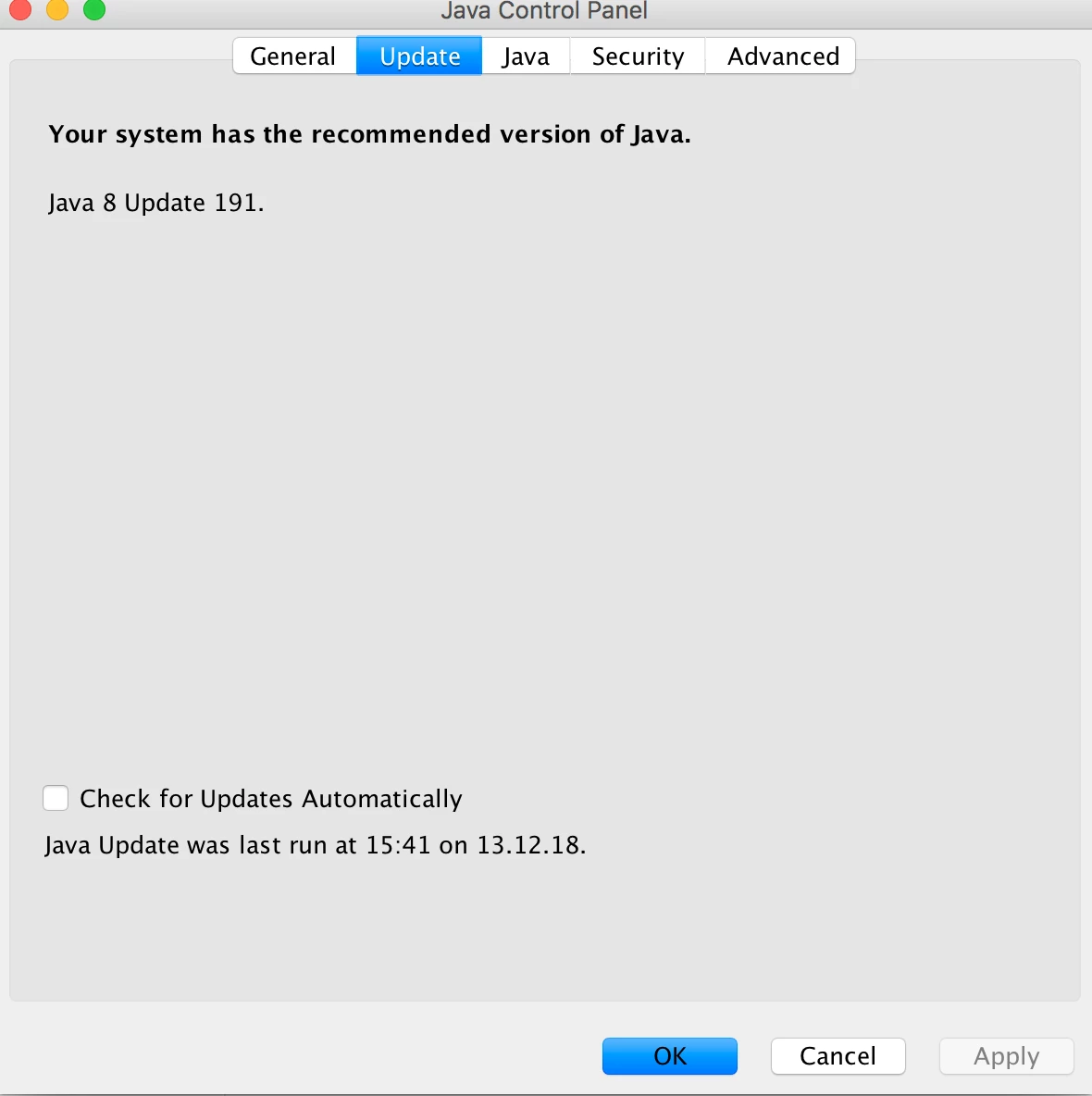
Thanks for the reply. It appears as if i'm still on Java 8 (see image below).

Thanks

narindera257447
November 13, 2019

I am also facing the same issue when i try to run AEM in debug mode using the below parameters:

java -XX:MaxPermSize=256m -Xmx1024M -agentlib:jdwp=transport=dt_socket,address=8000,server=y,suspend=n -jar aem-6.5-p4502.jar.jar

Note: While running in normal mode , we dont see any such issues.

February 11, 2020

Hi MartinKSA,


I faced the same problem. Here is what I did:

Started AEM instance with JDK11

Changed the JAVA_HOME to JDK8

After this the same error popped up. So I changed the JAVA_HOME back to JDK11 and it worked.


Take a look whether have you done the same thing.


Thanks 

manuel_óscars89
April 14, 2020

I was experiencing this same problem when trying to use the debugger mode of AEM. To fix it I executed the following commands:


cd <DIRECTORY_IN_WHICH_YOU_HAVE_YOUR_QUICKSTAR.JAR>

"<DIRECTORY_IN_WHICH_YOU_HAVE_YOUR_DESIRED_JRE>\bin\java" -jar <DIRECTORY_IN_WHICH_YOU_HAVE_YOUR_QUICKSTAR.JAR>\AEM_6.5_Quickstart.jar -debug <PORT>

NausheedAccepted solution
September 11, 2020

You have compiled with a different JDK version and are running with a different JRE version . 

- Create a new folder and copy the AEM's quickstart.jar file and run it. Now compilation and execution will be done via same versions . 

Hope this helped !

VeenaVikraman
Community Advisor
Community Advisor
July 16, 2021

For anyone looking for a solution ,


Problem (Root Cause) :- the below error means that you ran the jar first with a higher version of Java and now you are running it with a lower version. 

Java Runtime (class file version 53.0), this version of the Java Runtime only recognizes class file versions up to 52.0

In my case I ran the jar first with Java 11 , but my cmd picked Java 8 nowadays and I ended up with this exact error . 


Solution :- 

  1. Stop your AEM Jar 
  2. Remove your lower Java version and upgrade the Java Version to the latest one
  3. Re-run the jar and refresh the page
  4. Ta-da


Hope this works 

Veena ✌

Adobe Employee
March 20, 2024

I had the same problem. When I start my AEM as a Windows service, I was getting the above-mentioned error. . I had the change the Jvm entry in the registry for the key Computer\HKEY_LOCAL_MACHINE\SOFTWARE\WOW6432Node\Apache Software Foundation\Procrun 2.0\aem6520\Parameters\Java


aem6520 is the name of my windows service