Download assets or folders directly from DAM | Community
Skip to main content
Level 4
October 31, 2019
Solved

Download assets or folders directly from DAM

  • October 31, 2019
  • 4 replies
  • 4541 views

Hi,

we have a requirement to download the full folder of the images to my local system, we can't achieve it by using package manager, as the package will contain all the context xml files and the images and pdf's are stored as renditions, which will not give the exact folder structure as well.

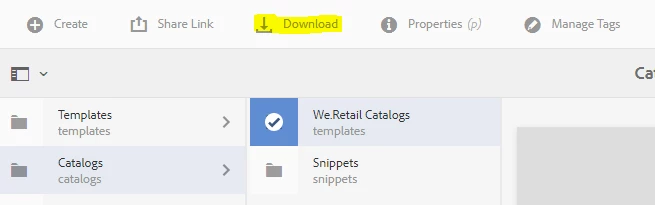
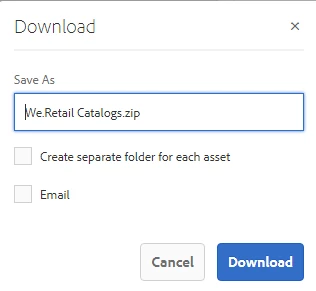
as shown in the below screenshots, if we select the folder using touch UI and click on download, it will download the images in a zip file with the folder hierarchy as in like a windows explorer, can we use any CURL command to directly trigger this kind of download in AEM.
This post is no longer active and is closed to new replies. Need help? Start a new post to ask your question.
Best answer by user05162

You can look into building the CURL command for that process using the article at [1]

[1] Using cURL with AEM

4 replies

simoneb20672152
Level 2
October 31, 2019

Have a look at Assets HTTP API

simoneb20672152
Level 2
October 31, 2019

Have a look at Assets HTTP API

Nirmal_Jose
Adobe Employee
Adobe Employee
October 31, 2019

UI console is triggering the event via

/libs/dam/gui/coral/components/admin/downloadasset/clientlibs/downloadasset/downloadasset.js

which is in turn using Download assets from AEM

Checking of it, you see below for /content/dam/we-retail/en/people folder

URL :

/content/dam/we-retail/en/people.assetdownload.zip/People.zip

Parameters :

{"path":["%2Fcontent%2Fdam%2Fwe-retail%2Fen%2Fpeople"],"_charset_":"utf-8","downloadAssets":"true","downloadRenditions":"false","downloadSubassets":"undefined","flatStructure":"true","licenseCheck":"true","s7exportsettings":""}

DPrakashRaj
Community Advisor
Community Advisor
February 6, 2023

Hi Nirmal,

i tried with below curl command and its downloading the zip file. only issue that i found is once extracted its creating separate folder with file name just before the actual file.

curl -u admin:admin -X POST http://localhost:4502/content/dam/we-retail/en/people.assetdownload.zip/People.zip -d '{"path":["/content/dam/we-retail/en/people"],"_charset_":"utf-8","downloadAssets":"true","downloadRenditions":"false","downloadSubassets":"undefined","flatStructure":"false","licenseCheck":"true","s7exportsettings":""} -O

user05162Adobe EmployeeAccepted solution
Adobe Employee
November 1, 2019

You can look into building the CURL command for that process using the article at [1]

[1] Using cURL with AEM