Dispatcher redirecting requests from https:// to http:// and then again to https:// | Community
Skip to main content
Rohan_Garg
Community Advisor
Community Advisor
August 10, 2022
Solved

Dispatcher redirecting requests from https:// to http:// and then again to https://

  • August 10, 2022
  • 2 replies
  • 2416 views

Hi All,


I have the below set of dispatcher configuration in place - 


1. VHost File - 

<VirtualHost *:80>


2.  Rewrite Rule - 

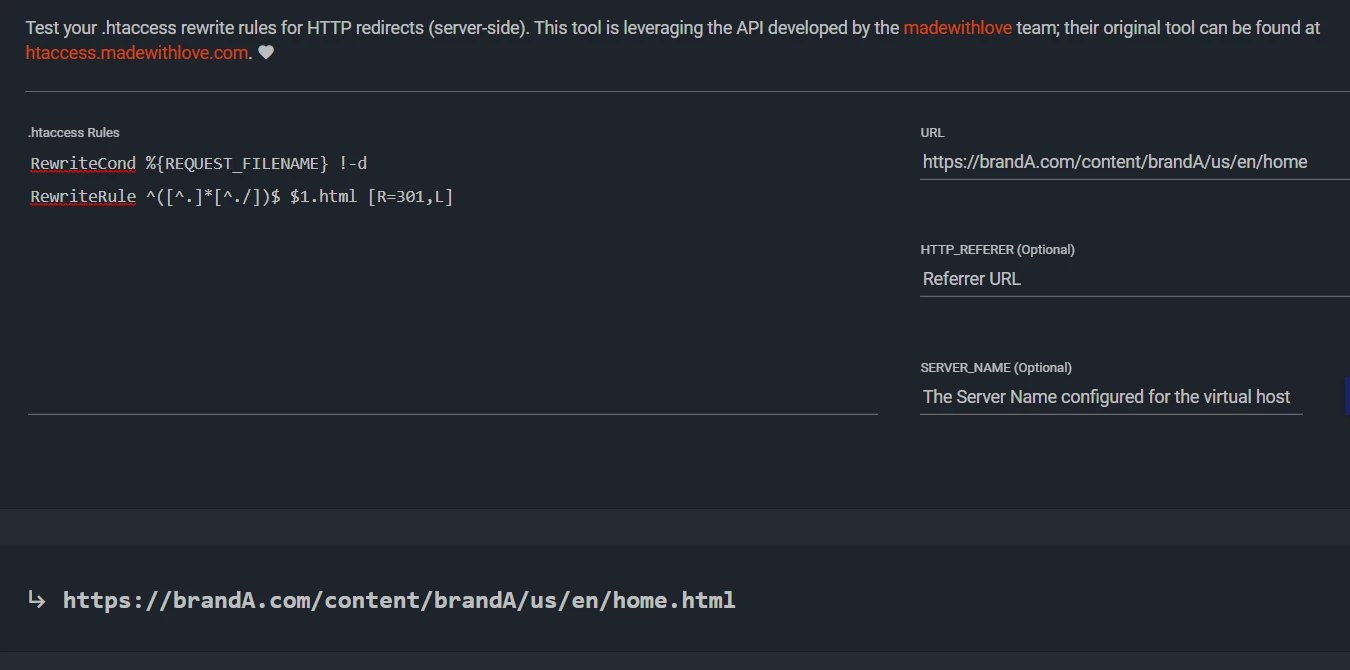
# Add .html extension when extension is missing from request
RewriteCond %{REQUEST_FILENAME} !-d
RewriteRule ^([^.]*[^./])$ $1.html [R=301,L]


On testing this rule its working fine as seen below - 
 

However, when running it on my development cloud server, the logs are generated as follows - 

https://brandA.com/content/brandA/us/en/home

http://brandA.com/content/brandA/us/en/home.html

https://brandA.com/content/brandA/us/en/home.html


As you can see there is a https:// to http:// redirection happening with 301 status in the network XHR.


Can you please suggest what might be causing this scheme change ?

@arunpatidar , @albinis1 , @joerghoh 


Thanks,

Rohan Garg

Best answer by tb1687196

Hi @rohan_garg ,

Please keep in mind, always check this kind of situation by following below steps:


- bypass the CDN and check the domain url, where it's landing.
- Check the logs. 

Now, as per the description from your end, the domain is listening dispatcher in port 80, means it's http. Then it's resolving internally to https and delivering the final url to https. That's why your XHR tab showing you the redirection to http in middle.

To get rid of in between redirection, add the url https://<your_domain_url> into your server name or server alias in virtual host. Your problem should be solved.

If still it's coming provide the output of :-

- result of page after bypassing CDN, i,e from dispatcher.
- your virtual host initial entries (virtual host with  server name and alias).


2 replies

Mohit_KBansal
Adobe Employee
Adobe Employee
August 10, 2022

@rohan_garg Please check if your SSL certificate is breaking before apache, and if the request coming to apache is with HTTP protocol.

In this case, you need to implement your 301 rules with HTTPS protocol

RewriteCond %{REQUEST_FILENAME} !-d
RewriteRule ^([^.]*[^./])$ https://%{SERVER_NAME}/$1.html [R=301,L]

* Check if SERVER_NAME name return the correct hostname, otherwise check other variables [1]


[1] https://httpd.apache.org/docs/current/expr.html

Rohan_Garg
Community Advisor
Community Advisor
August 10, 2022

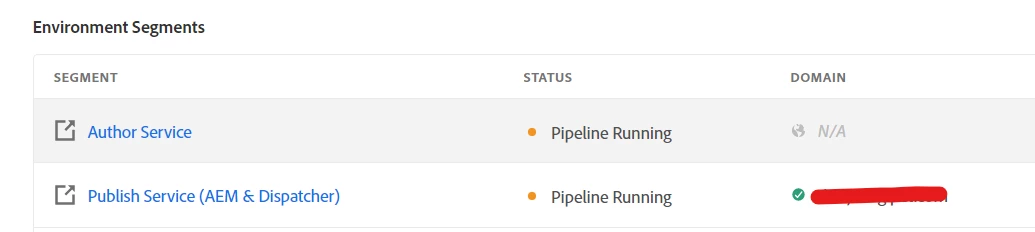
@mohit_kbansal - The SSL Certificates are already installed in publish and dispatcher as confirmed by the Domain Settings tab.

Ideally if the request from browser is hit in https:// and the dispatcher has SSL certificate installed, doesn't it ensure that the request is passed in https:// format to dispatcher all the way as SSL is attached to the environment which has Publish Service (AEM & Dispatcher)
The only thing coming in between is Cloud CDN.

How can we check where the SSL certificate is breaking ?

Mohit_KBansal
Adobe Employee
Adobe Employee
August 11, 2022

Check how the origin domain CDN is used to connect to Apache? Is it with http or https?

tb1687196
tb1687196Accepted solution
August 11, 2022

Hi @rohan_garg ,

Please keep in mind, always check this kind of situation by following below steps:


- bypass the CDN and check the domain url, where it's landing.
- Check the logs. 

Now, as per the description from your end, the domain is listening dispatcher in port 80, means it's http. Then it's resolving internally to https and delivering the final url to https. That's why your XHR tab showing you the redirection to http in middle.

To get rid of in between redirection, add the url https://<your_domain_url> into your server name or server alias in virtual host. Your problem should be solved.

If still it's coming provide the output of :-

- result of page after bypassing CDN, i,e from dispatcher.
- your virtual host initial entries (virtual host with  server name and alias).


Rohan_Garg
Community Advisor
Community Advisor
August 12, 2022

@tb1687196 - Thanks for your response. I will check with updating the ServerName and ServerAlias to https://

Meanwhile one query, if the domain is listening to dispatcher at port 80 is the issue, then shouldn't we upgrade the vhost configuration to both 443 and 80 ports ?

This will ensure that http:// request is handled at 80 and https:// at 443