React Native SDK - Framework not found ACPCampaign | Community
Skip to main content
May 7, 2021
Solved

React Native SDK - Framework not found ACPCampaign

  • May 7, 2021
  • 2 replies
  • 2524 views

I'm trying to install the React Native AEP Campaign Standard Extension (https://github.com/adobe/react-native-acpcampaign).


After I run 'pod install' I'm getting an iOS build error on Xcode:
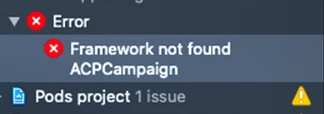
 

Steps to reproduce:

npm install @adobe/react-native-acpcore
cd ios/ && pod install

npm install @adobe/react-native-acpcampaign
cd ios/ && pod install

Library versions:

react-native: "0.62.2"
@adobe/react-native-acpcore: "1.4.0"
@adobe/react-native-acpcampaign:"1.2.0"
XCode: 12.1

Additional information:

While 'pod install' was running a new warning message showed up, apparently referencing ACPCampaign:
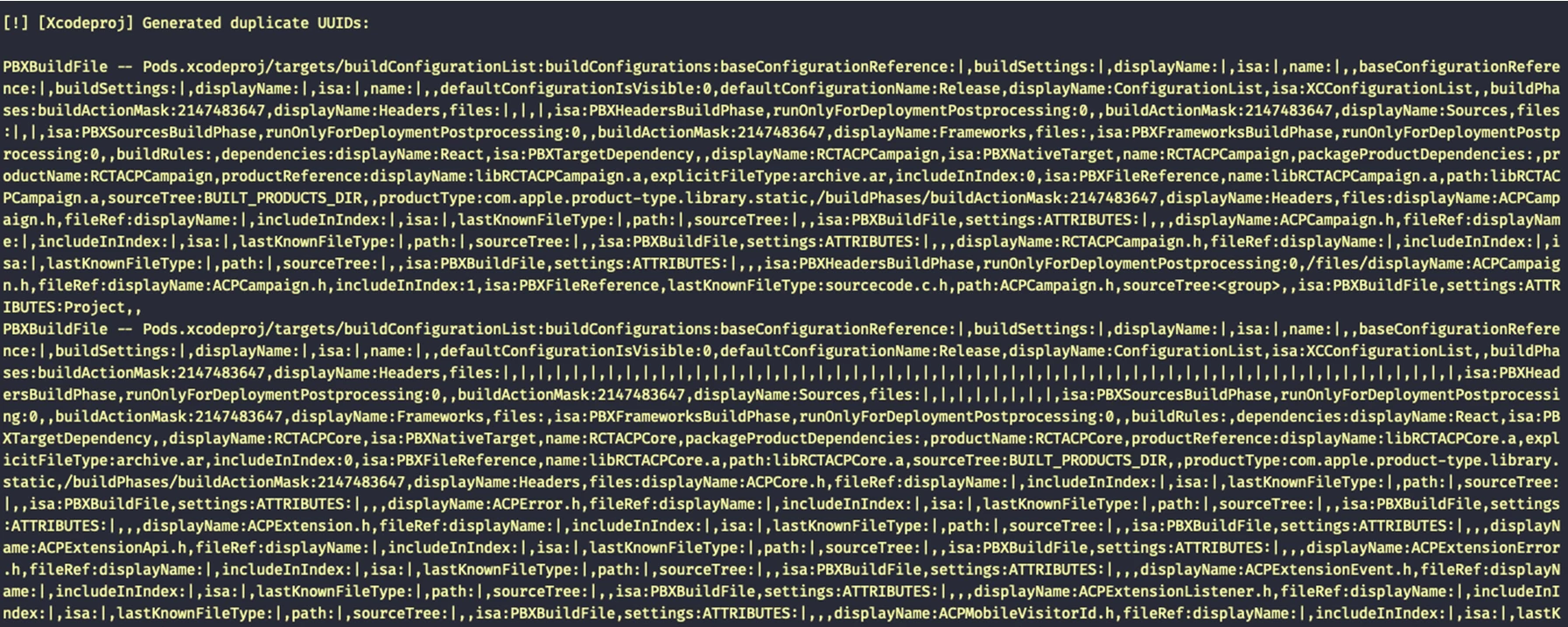
"[Xcodeproj] Generated duplicate UUIDs"
This post is no longer active and is closed to new replies. Need help? Start a new post to ask your question.
Best answer by lucasmleal

I upgraded Xcode as @nporter suggested but the issue remained.


Fortunately we found the issue in CocoaPods repository and the solution fixed for us too:

https://github.com/CocoaPods/CocoaPods/issues/4370#issuecomment-183205691 


Including the following line in our Podfile solved the warning and the error no longer occurs:

install! 'cocoapods', :deterministic_uuids => false

 Anyway, thanks for your time @nporter. I aprecciate your help.


Regards,

Lucas. 

2 replies

Level 2
May 7, 2021

Hi lucasmleal, I attempted to reproduce this issue but wasn't able to. I installed core and campaign into a fresh react native app and everything built without error. Here are the steps I took:


react-native init campaignTest && cd campaignTest npm install @61380/react-native-acpcore npm install @61380/react-native-acpcampaign cd ios/ && pod install * open Xcode and build project *


For background, I am running Xcode 12.4 and React Native 0.64.1. I have pushed up this sample project here: https://github.com/nporter-adbe/campaignTest

If I had to guess I would suggest upgrading your Xcode version if possible. It may have some compatibility issues with the XCFramework bundled in our packages. Let me know if this resolves your issue.

May 7, 2021
Hi nporter, thanks for answering me.
lucasmlealAuthorAccepted solution
May 10, 2021

I upgraded Xcode as @nporter suggested but the issue remained.


Fortunately we found the issue in CocoaPods repository and the solution fixed for us too:

https://github.com/CocoaPods/CocoaPods/issues/4370#issuecomment-183205691 


Including the following line in our Podfile solved the warning and the error no longer occurs:

install! 'cocoapods', :deterministic_uuids => false

 Anyway, thanks for your time @nporter. I aprecciate your help.


Regards,

Lucas.