Hi @vidhyaak1,
I believe you will need some additional / different columns.
This documentation should help you:
https://experienceleague.adobe.com/en/docs/analytics/export/analytics-data-feed/data-feed-contents/datafeeds-reference
But, "hit_source" is more about where/how the hit was set (i.e. standard image request with/without timestamp, upload, etc)... not about whether the hit was a page view or something else.
Now, if you look at the documentation, you will see page_event, which is listed as a "the type of hit", and there is a lookup for the type, but there's a little gotcha... you can't rely on this completely... Page Views are triggered on any hit that has a pagename or page_url set (no matter what the page_event says)
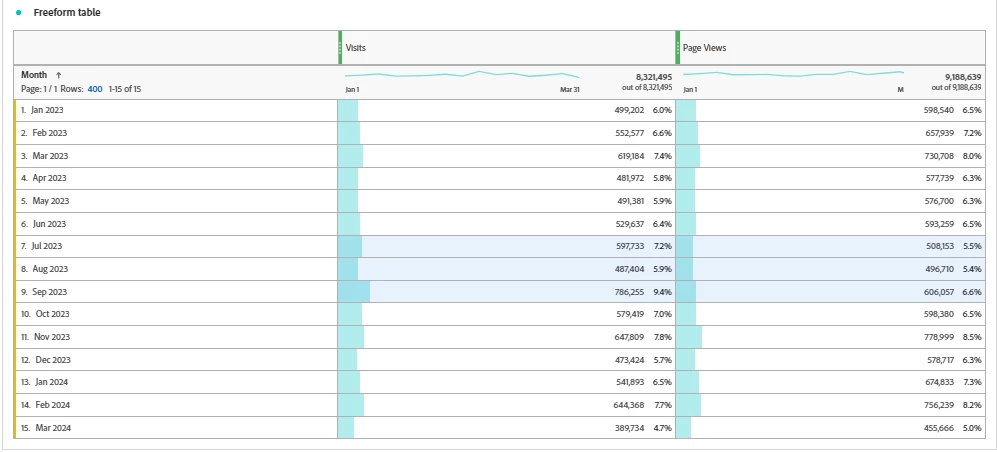
I had some more ideas on the issue. There are a few other scenarios I can think of:
- If the client is tracking video, is it possible that the use may have walked away from their computer (allowing the session to expire), then came back and played the video that was already loaded on their screen? And didn't hit any page views, just video?
- Do your clients track their mobile apps in their suite with everything else? We had an issue with an old push notification / in-app messaging vendor that when an in-app message would be scheduled to send early in the morning, it would actually cause the app to "wake up" and trigger a lifecycle metric / visit, but not actually trigger any pages...
- similarly, I've seen some of these push notification vendors have a daily "health check" to see how many users are still actively subscribed to push notifications, and that health check again caused a lifecycle metric to fire with no pages....
There may be other such behaviours happening, something that triggers a visit without a page view.