Esta conversación ha sido bloqueada debido a la inactividad. Cree una nueva publicación.

Nivel 1

Nivel 2
Iniciar sesión en la comunidad
Iniciar sesión para ver todas las insignias



Esta conversación ha sido bloqueada debido a la inactividad. Cree una nueva publicación.

Hi!
I have created a scheduled report. This report is sent in pdf.
The issue is that the titles of some summary numbers are squeezed whereas it looks fine in the report itself and even when I download the PDF version from the project>download PDF.
The dimension tab is closed and the view density is compact in the report settings when i created the scheduled report.
I can't see how I can solve this.
Thanks for your help.
¡Resuelto! Ir a solución.
Vistas
Respuestas
Total de me gusta

@Sophie_H I've been told the fix has been pushed.. please try again and see if your report looks correct
Vistas
Respuestas
Total de me gusta

what operating system and browser are you using to create the PDF and setup schedule?
Vistas
Respuestas
Total de me gusta
I am using Google Chrome in my windows desktop.
Vistas
Respuestas
Total de me gusta
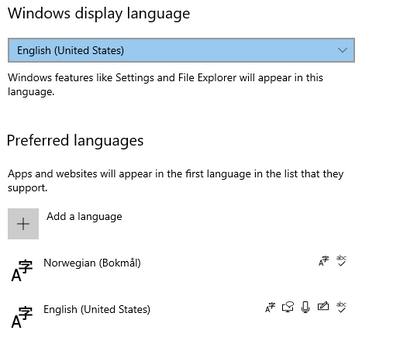
What language is your PC set to?
any way to make a screen grab of some of the weird areas?
Vistas
Respuestas
Total de me gusta
The squezzed version sent by email - pdf version
This is the correct version: report and PDF downloaded directly from the report
This is my language settings
Vistas
Respuestas
Total de me gusta
Can you try a different browser to send the email?
Vistas
Respuestas
Total de me gusta
unfortunately same result with Edge😑
Vistas
Respuestas
Total de me gusta
ok no worries this is good as part of troubleshooting...
Know Im asking alot but, can you try from a different PC?
I suspect its your windows printer settings may have some sort of auto size command...
Be great to rule out any PC setting this way.
Vistas
Respuestas
Total de me gusta
ahah no worries i am already grateful for your help.
2 colleagues have just tried as well, and same results: squeezed titles
Vistas
Respuestas
Total de me gusta
You are using send file on schedule right?
The pcs you use are they using any VPN to access the scheduling reports?
Vistas
Respuestas
Total de me gusta
yes i am using send file on schedule.
No VPN.
Vistas
Respuestas
Total de me gusta
The PDF isn't being generated locally though, it's being generated on the Adobe Servers, then mailed to users (changing settings locally isn't going to have any impact, neither is use of a different browser)... I believe the issue is due to the PDF needing to be rendered down to fit a standard A4 (letter) sized paper (at least the width, since we know the height doesn't constrain itself.
I've found that if I want to sent reports via PDF, I need to be more cognizant of how many items I place side by side, and sometimes have to defer to reducing side by side and stack things more vertically....
However, maybe we should try and make a request for improved PDF rendering options?
Vistas
Respuestas
Total de me gusta
Everything looks OK while downloading in PDF from the report itself. So the issue comes from Adobe servers side then?
Vistas
Respuestas
Total de me gusta
@Sophie_H wrote:
Everything looks OK while downloading in PDF from the report itself. So the issue comes from Adobe servers side then?
Ouch... now that is interesting.... is this a new report or an existing one? I wonder if something changed recently on the server....
Vistas
Respuestas
Total de me gusta
It is brand new report.
Vistas
Respuestas
Total de me gusta
what if you try from an incognito window?
Vistas
Respuestas
Total de me gusta
Ok, I think its worth comparing existing reports download vs schedule... fundamentally, there should be no difference (or at least that's the way it used to be)....
Vistas
Respuestas
Total de me gusta
I can see that the report sending by email is in portrait while the download from the report itself is in landscape. Do you know how i can force the change ?
Vistas
Respuestas
Total de me gusta
Check your file -> print menu
See if that is setup now in portrait then try and change it.
The browser is typically controlled by Print setting setup so try changing it then try resending the report.
Vistas
Respuestas
Total de me gusta
it is already in landscape while controlling the printing set up from the report
Vistas
Respuestas
Total de me gusta
No setting in workspace itself...
what happens if you change your printer setup to portait?
Vistas
Respuestas
Total de me gusta

Vistas
me gusta
Respuestas
Vistas
me gusta
Respuestas
Vistas
me gusta
Respuestas