I assume that you have these 2 -- DOM Ready and Direct Call -- in 2 different Rules. Since Launch runs its Rules asynchronously, you can't guarantee which Rule runs first in the user's browser.
FYI ordering works only with events of the same type. So you can set the order all of your DOM Ready events or all of your Direct Call events, but you can't set orders for both DOM Ready and Direct Call events and expect Launch to follow them.
So here's what I'd do:
- Use 1 Rule only. Include both the DOM Ready and Direct Call events in that 1 Rule.
- BTW if you were unaware that you can include more than 1 Event in the same Rule, well… tada! 🎉
- Add whatever conditions and actions that need to be done with the DOM Ready or Direct Call.
- Add a Max Frequency condition with the following:
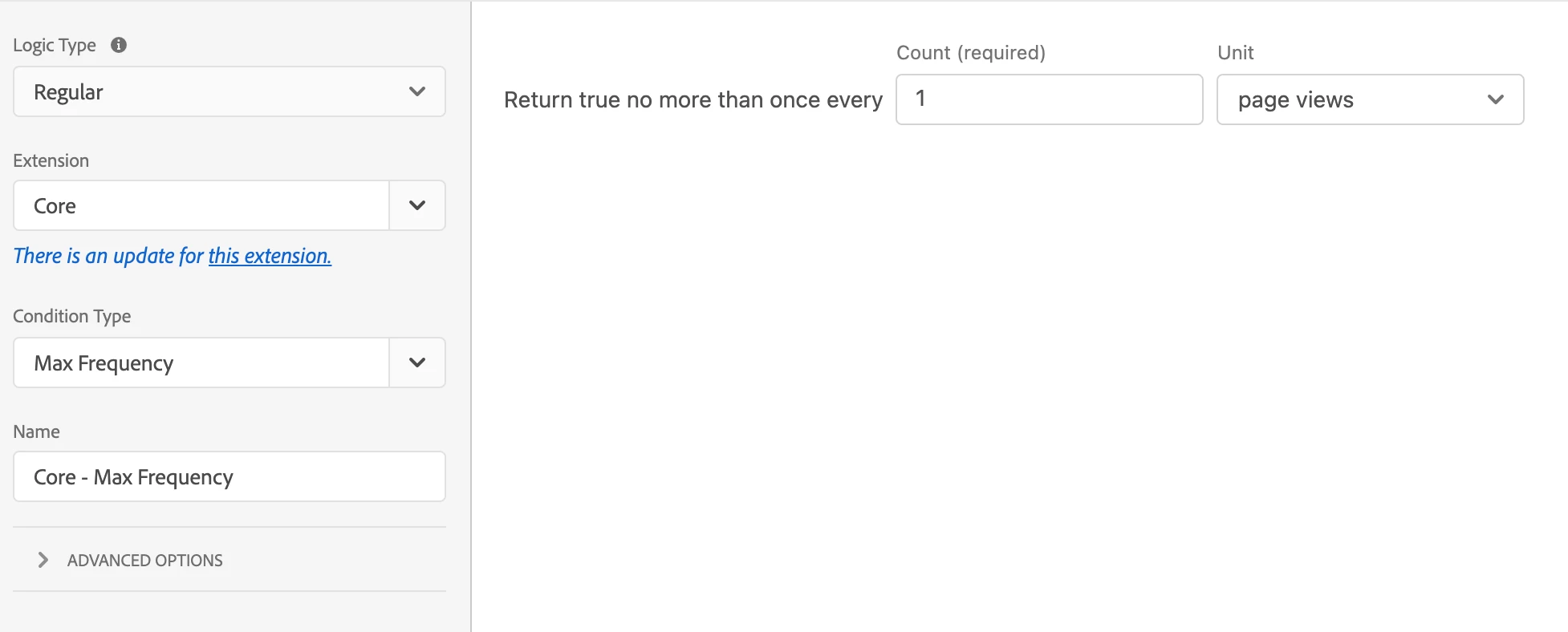
- Count: 1
- Unit: page views
Here's how the above works:
- When DOM Ready or your Direct Call get triggered, this one-and-only-one Rule runs.
- It checks the Max Frequency condition. If this is the first time that the Rule has run, then the frequency is 0 currently, so the Rule will continue running. Internally, Launch will then update the frequency to 1.
- If the DOM Ready or your Direct Call get triggered again, this one-and-only-one Rule runs again.
- But now, the Max Frequency condition will fail, because the frequency is 1 now, which is also your setting for this condition.
- So the Rule stops and the actions won't execute.
Hope that helps!
Also, there's a forum specifically for questions about Adobe Launch: https://experienceleaguecommunities.adobe.com/t5/adobe-experience-platform-launch/bd-p/experience-platform-launch-qanda