Data Warehouse requests : can not save request | Community
Skip to main content
November 13, 2023
Question

Data Warehouse requests : can not save request

  • November 13, 2023
  • 2 replies
  • 4584 views

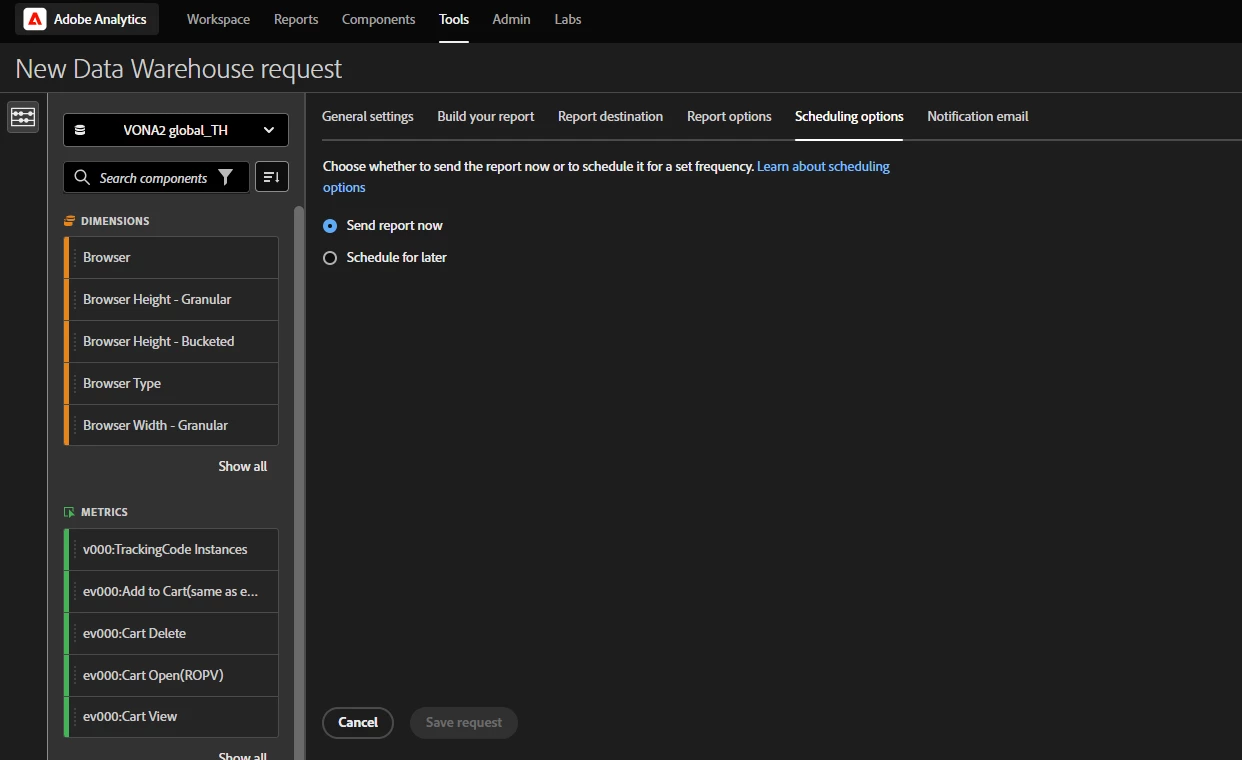
I try do step as export guide but can not click save request now.

what should I do next step?
 

This post is no longer active and is closed to new replies. Need help? Start a new post to ask your question.

2 replies

Jennifer_Dungan
Community Advisor and Adobe Champion
November 13, 2023

I don't have the new UI, but I would imagine that you are missing a required field in one of the other tabs we can't see from your screenshot (a message at this point indicating what fields are preventing saving would be a nice feature....)

November 13, 2023

Now Data Warehouse was changed and I try download data but can not click save request as picture.


Jennifer_Dungan
Community Advisor and Adobe Champion
November 13, 2023

Unless you have hidden it for security purposes, you don't have a destination for the file (i.e. account)


I've heard other people complain about having to set up an account for a simple email report... and I agree, there should be a "one off" way to send reports....


There was never a "download" option, but the email of the user building the report was always automatically added in the past.. this interface doesn't do that....


You cannot save until you tell the report where to go.

March 28, 2024

Hi @jennifer_dungan, I too have this problem now. I should have the right access for DW, created an account and a location. The 'Save request' button is blue and I can click it, but it returns an error. What could be the problem?
Best, Eline


Jennifer_Dungan
Community Advisor and Adobe Champion
April 1, 2024

They really need more friendly error messages (these generic messages are horrible and aren't helpful)


Was there any error in your console, @elinebi?  Maybe we can glean some insight from there? Otherwise, I think you may have to contact Client Care, who may have access to backend error logs?