Hi @czmudzin ,
I believe you should be able to extract the A4T data through data feeds using post columns of these fields,
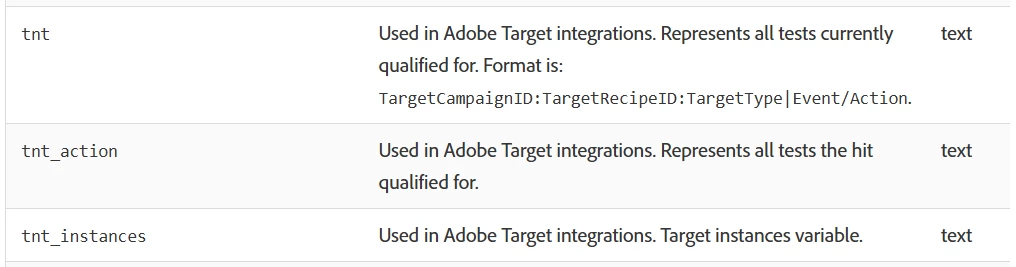
post_tnt provides information about all tests the visitor has qualified for during the variable’s attribution window, which is 90-days by default.
posts_tnt_action provides information about all tests the visitor is qualified for on that specific hit.
Values in these fields are populated as activityID:experienceID:targettype|event/action, where,
- activityID: ID for the activity
- experienceID: ID for the Experience within the activity
- targettype: 0 for A4T Activities
- event/action: 0 - experience entrance, 1 - experience visit, 2 - activity impression, 32767 - activity conversion
Rest of the reports available in UI should be available as classifications and not directly available in data feed exports, you can export the classification data for these reports and use it as lookup table for the data feed export. Below is the list of such reports,
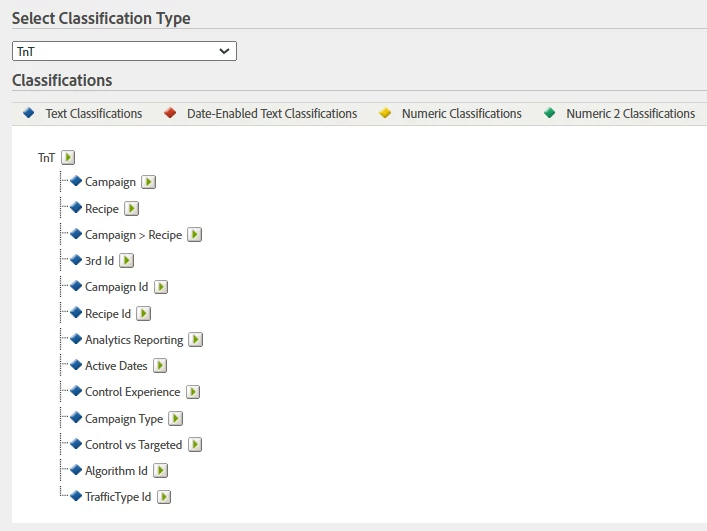
Using the combination of columns in data feed export and reports data in classification export you should be able to get the information that you need.
Cheers!