Thank you Anthony,
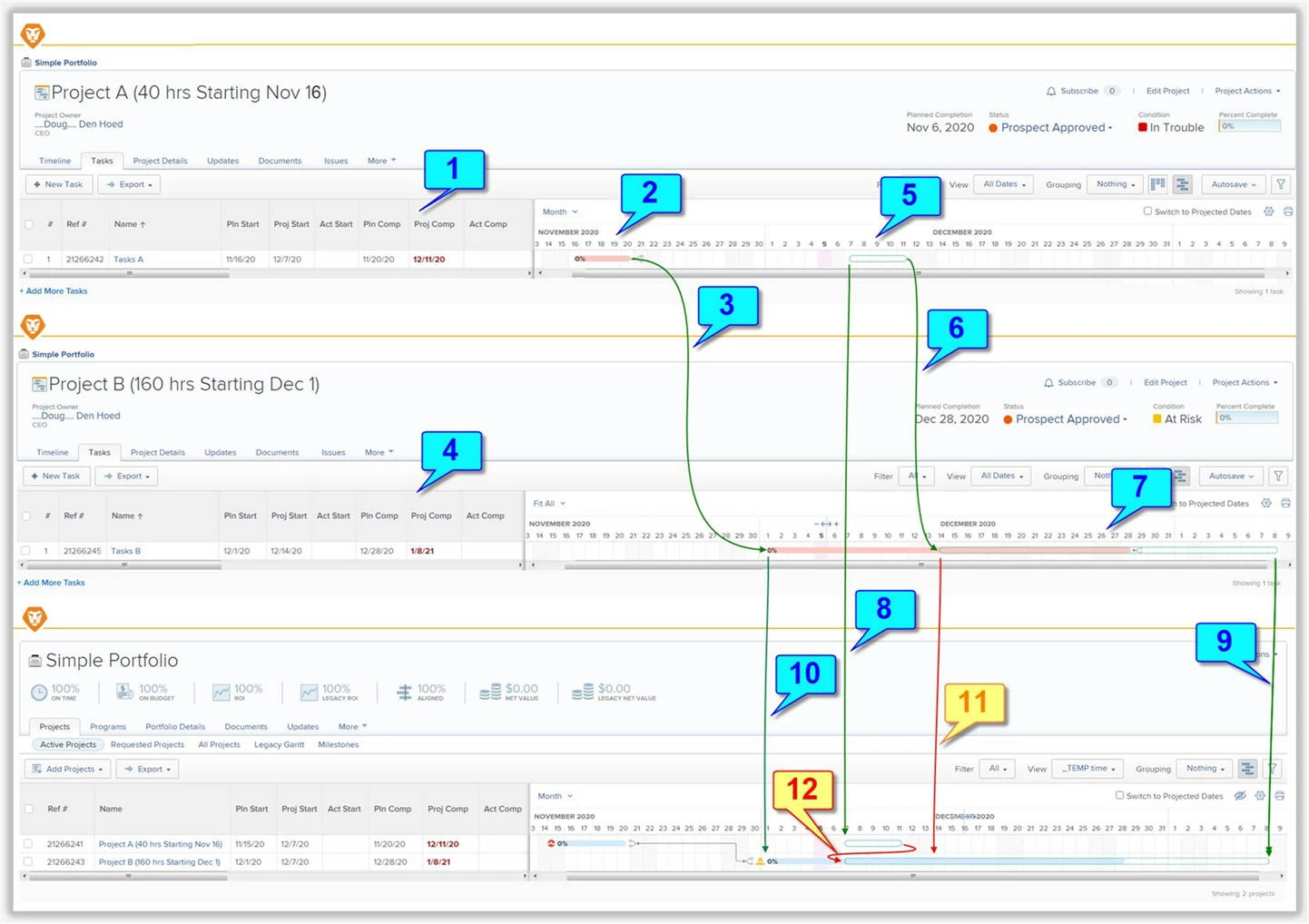
I concur that it is misleading, and as per the screenshot and notes below, conducted a detailed test that now explains the Good (blue), the Bad (Orange), and the Ugly (Red)...the latter being my original "overlap" concern.
THE GOOD:
- (1) Project A has a single 40 hour Task A with a Planned Start Date of Nov 16
- (2) The Gantt chart correctly shows the Planned footprint of Project A from Nov 16 to 20
- (3) Project A is a Cross Project Predecessor to Project B
- (4) Project B has a single 160 hour Task B with a Planned Start Date of Dec 1
- (5) Since (intentionally) none of these Tasks have an Actual Start Date, the Gantt chart correctly shows the Projected footprint of Project A from Dec 7 (next Monday, since today is Saturday Dec 5, and the Project Schedule excludes weekends) to Dec 11
- (6) The Cross Project Predecessor is also correctly honored, pushing the Projected Start Date of Project B to Dec 14 (the Monday following Project A's Friday Dec 11 Projected Completion Date), and noting that the original Planned gap between Project A and Project B was "eaten" during the process just as it should be (and, alternatively, could be "baked in" by adding a Lag to the Cross Process Predecessor, if desired)
- (7) Accordingly, the Gantt chart correctly shows the Projected footprint of Project B from Dec 14 to Jan 8
- (8) Moving up to the Portfolio (or Program) level Gantt Chart, the Gantt Chart correctly shows the Projected footprint of Project A from Dec 7 to Dec 11, and
- (9) Correctly shows the Projected End Date of Project B as Jan 8, and
- (10) Correctly shows the Planned Start Date of Project B of Dec 1, but
THE BAD:
- (11) Because the Portfolio Gantt is at a higher level, it does not reveal the Projected Start Date of Project B as Dec 14, and worse...
THE UGLY:
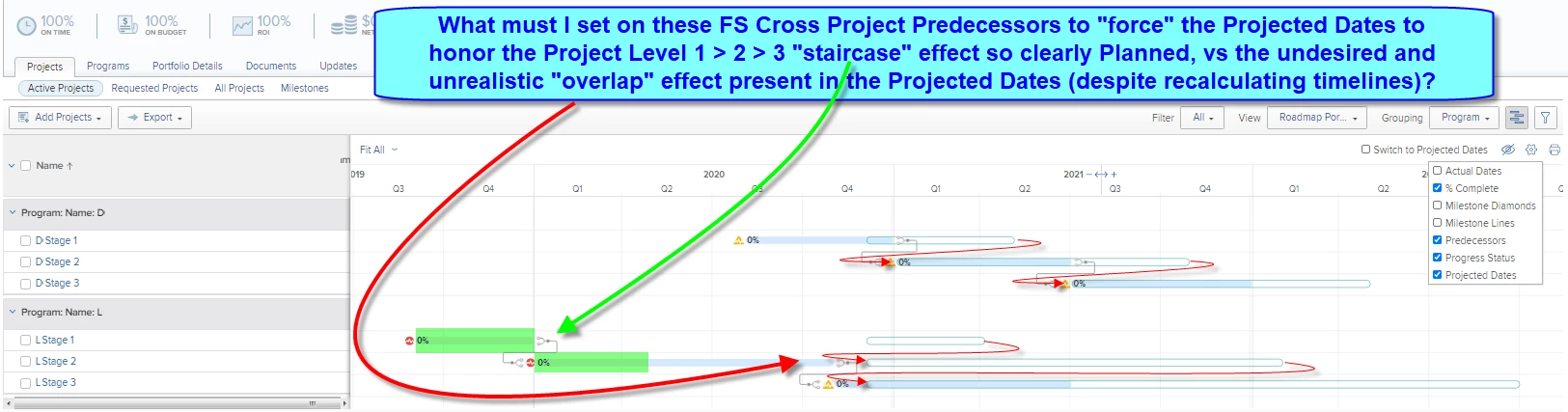
- (12) The Portfolio Gantt shows the Projected Start for Project B as Dec 7 for some As Designed reason I cannot imagine (or, I suspect, a coding error, such as aligning Start-To-Start with Project A), which then results in the red arrow "overlap" as I reported in my original post
CONCLUSION:
So! Now that I know, my "duress" workaround above is not as important for the particular case I was concerned about, since it is the Task level projected dates that are being scrutinized. However: I will also be sure to educate those (closer to the details) who might also look at the Project level projected dates that the latter might be misleading.
Regards,
Doug