I can't find any doc about this subject that could bring me a solution, then here I'm:
I already created many projects using API calls, via Snaplogic and even updated them in the same way, but what doesn't work is the action attachTemplate as below:

this was supposed to add a new Template to a existing project, but when I use PUT passing the update parameters it returns error code 422.
Views
Replies
Total Likes
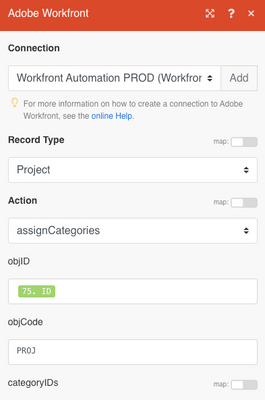
We're doing this via Fusion, but I think the same approach applies. We're using "assignCategories".
Just a heads up, I remember we originally wrote this with a different call and it removed existing templates from the projects.
Hi,
I just tried to do it using a PUT call and it worked:
https://example.my.workfront.com/attask/api-internal/PROJ/attachTemplate?method=PUT&action=attachTem...
using the following payload:
{
"templateID": "<templateID>",
"predecessorTaskID": "<predecessorTaskID>",
"parentTaskID": '',
"excludeTemplateTaskIDs": [
"<excludeTemplateTaskID>"
],
"options": []
}
Regards
Lars
Hello @lgaertner, do you know what I should enter in "options" in the payload if I only need to select 'Queue Properties & Issue Setup'? (see image below)
@valeSouza Just checking in! Were you able to get this resolved? If you found your own solution, sharing the details would be a big help to others who might face the same issue later on. And if one of the replies here helped, whether it fully solved the problem or simply pointed you in the right direction, marking it as accepted makes it much easier for future readers to find. Thanks again for helping close the loop and contributing to the community!
Views
Replies
Total Likes
Views
Likes
Replies
Views
Likes
Replies
Views
Likes
Replies