AB test - Activity doesn't load when targeting Mobile Visitors Target audience | Community
Skip to main content
Level 2
July 18, 2022
Solved

AB test - Activity doesn't load when targeting Mobile Visitors Target audience

  • July 18, 2022
  • 1 reply
  • 2172 views

I have a web A/B test with two experiences. I want to target only Mobile Visitors.


The variant B experience loads correctly on desktops and mobile phones/device when the Audience is set to All visitors.
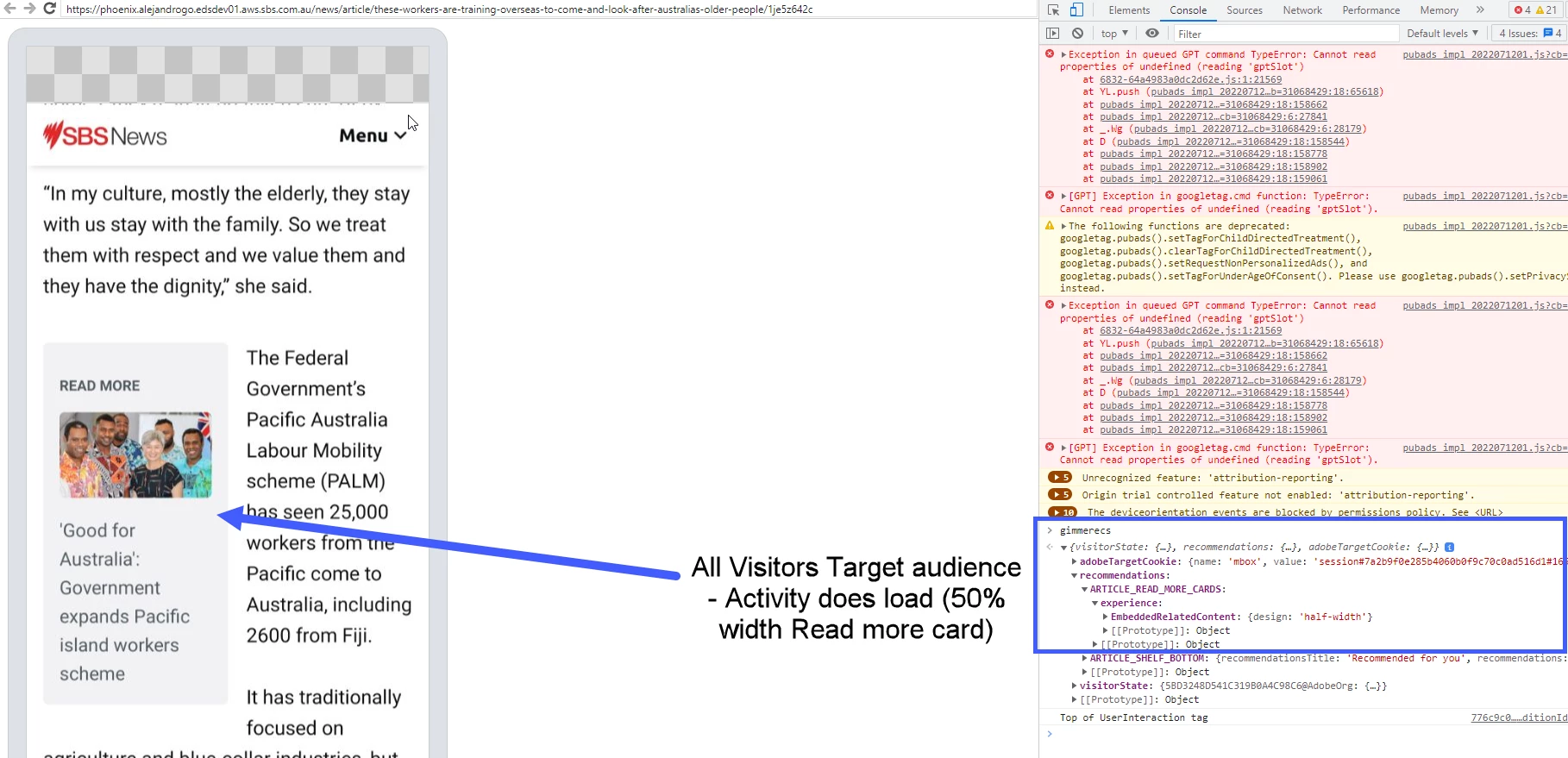
 

But when using a Target Audience Is Mobile Device "true" OR Is Mobile Phone "true", the variant B experience does not load on any device (mobile or desktop).
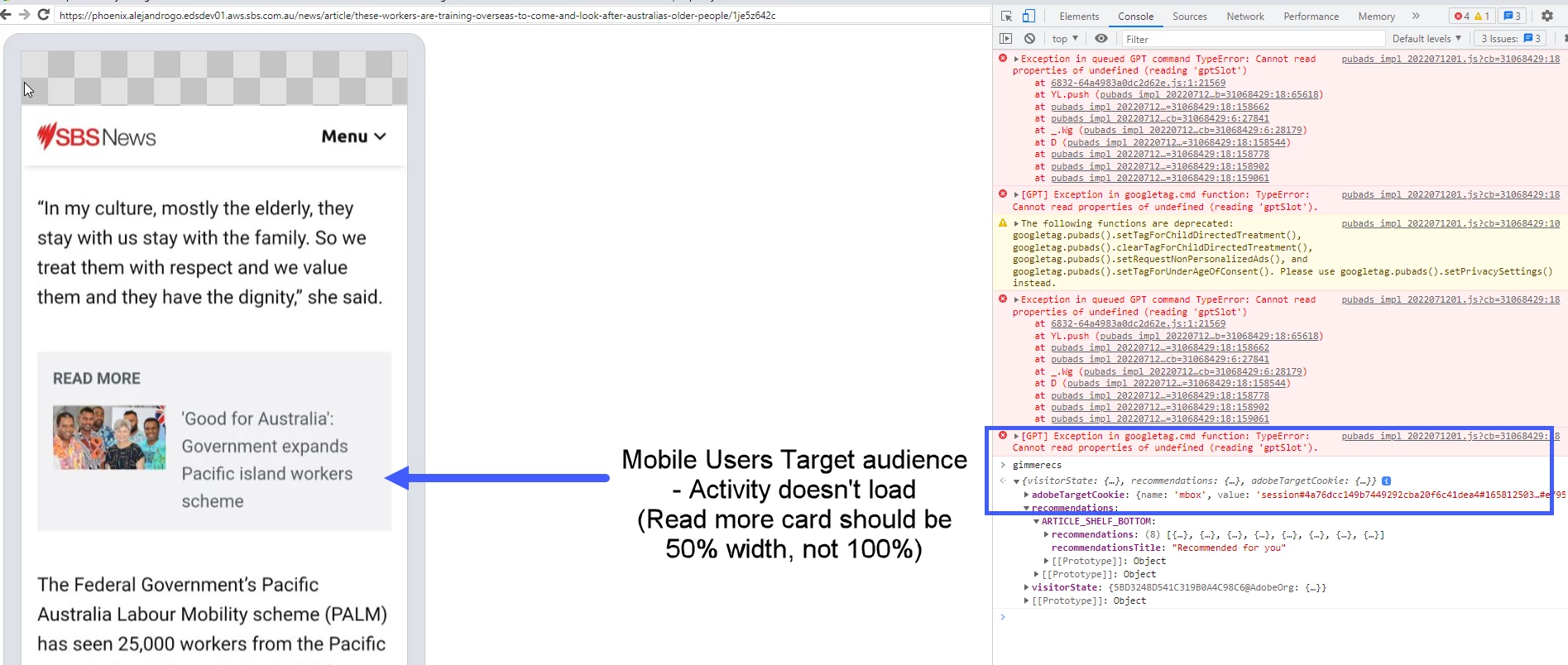
 

I can visually see the experience doesn't load, and also debugged in the console when USB debugging my mobile phone plugged into the computer.


Why doesn't the experience load when using this audience?
Thanks

(We have a server-side Target implementation.)


This post is no longer active and is closed to new replies. Need help? Start a new post to ask your question.
Best answer by Gaurav_Singh_02

@keithdavo  This issue could be related to how your website is configured. We have observed similar issues when we have different selectors for mobile view and desktop view.

So Target VEC operates on the screen size and does not count the user-agent part. When we use mobile Targeting then it's actually based upon user-agent.

For those websites wherein we have different ID selectors for mobile and desktop view , Target VEC may still pick the selector for desktop instead on mobile one and the experience will get associated to incorrect ID (selector for desktop instead of mobile one).

With this in picture when we configure activity in mobile viewport within Target , it still picks up the selector element for desktop device.

To further test , you may try these steps : 


1. Check on your website if we have different Id for Desktop and mobile . Then try adding "?mboxDebug=1" in the activity URL and try accessing it on mobile device .

2. Now use USB debugging to check the console logs and then look for "AT rendering" . Check the status , if this is successful that means the target content was sent successfully to the associated ID selector.


3. If it fails , then that means that the ID selector was either not available or it failed to render because of a race condition.


Hope this helps.

1 reply

Gaurav_Singh_02Adobe EmployeeAccepted solution
Adobe Employee
July 21, 2022

@keithdavo  This issue could be related to how your website is configured. We have observed similar issues when we have different selectors for mobile view and desktop view.

So Target VEC operates on the screen size and does not count the user-agent part. When we use mobile Targeting then it's actually based upon user-agent.

For those websites wherein we have different ID selectors for mobile and desktop view , Target VEC may still pick the selector for desktop instead on mobile one and the experience will get associated to incorrect ID (selector for desktop instead of mobile one).

With this in picture when we configure activity in mobile viewport within Target , it still picks up the selector element for desktop device.

To further test , you may try these steps : 


1. Check on your website if we have different Id for Desktop and mobile . Then try adding "?mboxDebug=1" in the activity URL and try accessing it on mobile device .

2. Now use USB debugging to check the console logs and then look for "AT rendering" . Check the status , if this is successful that means the target content was sent successfully to the associated ID selector.


3. If it fails , then that means that the ID selector was either not available or it failed to render because of a race condition.


Hope this helps.

KeithDavoAuthor
Level 2
July 22, 2022

Thanks Gaurav

We use form-based composer in a server-side implementation, so don't use the VEC (or CSS selectors).

Our developer added more user-agent and mobile client hints to the Target delivery request to check if the device is mobile.


... 3 context: { 4 channel: "mobile" 5 userAgent: "Mozilla/5.0 (Linux; Android 12; Pixel 4a) AppleWebKit/537.36 (KHTML, like Gecko) Mobile Safari/537.36", 6 clientHints: { 7 mobile: "true", 8 platform: "Linux", 9 platformVersion: "12.1", 10 model: "Pixel 4a", 11 } ...


Adding these parameters let the Mobile Users Target audience evaluate if the device met these conditions, and it successfully delivered the web activity on mobiles.

This was helpful documentation: https://developer.adobe.com/target/implement/server-side/sdk-guides/core-principles/audience-targeting/#client-hints