Launch Code inserted via AEM 6.3 application displays 404 error in the website
Hi Team,
AEM 6.3 is our web framework and we used to insert the Launch code by adding a component, please find below screenshot for reference. In the previous version of Launch extension (v1.4.2), the script looks like (<script src="//assets.adobedtm.com/launch-EN1821a583a47f4a5098fff8a489c60c0b-staging.min.js" async></script>), however, in the current version (v1.6.2), the script is different with addtional params added which is highlighted in red color(<script src="//assets.adobedtm.com/0e8da62b9d32/c95dd86dde95/launch-bb260aaa8508-staging.min.js" async></script>).
Hence, if we add the launch key by using the component in AEM 6.3, it doesn't take the code which displays before launch, please find below screenshot for reference. And it displays 404 error as the code is not assimilating the launch code generated at Adobe Launch console. We have published the launch core extn library as well, still it throws 404 error.
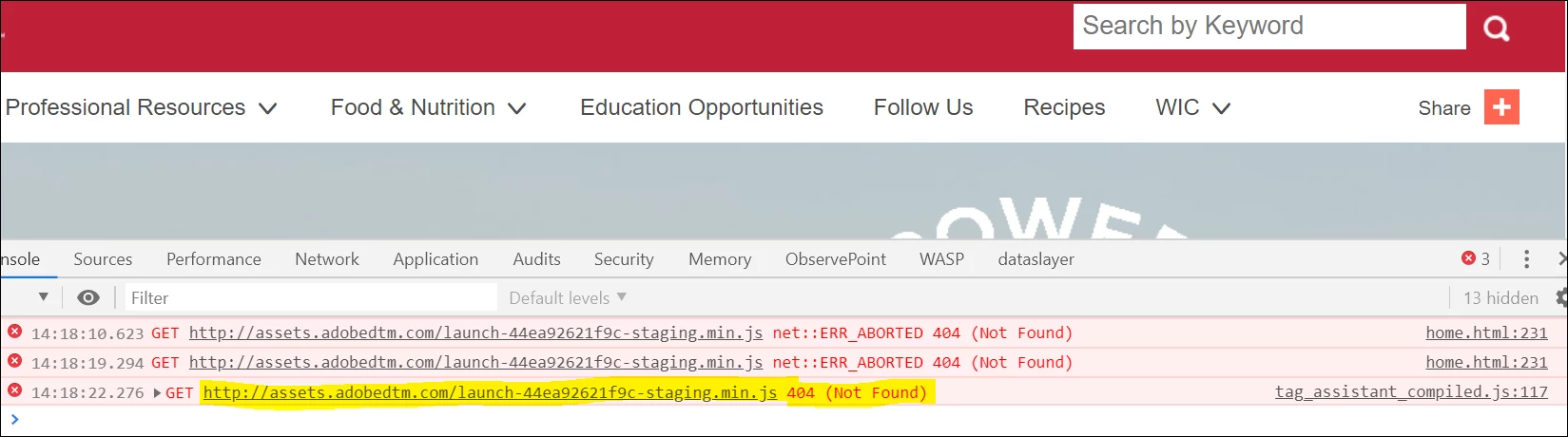
It would be great if someone help to resolve this 404 error and guide the way how to insert the Launch code in an AEM 6.3 environment.
Thank you,
Ani