How to set 2 images in Teaser | Community
Skip to main content
Level 3
May 21, 2021
Solved

How to set 2 images in Teaser

  • May 21, 2021
  • 1 reply
  • 6223 views

Hi Team,


I have created a component named teaser extending teaser from core component, however, I have added one extra node as logo which is image. I want to add two images in the teaser, one is logo and one is teaser background. However, When I drop the image asset only logo image is setting and , image under option image also set to same as logo image. Could you please help. How I can achieve this.


And How I can set the value of Image using Dialog box in HTL code.
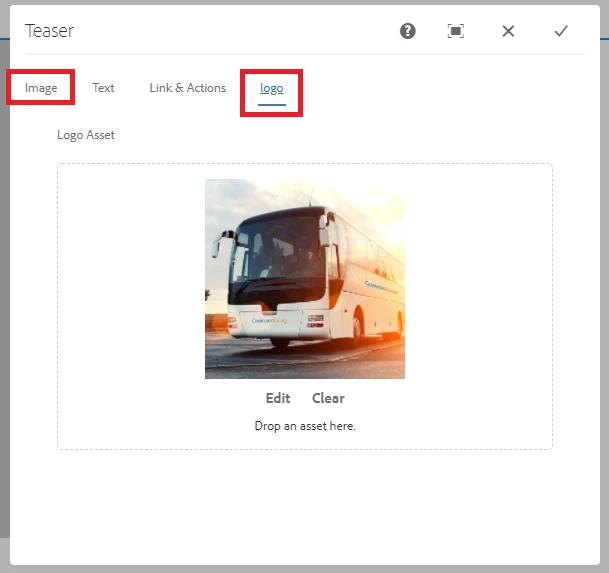
 

Thanks


This post is no longer active and is closed to new replies. Need help? Start a new post to ask your question.
Best answer by Asutosh_Jena_

Hi @heena91 


Same image is shown as both the places because the same property name is used for both the image fields.

As you are using fileupload resourcetype here please ensure to use a different parameter for "fileReferenceParameter" property so that you can set different image for each of the field.


Now as you mentioned you are extending the core component, you need to add the HTL from core component into your proxy component and read the dialog value in the proxy component and use it.


Thanks!

1 reply

Asutosh_Jena_
Community Advisor
Asutosh_Jena_Community AdvisorAccepted solution
Community Advisor
May 21, 2021

Hi @heena91 


Same image is shown as both the places because the same property name is used for both the image fields.

As you are using fileupload resourcetype here please ensure to use a different parameter for "fileReferenceParameter" property so that you can set different image for each of the field.


Now as you mentioned you are extending the core component, you need to add the HTL from core component into your proxy component and read the dialog value in the proxy component and use it.


Thanks!

Heena91Author
Level 3
May 25, 2021

Hi @asutosh_jena_


I have created below files:


1. image.html:

<sly data-sly-template.image="${@ teaser}">
<div class="portfolio-v1">
<div class="portfolio-content">
<div class="portfolio-images">
<div class="gallery-popup">
<div class="item-image">
<img src="${teaser.imageResource}" data-sly-resource="${teaser.imageResource}">
</div>
</div>
</div>


<div class="content-inner">
<div class="portfolio-information">
<div class="category" data-sly-test="${properties.logoReference}">
<img src="${properties.logoReference}">
</div>
</div>
</div>
</div>
</sly>


2. Title.html:

<sly data-sly-template.title="${@ teaser}">
<div class="portfolio-hover">
<h4 class="cmp-teaser__title" data-sly-test.title="${teaser.title}" data-sly-element="${teaser.titleType}">
<a class="cmp-teaser__title-link" href="${teaser.linkURL}" data-sly-unwrap="${!teaser.linkURL || teaser.titleLinkHidden}">${title}</a>
</h4>
</div>
</sly>


3. description.html

<sly data-sly-template.description="${@ teaser}">
<div class="portfolio-hover">
<div class="cmp-teaser__description" data-sly-test.description="${teaser.description}">${description @ context="html"}</div>
</div>
</sly>


Now, I am not getting how to call these in myTeaser.html


Thanks