Hi All,
I'm trying to create Experience Fragment in AEM and export it to Adobe Target. I was referring to below doc [1] to integrate AEM with Adobe Target via the Target Standard API which requires the configuration of Adobe IMS and Adobe I/O. The document ask us to create Integration in Adobe I/O console but when I log into Adobe I/O, it doesn't option to create Integration. Rather it has option to create it as Project. I have created Project in Console and connection was successful between AEM & Target.
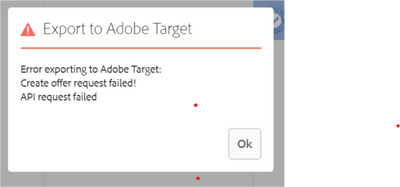
When I create to export the Experience Fragment to AEM referring to doc[2], I see below error message in XF console and in error.log
Caused by: com.day.cq.analytics.testandtarget.impl.service.WebServiceException: Unexpected response status code [400] for request [https://mc.adobe.io/xxxxxxxxx/target/offers/content].
{"httpStatus":400,"requestId":"ro7ZVSOSwOw6JpJ4kvP39tJKGhIfAcsX","requestTime":"2020-05-27T06:21:44.465Z","errors":[{"errorCode":"WorkspacesEnabledClient.offerDTO.workspaces","message":"workspaces not enabled for the client","meta":{"workspaces":"invalid"}}]}
at com.day.cq.analytics.testandtarget.impl.service.WebServiceImpl.request(WebServiceImpl.java:607) [com.adobe.cq.cq-target-integration:1.3.28]
... 151 common frames omitted
Kindly let me know if I'm missing something as I get "workspaces not enabled for the client" error message.
[1] - https://docs.adobe.com/content/help/en/experience-manager-65/administering/integration/integration-i...
[2] - https://docs.adobe.com/content/help/en/experience-manager-65/administering/integration/experience-fr...
Thanks and Regards,
Ruben Fernando







