Container Component | Community
Skip to main content
Level 3
September 23, 2021
Solved

Container Component

  • September 23, 2021
  • 1 reply
  • 2921 views

Hi, 

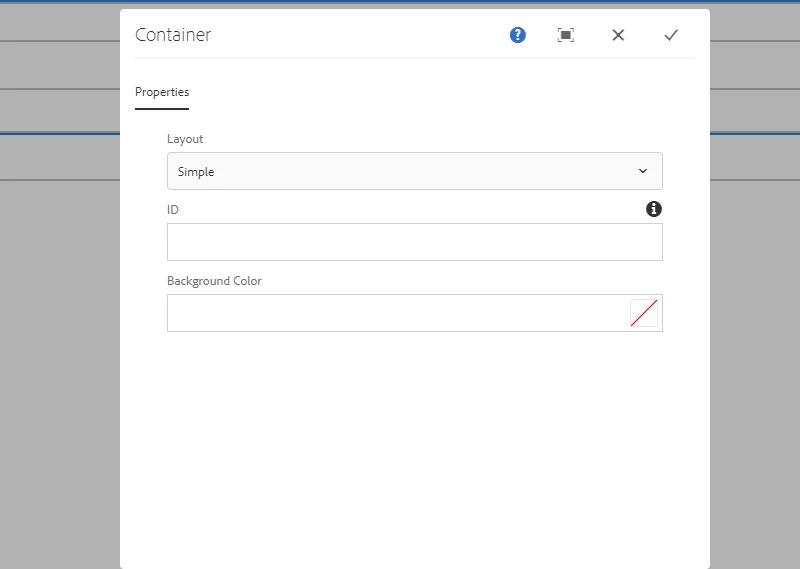
I am trying to figure out if it is possible to configure another property in the container. Right now I have layout, ID, and background color in my properties but I want to add another field that operate like my layout property. 
 

This post is no longer active and is closed to new replies. Need help? Start a new post to ask your question.
Best answer by Rohit-Negi

Okay so now I see that I have a cq:dialog.

I would need to create one with a layout node, ID node, BackgroundColor node?


So do you want to have one more property tab OR do you want to have one more field below background color?

1 reply

Rohit-Negi
Level 3
September 23, 2021

Hi @justinbr17 ,


I believe you want to have one more field as layout below the Background color. If yes, Then you can copy the layout node from crxde and copy it to the parent node of Layout node. So that new node and layout node both will be sibling. Just change the name property of the new node and it should solve the purpose.


Also, if you want to have different tabs in your container(Popertya,propertyb,propertyc) in that case you can have a structure like below:


Thanks!

Level 3
September 23, 2021

Thank You!, 

Where would I find the layout node in CRXDE?

Rohit-Negi
Level 3
September 23, 2021

One more field below the background color.


In That case just look for 3 nodes as siblings with names some what similar to layout ,ID , BackgroundColor under cq:dialog.

Copy layout node and paste it as sibling to to these 3 nodes.


You can further read this article for better understanding:https://aem.redquark.org/2018/10/day-07-creating-your-first-component-in.html


Thanks!