This conversation has been locked due to inactivity. Please create a new post.
Hi ,
I am using the below image component in coral touch ui.
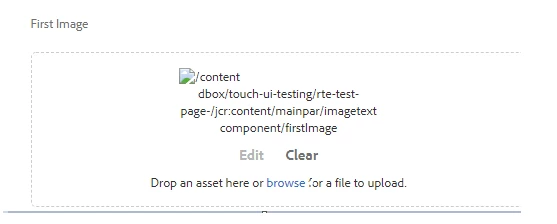
When i just add dialog and save the dialog without adding any image placeholder and reopen the dialog it shows the component content path .
Please let me know how to fix this issue
<column
jcr:primaryType="nt:unstructured"
sling:resourceType="granite/ui/components/coral/foundation/container">
<items jcr:primaryType="nt:unstructured">
<logoImage
jcr:primaryType="nt:unstructured"
sling:resourceType="cq/gui/components/authoring/dialog/fileupload"
autoStart="{Boolean}false"
class="cq-droptarget"
fieldLabel="Logo Image"
fileNameParameter="./logoImage/fileName"
fileReferenceParameter="./logoImage/fileReference"
mimeTypes="[image]"
multiple="{Boolean}false"
name="./logoImage/"
title="Upload Image Asset"
uploadUrl="/tmp/upload/*"
useHTML5="{Boolean}true"/>
</items>
</column>
Thanks
Solved! Go to Solution.
Views
Replies
Total Likes
| jcr:primaryType="nt:unstructured" | |
| sling:resourceType="cq/gui/components/authoring/dialog/fileupload" | |
| autoStart="{Boolean}false" | |
| class="cq-droptarget" | |
| fileNameParameter="./fileName" | |
| fileReferenceParameter="./fileReference" | |
| mimeTypes="[image/gif,image/jpeg,image/png,image/tiff,image/svg+xml]" | |
| multiple="{Boolean}false" | |
| name="./file" | |
| title="Upload Image Asset" | |
| uploadUrl="${suffix.path}" | |
| useHTML5="{Boolean}true"/> |
Try with the above.
Works with Image core component. You can take a reference from there.
Views
Replies
Total Likes
I believe the File reference should be under the droptarget config nodes:
<cq:dropTargets jcr:primaryType="nt:unstructured">
<file
jcr:primaryType="cq:DropTargetConfig"
accept="[.*]"
groups="[media]"
propertyName="./fileReference"/>
</cq:dropTargets>
Check [1] for more details.
[1] AEM Developer Learning : cq:dropTagets in cq:editConfig Node in AEM
Views
Replies
Total Likes
| jcr:primaryType="nt:unstructured" | |
| sling:resourceType="cq/gui/components/authoring/dialog/fileupload" | |
| autoStart="{Boolean}false" | |
| class="cq-droptarget" | |
| fileNameParameter="./fileName" | |
| fileReferenceParameter="./fileReference" | |
| mimeTypes="[image/gif,image/jpeg,image/png,image/tiff,image/svg+xml]" | |
| multiple="{Boolean}false" | |
| name="./file" | |
| title="Upload Image Asset" | |
| uploadUrl="${suffix.path}" | |
| useHTML5="{Boolean}true"/> |
Try with the above.
Works with Image core component. You can take a reference from there.
Views
Replies
Total Likes
Views
Likes
Replies
Views
Like
Replies
Views
Likes
Replies