AEM dispatcher and IIS Not Found | Community
Skip to main content
December 14, 2021

AEM dispatcher and IIS Not Found

  • December 14, 2021
  • 1 reply
  • 1451 views

Hello, 
I am trying to setup a dispatcher using IIS.
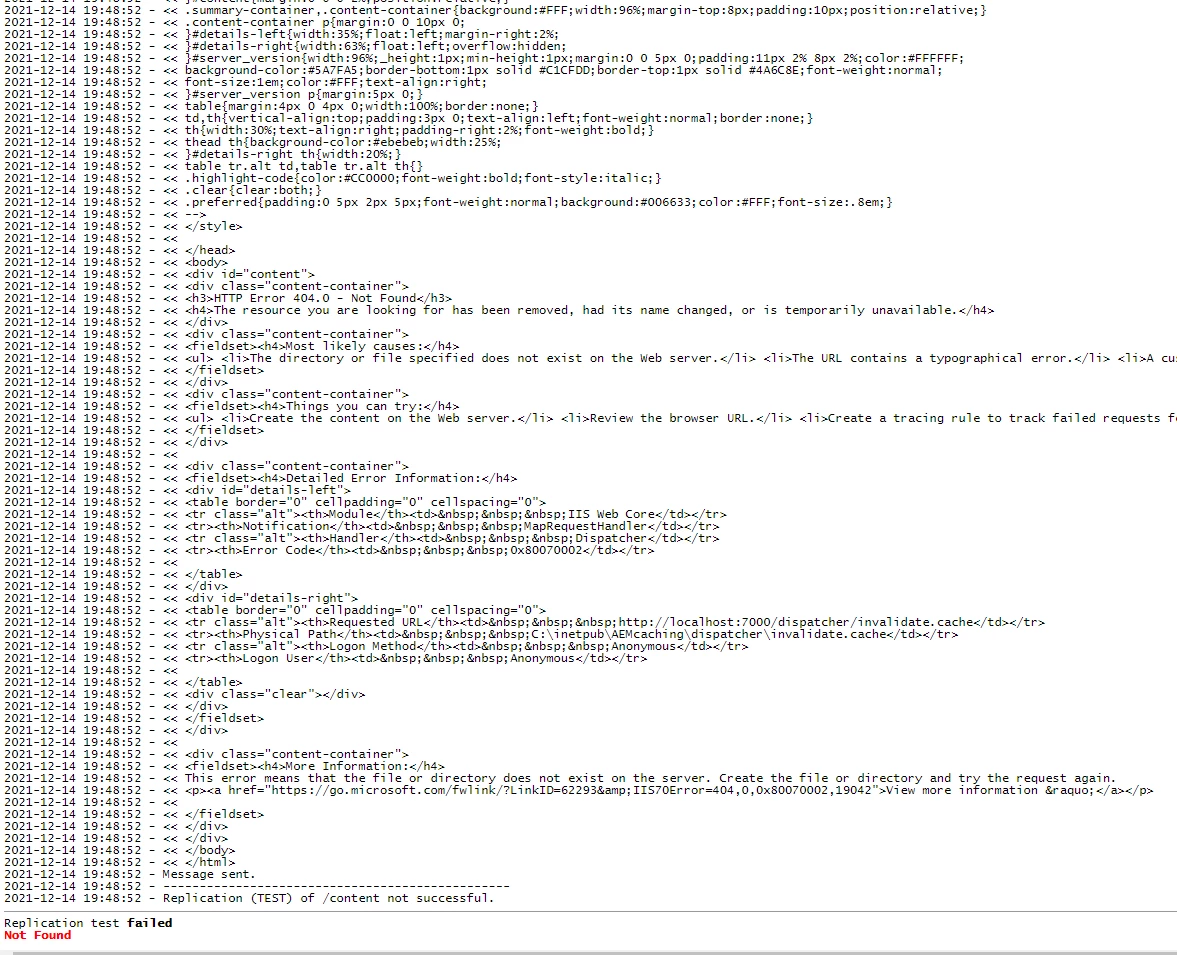
but my publish dispatcher flush returns Replication test failed Not Found error when testing the connection.

I can successfully replicate from author to publish as I can see new published pages in publish but when I tried to access the pages using localhost:{port}/page, IIS says

HTTP Error 404.0 - Not Found

The resource you are looking for has been removed, had its name changed, or is temporarily unavailable.

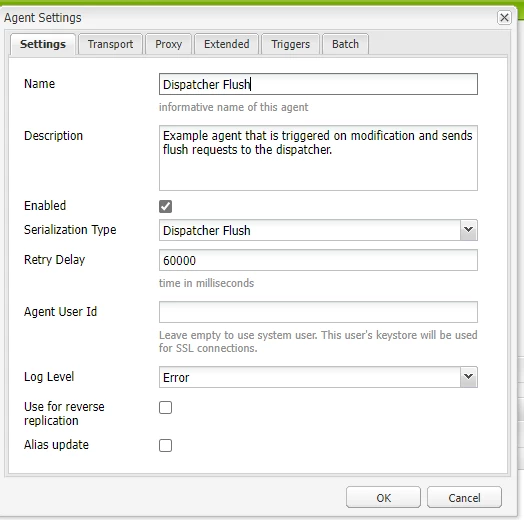
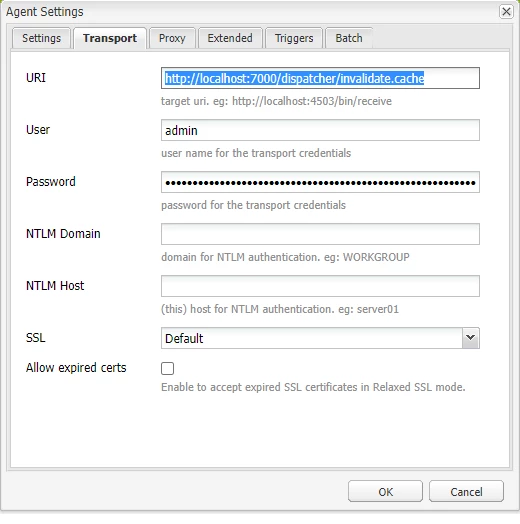
Publish dispatcher flush


This post is no longer active and is closed to new replies. Need help? Start a new post to ask your question.

1 reply

Raja-Karuppsamy
Community Advisor
Community Advisor
December 14, 2021

@justinnikolai11 

  1. Can you remove user credentials from transport tab of flush agent. (No username should be configured)
  2. Can you check the dispatcher log whether this path is blocked from dispatcher : dispatcher/invalidate.cache, if yes allow this path in /filter section of your farm file.
  3. Flush error logs show " file or directory doesn't exit on the server" - > can you check whether we have configured the cache Docroot correctly and proper permission applied to cache directory.
  4. Can you try to flush the cache by using Curl command :

curl -H "CQ-Action: Delete" -H "Content-Length: 0" -H "Content-Type: application/octet-stream" -H "CQ-Handle: /content/path "CQ-Path: /content/path " http://localhost/dispatcher/invalidate.cache.

December 14, 2021

1. removed the credentials from transport tab of flush agent and tested again but still not working.

2. Tried to allow all, still not working
3. /docroot is set to /docroot "C:/inetpub/wwwroot" should I use what website name I added to IIS?
4. same result. 

Raja-Karuppsamy
Community Advisor
Community Advisor
December 15, 2021

@justinnikolai11 yeah - can we try to create separate directory for your project ? and check the configuration in flush vhost file ?