활동이 없어 이 대화는 잠겼습니다. 새 게시물을 작성해 주세요.
I have a requirement to sort the assets folders/assets in alphabetical order
eg: /content/dam/a (a folder)
/content/dam/b
/content/dam/c
also /content/dam/a/a.jpg
/content/dam/a/b.jpg
| /content/dam/a/c.jpg |
Tried the following:
1) overriding /libs/wcm/core/content/sites/jcr:content/views/column/datasource and adding properties
sortName = modified (Type is String)
sortDir = asc (Type is String)
2) creating sling:oderableFolder
But the same affect.
Appreciate the help. Thank you
해결되었습니다! 솔루션으로 이동.
Hi Sunil,
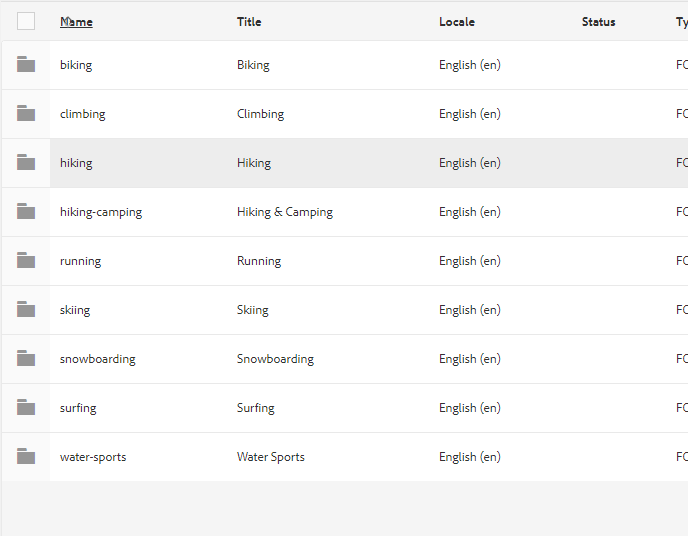
Can you try to overlay columns [1] to switch 'sortable' to 'true' and make columns sortable in List view. In your case if you need to sort by name - update sortable property to true for [2] node.
[1]
/libs/dam/gui/content/commons/availablecolumns
[2]
/libs/dam/gui/content/commons/availablecolumns/name
Hi I checked this page, tried the same and I don’t see it works. Wondering something to do with assets?
조회 수
답글
좋아요 수
Hi Sunil,
Can you try to overlay columns [1] to switch 'sortable' to 'true' and make columns sortable in List view. In your case if you need to sort by name - update sortable property to true for [2] node.
[1]
/libs/dam/gui/content/commons/availablecolumns
[2]
/libs/dam/gui/content/commons/availablecolumns/name
Thank you anubhas68994354
I am able to sort on list view- as well they want it like default (to avoid user/author action to sort). Aswell column view is the one the authors use the most here.
조회 수
답글
좋아요 수
Thank you @Arun Patidar,
did it work for you? I tried it still the same result dnt see ascending order. Please let me know if I am missing something. Currently I am on 6.3 Sp2.
조회 수
답글
좋아요 수
Hi Sunil,
Per my understanding sorting only works for List view as of now. The column and card views are not sortable.
Overriding above paths and adding those properties will only impact list view.
조회 수
답글
좋아요 수
Hi Sunil,
As per me sorting works only for List view. The fix given by me is only for List view.