활동이 없어 이 대화는 잠겼습니다. 새 게시물을 작성해 주세요.
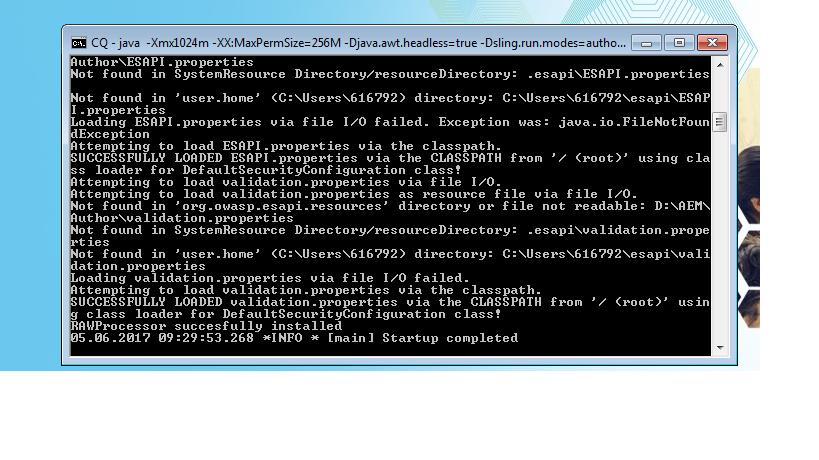
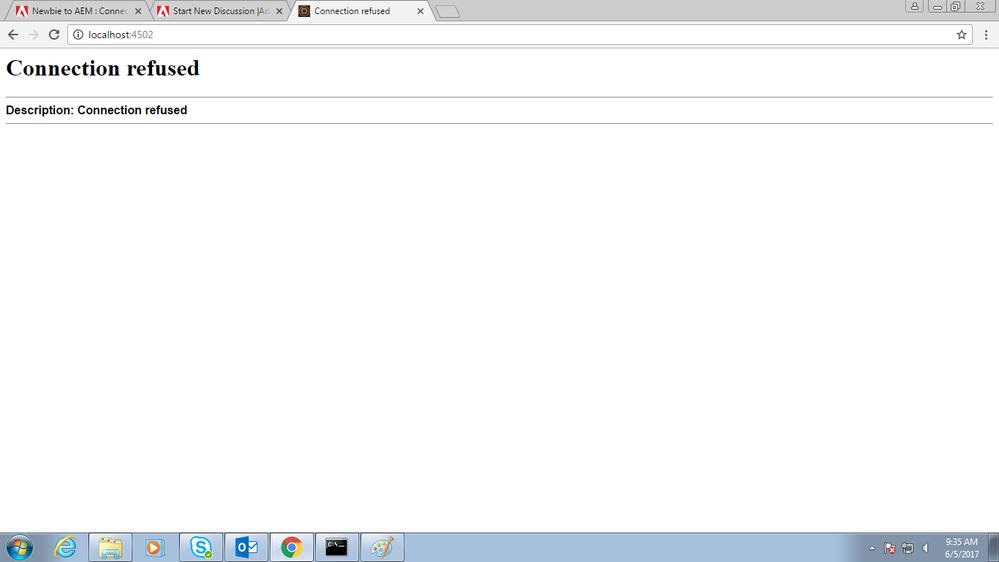
I started the AEM author instance by the start.bat ( crx-quickstart > bin > start.bat ), there the server is showing the startup complete but when i am hitting on link localhost:4502 it is showing connection refused ??
해결되었습니다! 솔루션으로 이동.
조회 수
답글
좋아요 수
In your office network if you are using a proxy network, this issue can happen in chrome . We have faced this issue due to the proxy settings in chrome browser. Could you check the below
If you are using Chrome. Can you go to settings --> Change proxy settings --> if the bypass proxy is unchecked , please check it....
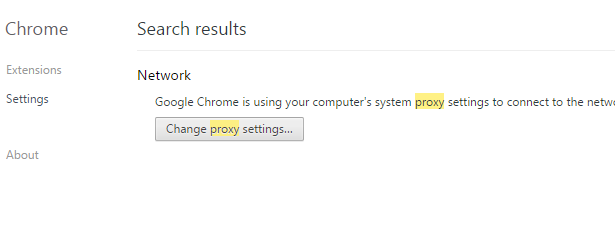
Since I dont have proxy settings, below image is only for demonstration
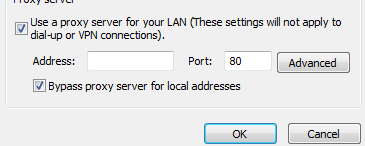
Let me know if this worked
Thanks
Veena
조회 수
답글
좋아요 수
Hi,
Are you able to open crxde[http://localhost:4502/crx/de/index.jsp ] or explorer or system console[http://localhost:4502/system/console/configMgr ].
Also, can you check for anything suspicious in error/startup log file.
조회 수
답글
좋아요 수
Are you able to view bundles from felix console http://localhost:4502/system/console/bundles ? Any issues from Error.log ?
조회 수
답글
좋아요 수
I am not even able to hit the login page of AEM, and i am not able to find anything suspicious in error.log,
Later i realized that i am able to work in explorer but not in chrome so i got ip of my system and from that i accessed AEM
(<ip address>:4502) but not when i hit localhost:4502, Why so?
조회 수
답글
좋아요 수
Add following line in your hosts file (location ....\Windows\System32\drivers\etc)
127.0.0.1 localhost
조회 수
답글
좋아요 수
Hi,
please check your error.log for the string "4502". Looks like your AEM instance is not bound to this port (for whatever reason). Can you check "http://127.0.0.1:4502/" as well (just to make sure, that your local Windows isn't broken)?
kind regards,
Jörg
조회 수
답글
좋아요 수
In your office network if you are using a proxy network, this issue can happen in chrome . We have faced this issue due to the proxy settings in chrome browser. Could you check the below
If you are using Chrome. Can you go to settings --> Change proxy settings --> if the bypass proxy is unchecked , please check it....
Since I dont have proxy settings, below image is only for demonstration
Let me know if this worked
Thanks
Veena
조회 수
답글
좋아요 수
Thanks
조회 수
답글
좋아요 수
Thanks @shiju for the concern but changing proxy settings worked for me, as i am working office network so no admin rights is there
조회 수
답글
좋아요 수
Thanks @Jorg i searched the port number string in log it showed the result, and the loopback link "http://127.0.0.1:4502/" also was not working, but thanks for the help ![]()
조회 수
답글
좋아요 수
조회 수
Likes
답글
조회 수
Likes
답글