Combining multiple rows into 1 row from imported file | Adobe Higher Education
Skip to main content
Level 2
October 30, 2020
Beantwortet

Combining multiple rows into 1 row from imported file

  • October 30, 2020
  • 4 Antworten
  • 3635 Ansichten

we have a file imported from a workflow. see sample below


Is there a way to combine row 1 and 2 using workflow?


Row#Header 1Header 2
1Customer 1Message 1
2Customer 1Message 2
Dieses Thema wurde für Antworten geschlossen.
Beste Antwort von anasso83525035

Hello,


Here's a solution but you will need to know the maximum duplicates possible in your file, and also have a field to correctly order the records and concatenate your message in the right order.


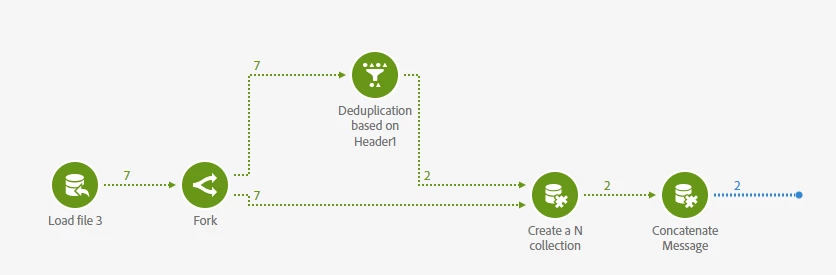
  1. Load your file
  2. Fork to two transitions
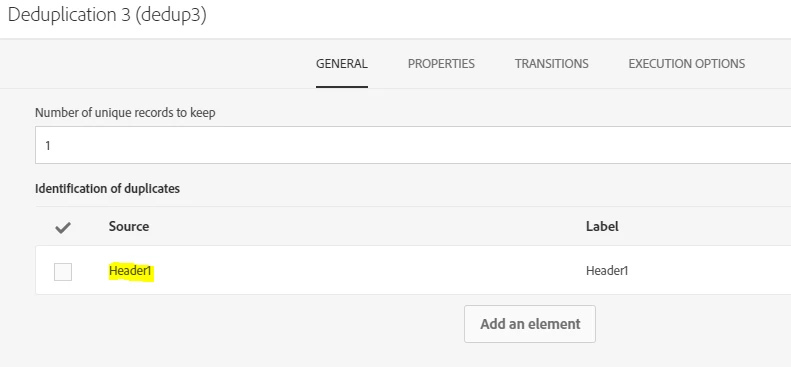
  3. in first transition, add a deduplication based on the Header1


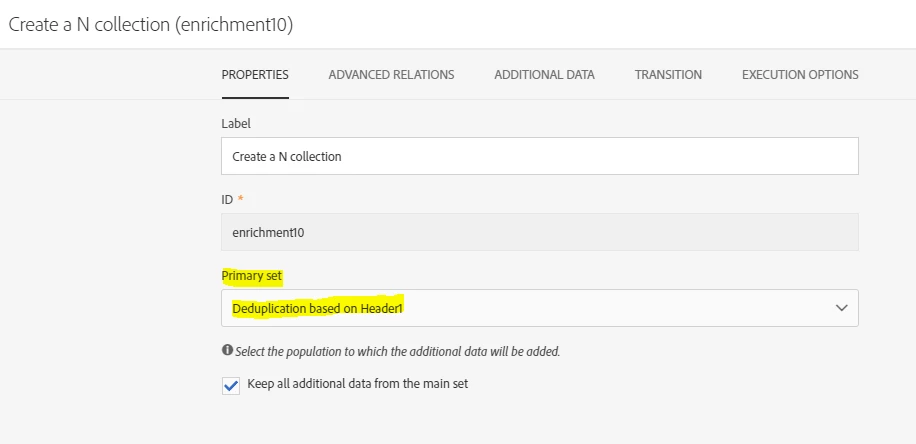
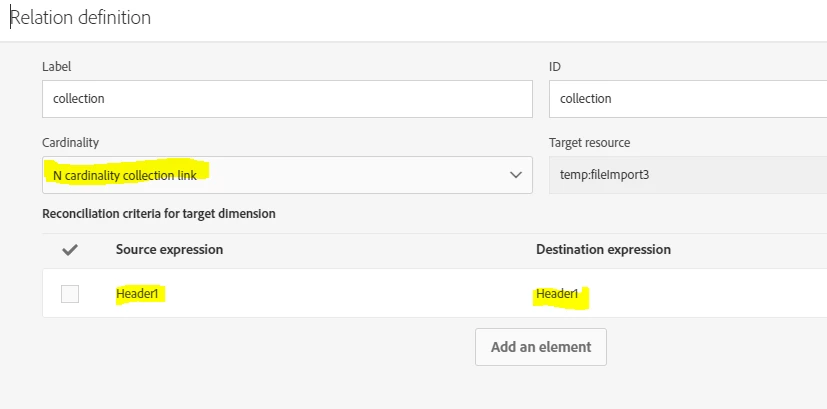
  4. Join the two transitions in an enrichment activity wih the deduplication transition as the main set in an N card link


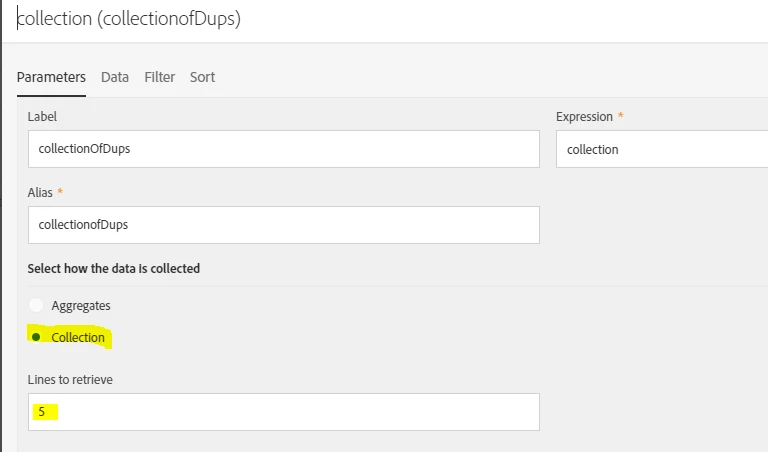
  5. In the additional data tab add your new collection link and configure its parameters as follow 

    Here I suppose that I may have as many as 5 duplicates max.

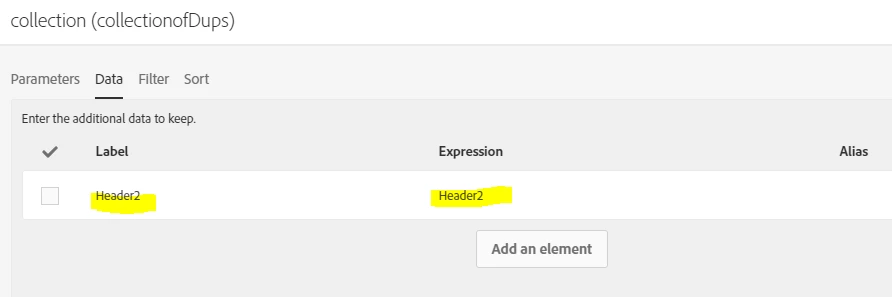
    In the data tab, I add the header2 corresponding to the Message:

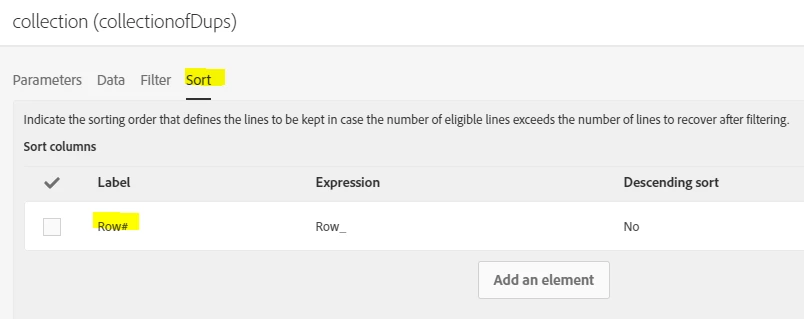
    In the Sort tab, I order by the rowID (supposedly) to have the message in the correct order.


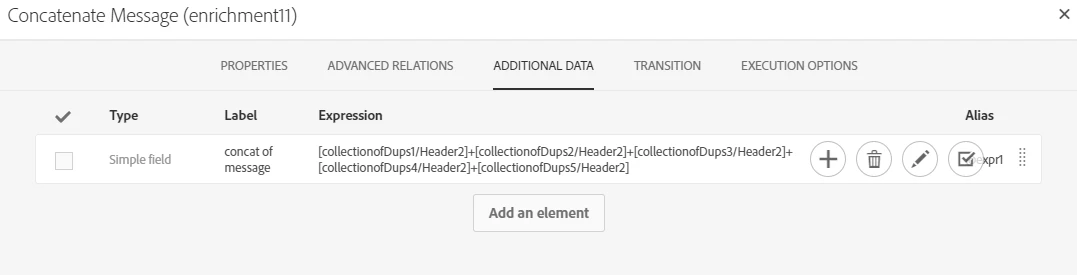
  6.  Last step is to add another enrichment to concatenate the 5 duplicates ordered by rowID


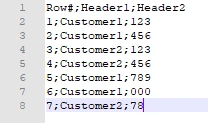
    Here's what my file looks like:

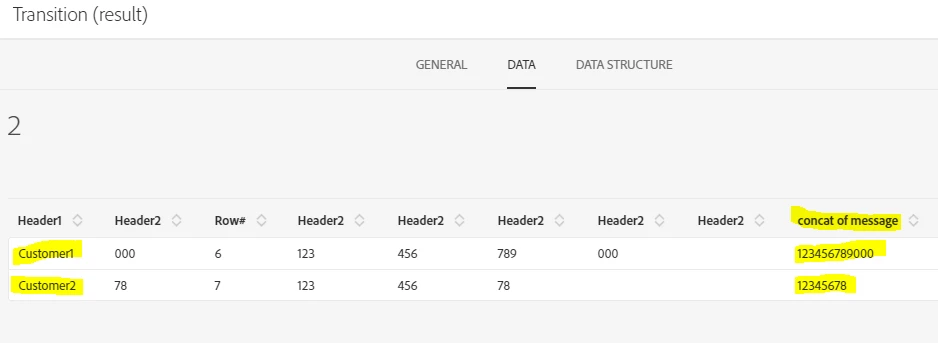
And final result in my workflow :


Hope this is clear enough.

4 Antworten

Level 3
October 31, 2020

Hey @peterd54639079 


Couple questions here to be able to help you with this.


  • In your full file, are there always only two duplicates to merge ?
  • What should the Header 2 field look like when merged : Message 1+Message 2 ?
  • If so, does the line with the lower row number always have the start of the Message ?
  • What is the final objective of this ? Updating a table ? If so it may be easier to update twice directly rather than trying to merge the data beforehand.

Thanks.

Level 2
November 2, 2020

Hello


1. In the full file, there could be more that 2 duplicates to merge.

2. Yes that is what we want Header 2 to be --> Message 1 + Message 2

3. It doesn't have to be in that order

4. Our objective is to put the merge data as content on an email

Level 3
November 2, 2020

Hello,


Here's a solution but you will need to know the maximum duplicates possible in your file, and also have a field to correctly order the records and concatenate your message in the right order.


  1. Load your file
  2. Fork to two transitions
  3. in first transition, add a deduplication based on the Header1


  4. Join the two transitions in an enrichment activity wih the deduplication transition as the main set in an N card link


  5. In the additional data tab add your new collection link and configure its parameters as follow 

    Here I suppose that I may have as many as 5 duplicates max.

    In the data tab, I add the header2 corresponding to the Message:

    In the Sort tab, I order by the rowID (supposedly) to have the message in the correct order.


  6.  Last step is to add another enrichment to concatenate the 5 duplicates ordered by rowID


    Here's what my file looks like:

And final result in my workflow :


Hope this is clear enough.

Level 2
May 7, 2021
@anasso83525035 Thank you again for this.. is there a add new line in the enrichment activity?
Level 3
November 9, 2020

Hello @peterd54639079,


Curious to know if you got a chance to test the solution provided ?

Sukrity_Wadhwa
Community Manager
Community Manager
November 11, 2020

Hi @peterd54639079,

Were you able to resolve this query with the given solution? Do let us know.

Thanks!

Sukrity Wadhwa