Hi @rvnth ,
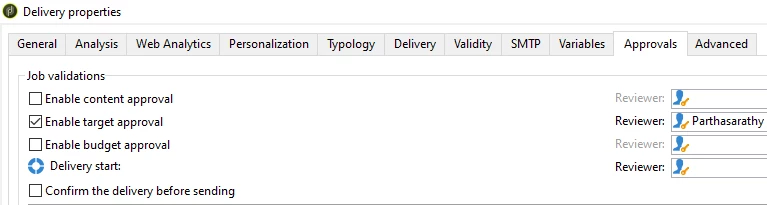
If you want to approve the target count alone, then you can open delivery > property > approvals tab > enable target approval.
If your use case is to send target recipient counts and other details in a file (generated in Data extraction activity) to the operator, by default in approval activity we don't have an option to add an attachment.
You can try the below configurations to add the 'data extraction' generated file to get attached in Approval mail generated by 'Approval' activity.
Step-1: Delivery Template
Navigate to /Administration/Campaign Management/Technical delivery templates/ and search for 'Notification of the assignees for a workflow task' and duplicate this template and label it as 'Notification of the assignees for a workflow task with Attachment'.
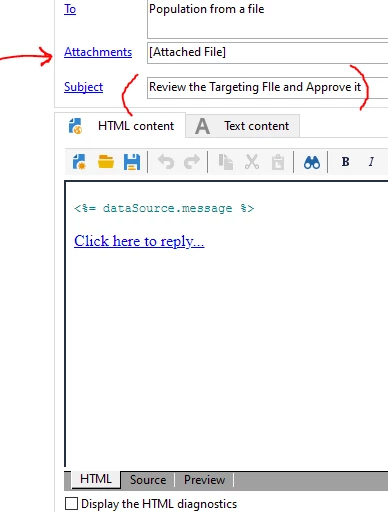
Remove the default subject line and Hardcode the subject line here.
Next, click > Attachment
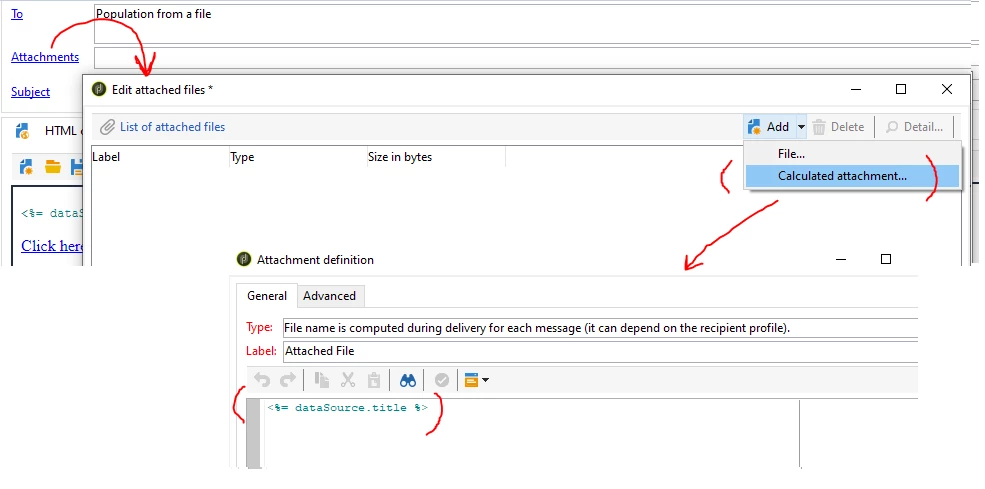
Attachment > Add > calculated attachment > Type: File name is computed during delivery for each message
In script part, add <%= dataSource.title %>
Step2: Workflow
You can use the same workflow setup as you mentioned in Question.
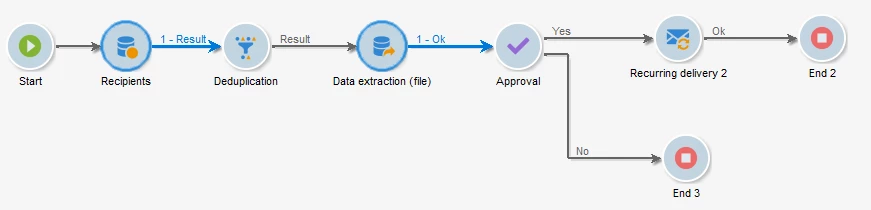
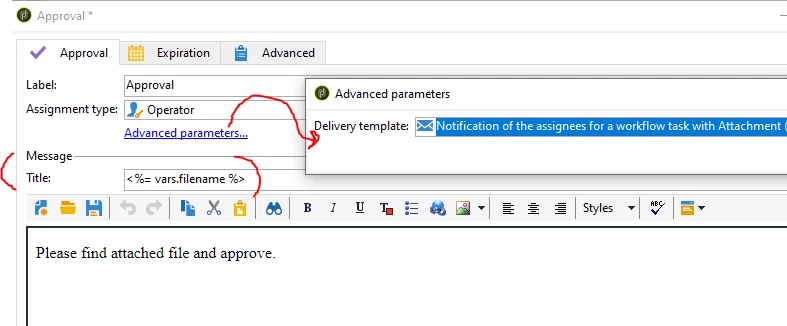
Open Approval activity, Advanced parameters > change the delivery template to above created delivery template 'Notification of the assignees for a workflow task with Attachment'
And in title, add the script as <%= vars.filename %>
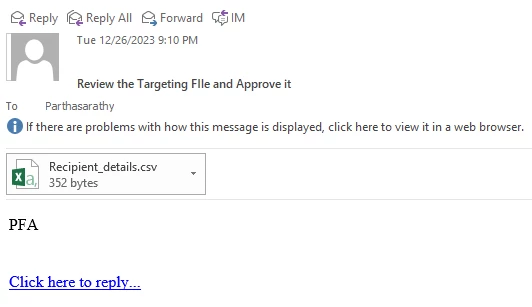
Now when you run the workflow, the operator will receive the file generated in Data extraction as an email attachment.
Result: