Solved
Changing campaign end date
Hi, how to change a campaign end date if the campaign is in finished state?
Hi, how to change a campaign end date if the campaign is in finished state?
Hi @sanjana12 ,
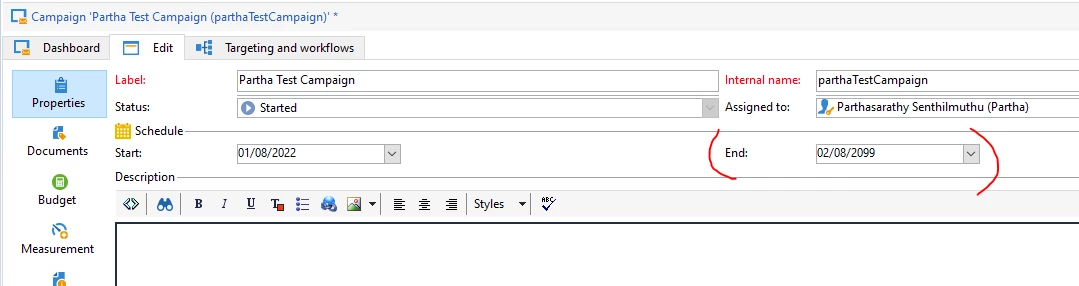
you can directly modify the END date in Campaign's Edit tab.
When the End date is greater than or equal to current date, and Start date is lesser than or equal to Current date , then the campaign will be in 'Started' State. (After modifying the date, Just refresh the console to see the status get updated)
Enter your E-mail address. We'll send you an e-mail with instructions to reset your password.