
New Custom Field Sharing Display | Community
Skip to main content
SarahNau
Adobe Employee
Adobe Employee
October 7, 2021
Question

New Custom Field Sharing Display

  • October 7, 2021
  • 2 replies
  • 1329 views

Good morning,

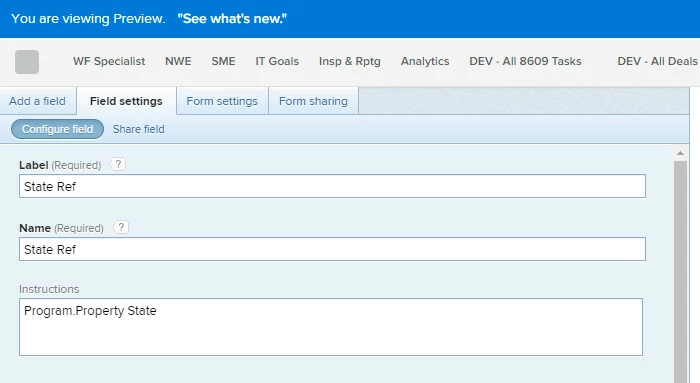
I had a meeting with my SME group yesterday to go over the next release. One of the features that I wanted to cover was the new display message for shared custom fields. When I logged in to preview earlier this week, it was there. Yesterday it was not.

@Kyna Baker - inactive‚ - I wasn't able to catch the name of the product manager on the video - is this still being released?

Thanks!
This post is no longer active and is closed to new replies. Need help? Start a new post to ask your question.

2 replies

kynabaker16
Adobe Employee
Adobe Employee
October 7, 2021

Hi Sarah,

I'm tracking down the product manager over this feature to get some insight! Stay tuned.

Kyna

Adobe Employee
October 8, 2021

Hey @Sarah Nau‚,

Thanks for bringing this to our attention. I'm sorry to hear that there are challenges with that functionality. I wanted to confirm that the mentioned capability is a part of the 21.4 release and should be available in both Preview and Production environments. If you still can't see that, please submit a case for us to investigate and solve.

Please accept my apologies for any inconvenience.

Thanks,

Gevorg

SarahNau
Adobe Employee
SarahNauAdobe EmployeeAuthor
Adobe Employee
October 8, 2021

Thanks Gevorg - I put in a ticket.

Adobe Employee
October 21, 2021

Hey Sarah,

I apologize for the delay in my response. I was doing some more investigation on the topic.

Unfortunately, I could not find anything in the platform's code that indicates that the calculation field had the capability to display that warning message.

On the other item, this error message is very specific and is only happening in a special use case. Otherwise, you should be able to freely adjust the formula without the need to remove the field from all other custom forms.

The special use case is only there when you have the same custom calculated field with the same calculation formula on 2 different custom forms attached to a single object. That is there to prevent having the same field with different formulas on a single object.

I hope this is helpful, and I'm happy to jump on a call to walk you through these details if you're interested.

Thanks,

Gevorg