Hi @nickmannion ,
Sorry I missed that it was your question on the other post.
Yes, you're correct. You can only select audiences built using the rule segment builder in audience composition.
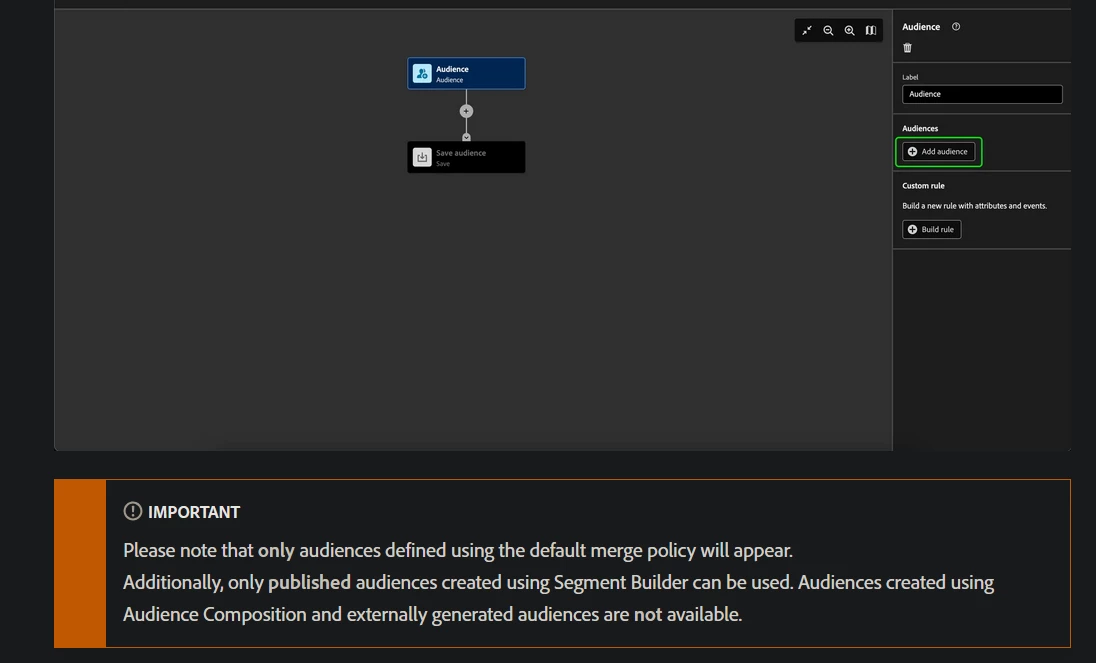
I believe this restriction is in place to avoid potential issues that could arise from using composite audiences. It may be challenging to ensure sequential synchronization between different composite audiences, so Adobe likely designed it this way to allow only rule-based audiences.
When you select a rule-based audience, Adobe simply replicates the rules defined in the previous audience.
From what I understand from your comment on other post, you want to:
- First, divide your audience into 25% segments (A, B, C, and D).
- Then, further divide Audience A by 50% into two groups (E and E).
For example, let's say you have 120 people in your audience. Dividing them into 25% groups will give you 30 people in each group (A, B, C, D). Then, dividing Audience A (30 people) by 50% will give you 15 people in each of the two new groups (E and E).
Alternatively, if you take 12.5% for Groups A and B from the beginning, and 25% for the rest (C and D), you'll achieve the same result with a single split activity, rather than multiple activities.
I understand you're looking for an easier solution, but unfortunately, Adobe AEP doesn't offer a built-in option to achieve this directly. You’ll need to implement a workaround if you want to proceed this way.
I hope this helps!
Best regards,
Parvesh